20

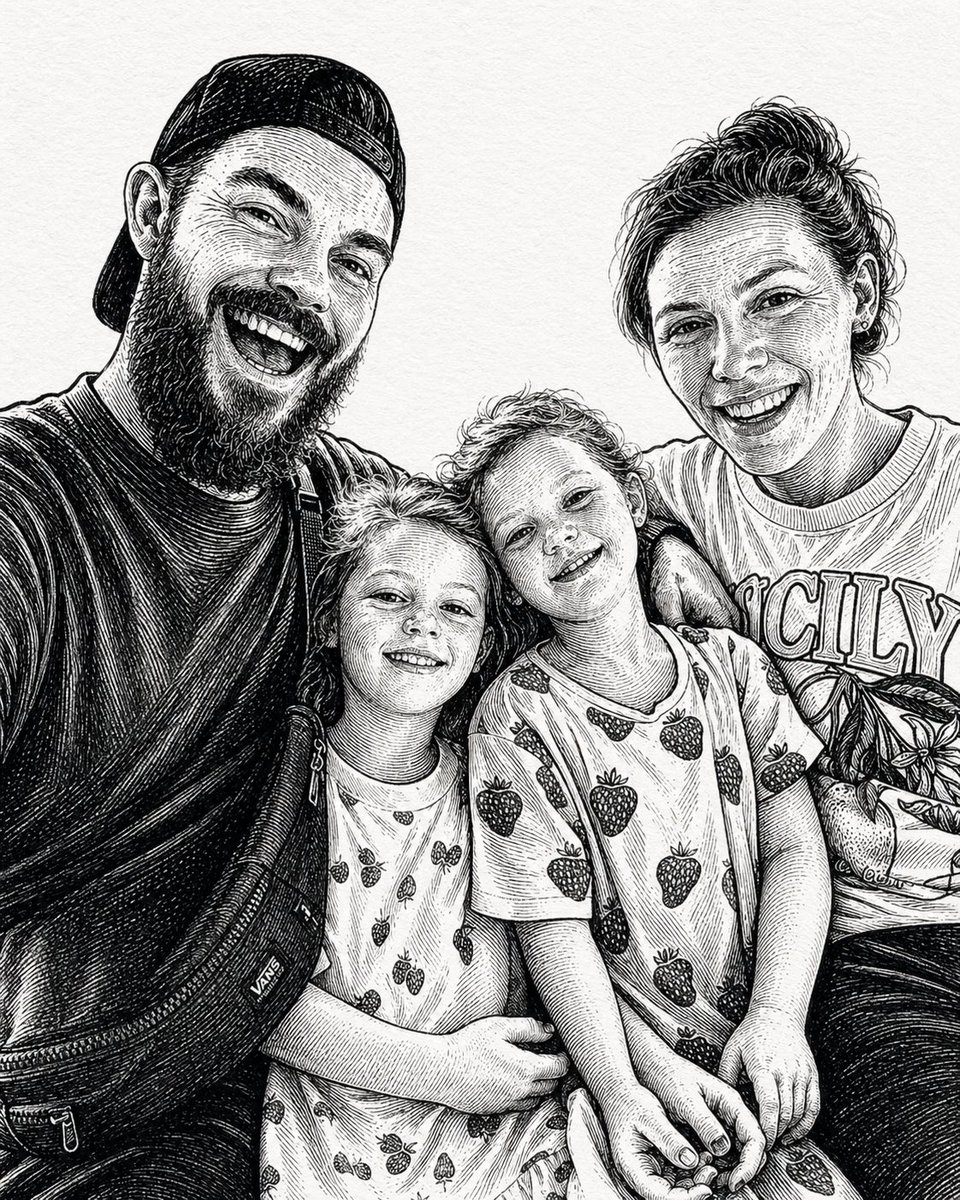
Ink-Etched Family Portrait
Enlarge

Ink-Etched Family Portrait

Prompt
A black-and-white hand-drawn family portrait in the style of detailed pen-and-ink crosshatching on textured white paper, showing 4 people seated closely together in a casual candid composition. On the left, an adult man in a dark baseball cap worn backward and a dark T-shirt leans into the frame, with a crossbody sling bag worn across his chest and visible zipper details. On the right, an adult woman with curly hair tied up in a loose high bun wears a light T-shirt with large collegiate block letters reading {argument name="shirt text" default="CITY"}. In the center are 2 young children sitting close together, both with short curly hair and matching light-colored T-shirts printed all over with strawberries. The child on the left leans inward with one arm crossing the other child, and the child on the right tilts their head slightly upward. The adults frame the children protectively, creating a warm family snapshot feeling. Render the whole image as a monochrome etched illustration with dense fine-line hatching, engraved shadows, crisp contour lines, and a realistic yet artistic likeness, with no color, no background setting beyond a plain light paper texture, and a vertical portrait crop.
Category
Photography & Realism
Model
GPT Image 2
Creator
gdb
Source language
en
Views3
Source ID
evolink-gdb-2048184698195870102
Published
Apr 27, 2026
Studio

Guide

About "Ink-Etched Family Portrait"

What is this prompt for?

"Ink-Etched Family Portrait" AI image prompt for GPT Image 2 (Photography & Realism). A black-and-white hand-drawn family portrait in the style of detailed pen…

The full copyable prompt and example visuals above are ready for AI image generation or one-click recreate in Picva.

How to use this prompt

  1. Step 1

    Open the prompt detail

    Review the example visuals, category, and full prompt text for "Ink-Etched Family Portrait".

  2. Step 2

    Copy the prompt

    Copy the prompt body from this page, or load it directly in Studio.

  3. Step 3

    Pick a model (GPT Image 2)

    Prefer GPT Image 2. If you switch models, keep subject and composition and tweak style terms.

  4. Step 4

    Generate and export

    Recreate the look in Picva, or export into your workflow for editing and publishing.

FAQ

What is the "Ink-Etched Family Portrait" prompt?
It is an AI image-generation prompt for GPT Image 2 in the Photography & Realism category. This page includes the full prompt text, example visuals, and a one-click recreate path in Picva.
How do I use this prompt to generate an image?
Copy the prompt from this page, or use Generate / Studio. Paste it into a compatible image model, or recreate the look in Picva with optional reference images.
Which model is this prompt for?
This page lists GPT Image 2. Most descriptive prompts also transfer to nearby image models such as GPT Image, Flux, or Midjourney with light style tweaks.
Can I use the result commercially?
You can usually copy the prompt for creation, but commercial use of the final image depends on the model terms, reference-image rights, and the generated content. Follow the source author and platform rules.