20

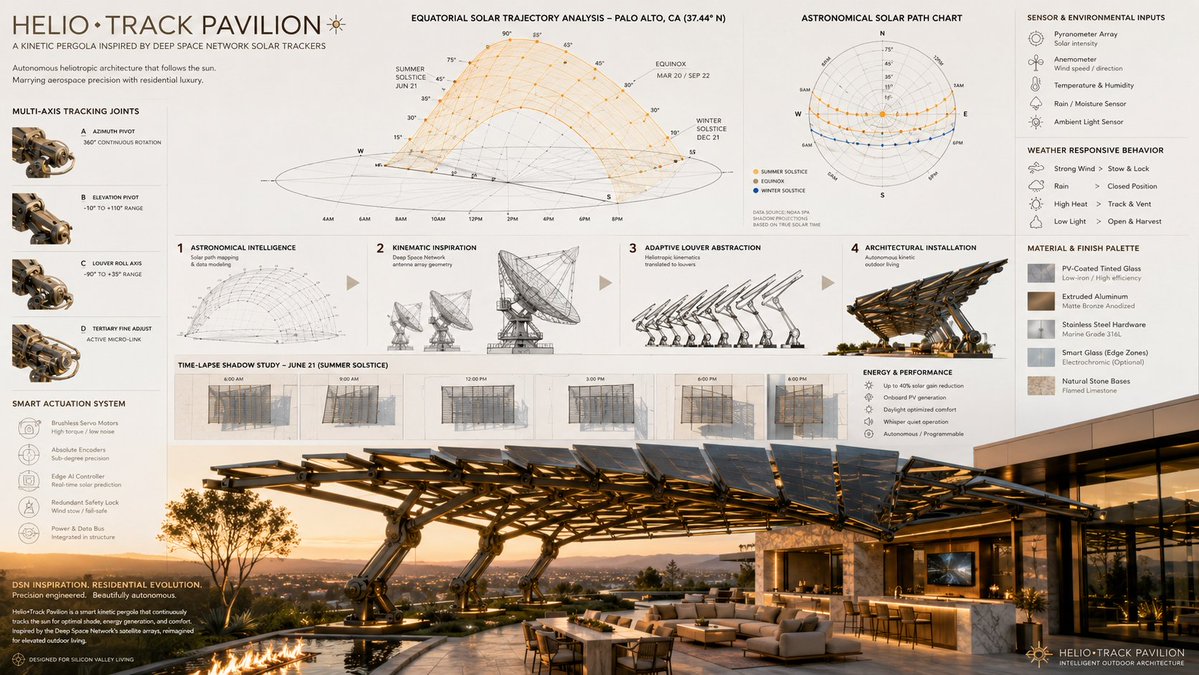
Heliotropic Architecture Board
Enlarge

Heliotropic Architecture Board

Prompt
16:9 autonomous kinetic architecture, the heliotropic tracking mechanics of [aerospace/solar tracking array] shaping an adaptive, luxury [outdoor architectural structure], sequence from [astronomical/solar path diagrams] to [robotic kinematic wireframes] to a programmable louvre abstraction to the final architectural installation, ai to infer smart-motor integration and weather-responsive materials utilizing [material 1] and [material 2], featuring time-lapse shadow projection diagrams, [aesthetic style] aesthetic, presentation layout: solar path charts at the top, robotic hinge details in the margins, stunning photorealistic architectural render below, [lighting style].  input: [deep space network satellite dish array], [smart kinetic patio pergola], [equatorial solar trajectory mapping], [multi-axis pivoting joint schematics], [photovoltaic-coated tinted glass], [extruded matte bronze aluminum], [contemporary silicon valley billionaire estate], [golden hour sunlight casting intricate geometric shadows]
Category
UI & Interfaces
Model
GPT Image 2
Creator
Gdgtify
Source language
en
Views1
Source ID
evolink-gdgtify-2055773537257034007
Published
May 17, 2026
Studio

Guide

About "Heliotropic Architecture Board"

What is this prompt for?

"Heliotropic Architecture Board" AI image prompt for GPT Image 2 (UI & Interfaces). 16:9 autonomous kinetic architecture, the heliotropic tracking mechanics of…

The full copyable prompt and example visuals above are ready for AI image generation or one-click recreate in Picva.

How to use this prompt

  1. Step 1

    Open the prompt detail

    Review the example visuals, category, and full prompt text for "Heliotropic Architecture Board".

  2. Step 2

    Copy the prompt

    Copy the prompt body from this page, or load it directly in Studio.

  3. Step 3

    Pick a model (GPT Image 2)

    Prefer GPT Image 2. If you switch models, keep subject and composition and tweak style terms.

  4. Step 4

    Generate and export

    Recreate the look in Picva, or export into your workflow for editing and publishing.

FAQ

What is the "Heliotropic Architecture Board" prompt?
It is an AI image-generation prompt for GPT Image 2 in the UI & Interfaces category. This page includes the full prompt text, example visuals, and a one-click recreate path in Picva.
How do I use this prompt to generate an image?
Copy the prompt from this page, or use Generate / Studio. Paste it into a compatible image model, or recreate the look in Picva with optional reference images.
Which model is this prompt for?
This page lists GPT Image 2. Most descriptive prompts also transfer to nearby image models such as GPT Image, Flux, or Midjourney with light style tweaks.
Can I use the result commercially?
You can usually copy the prompt for creation, but commercial use of the final image depends on the model terms, reference-image rights, and the generated content. Follow the source author and platform rules.