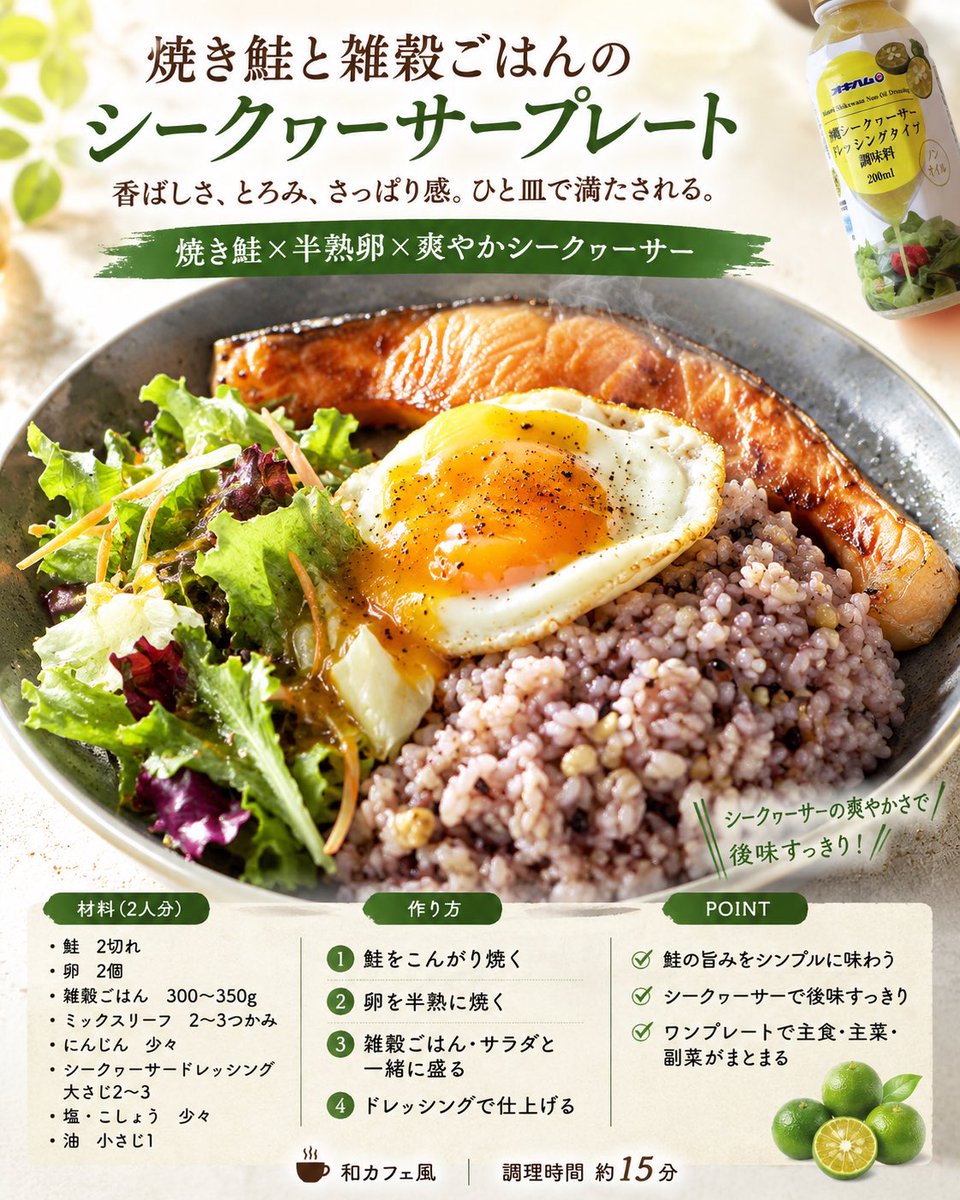
Professional Recipe Card Designer
Prompt
Using the attached finished photo, please generate 4 recipe concept images with professional food designer specifications.

Conditions:
- vertical 4:5, Japanese
- All 4 images should have the same dish as the theme.
- However, each of the 4 images should have a different design direction.
- Make the finished dish in the attached image the protagonist, and capture and utilize the type of dish, composition, tableware, plating, coloring, and food texture.
- Organize the everyday feel and cluttered backgrounds of the photo and reconstruct it into a bright, clean food photo.
- While preserving the quality of the actual dish made, achieve a level of completion similar to a food magazine, cafe menu, or SNS recipe card.
- For unspecified items, supplement them naturally from the attached image.
- If dish name, number of people, genre, ingredients, steps, POINT, and catchphrase are unspecified, propose them naturally from the image.
- Do not make ingredients not in the photo the protagonist.
- Make it a realistic recipe that is easy to reproduce at home.
- Adjust the heating process to be one-pan or as few steps as possible.

Composition:
- Top: Title + short sub-copy
- Center: Hero food photo
- Bottom or Side: "Ingredients (serves X)", "How to make", "POINT"

4 directions:
1. Food magazine feature page style
2. Cafe menu/natural recipe card style
3. SNS saveable/practical recipe card style
4. Food advertisement style with strong sizzle

Final goal:
Based on the attached image, create 4 high-quality recipe images that look like the actual dish was finished in 4 different directions by a professional food designer.
- Category
- Charts & Infographics
- Model
- GPT Image 2
- Creator
- hAru_mAki_ch
- Source ID
- youmind-24125
Views0







