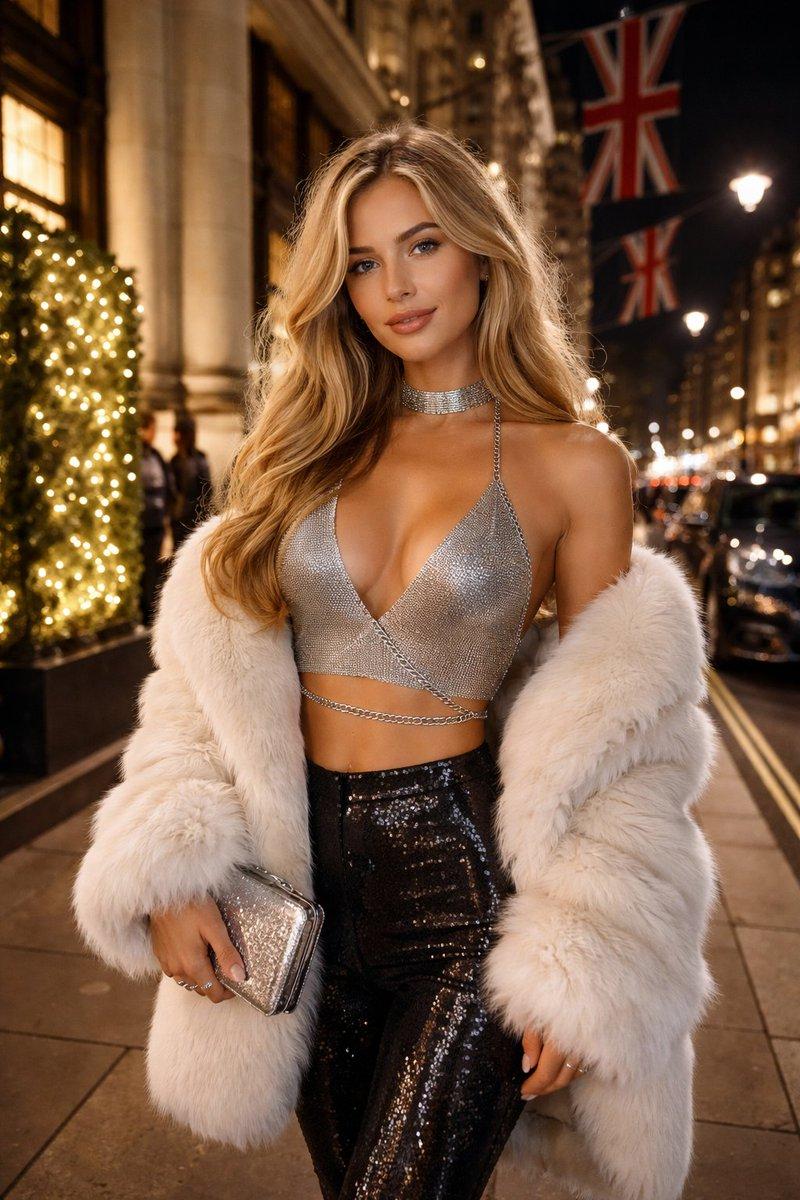
Soft waves blonde portrait: GPT Image 2 prompt
Prompt
{
 "canvas": {
 "width": 1200,
 "height": 1200
 },
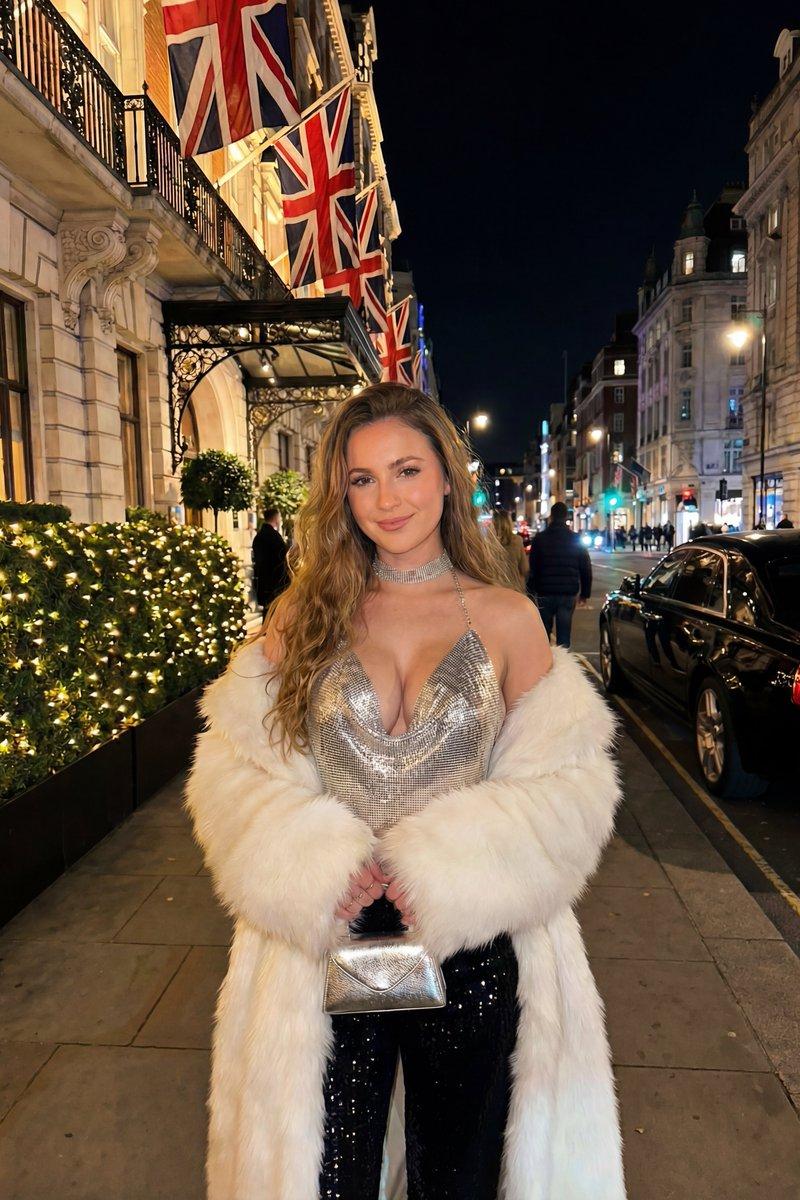
 "subject": {
 "gender": "female",
 "age_range": "early to mid 20s",
 "ethnicity": "fair-skinned, European appearance",
 "hair": {
 "color": "golden blonde",
 "length": "long",
 "style": "loose, soft waves",
 "parting": "center part"
 },
 "face": {
 "shape": "oval",
 "skin_tone": "warm fair",
 "makeup": {
 "foundation": "smooth, natural finish",
 "eyes": "defined lashes, subtle smoky eyeliner",
 "eyebrows": "well-shaped, medium thickness",
 "lips": "nude peach matte lipstick",
 "blush": "soft warm pink"
 },
 "expression": "soft confident smile",
 "eye_color": "light blue"
 },
 "pose": {
 "body_position": "standing upright",
 "orientation": "facing the camera",
 "shoulders": "relaxed",
 "arms": "left arm holding clutch, right arm relaxed"
 }
 },
 "outfit": {
 "top": {
 "type": "metallic chainmail halter top",
 "color": "silver",
 "design": "deep plunging V neckline",
 "details": [
 "thin chain straps",
 "horizontal chain strap wrapped across midriff"
 ]
 },
 "outerwear": {
 "type": "faux fur coat",
 "color": "white",
 "texture": "plush and fluffy",
 "wear_style": "draped off shoulders, resting around elbows"
 },
 "bottoms": {
 "type": "high-waisted trousers",
 "color": "black",
 "material": "sequined fabric",
 "fit": "slim fit"
 },
 "accessories": {
 "handbag": {
 "type": "small clutch",
 "color": "silver metallic",
 "finish": "glittered"
 }
 },
 "jewelry": {
 "neck": "wide silver choker collar",
 "connection": "choker attached to halter top chain"
 }
 },
 "environment": {
 "location": "luxury city street at night",
 "city_vibe": "London-inspired",
 "background_elements": [
 "grand stone building with tall columns",
 "Union Jack flags mounted on building facade",
 "ornate black metal fencing",
 "large green hedge wrapped in warm fairy lights",
 "parked black luxury car resembling Rolls-Royce",
 "street lamps",
 "blurred pedestrians and traffic lights in distance"
 ],
 "ground": "clean stone pavement"
 },
 "lighting": {
 "time": "night",
 "sources": [
 "warm decorative fairy lights",
 "soft street lighting",
 "ambient building lights"
 ],
 "effect_on_subject": "even illumination on face and outfit",
 "color_temperature": "warm foreground with cool background highlights"
 },
 "camera": {
 "shot_type": "medium shot",
 "angle": "eye-level",
 "focus": "sharp focus on subject",
 "depth_of_field": "shallow",
 "background": "cinematic bokeh"
 },
 "style": {
 "aesthetic": "luxury glamour",
 "mood": "confident, elegant, upscale nightlife",
 "photography_type": "high-end smartphone or mirrorless camera",
 "realism_level": "photorealistic",
 "grain": "very subtle night grain"
 },
 "color_palette": {
 "primary_colors": ["silver", "white", "black"],
 "accent_colors": ["warm gold lights", "deep night blues"]
 }
}- Category
- Photography & Realism
- Model
- GPT Image 2
- Creator
- Shahid Wani
- Source language
- en
- Source ID
- 2003418636795674903
- Published
- Dec 23, 2025
Views0