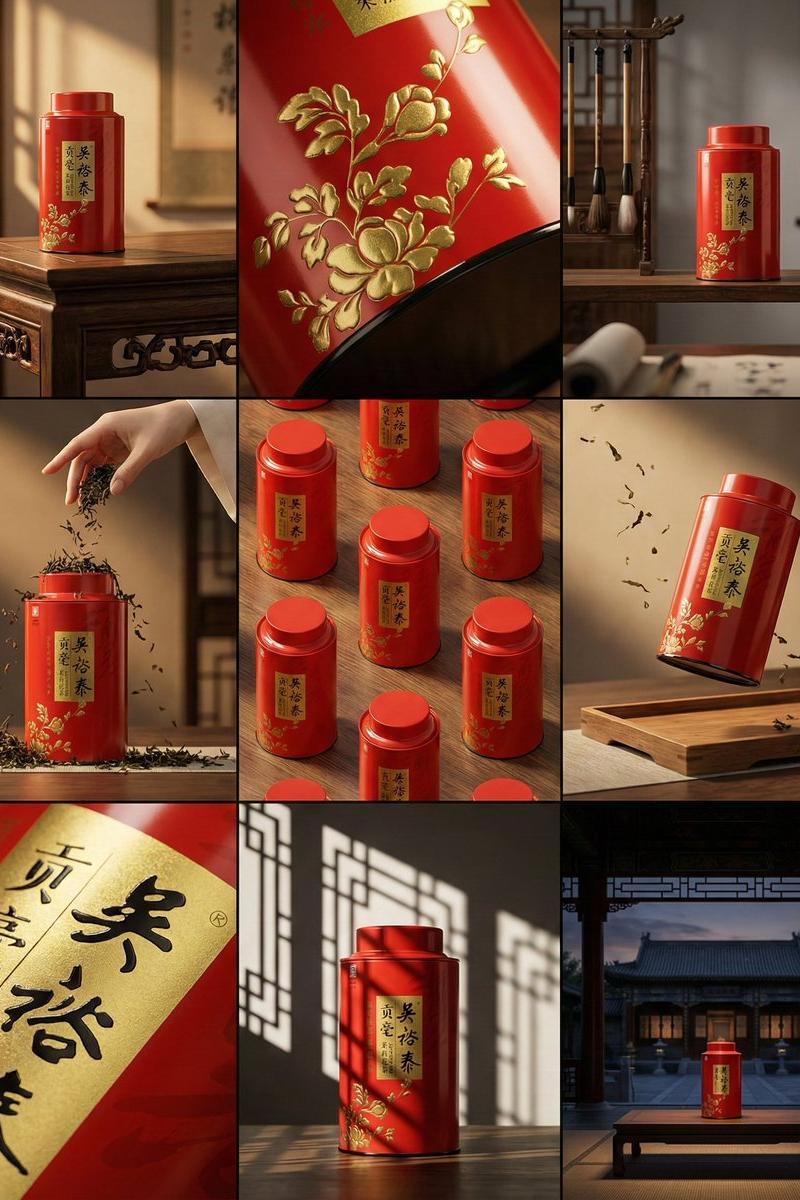
Red tea tin 3x3 grid: GPT Image 2 prompt
Prompt
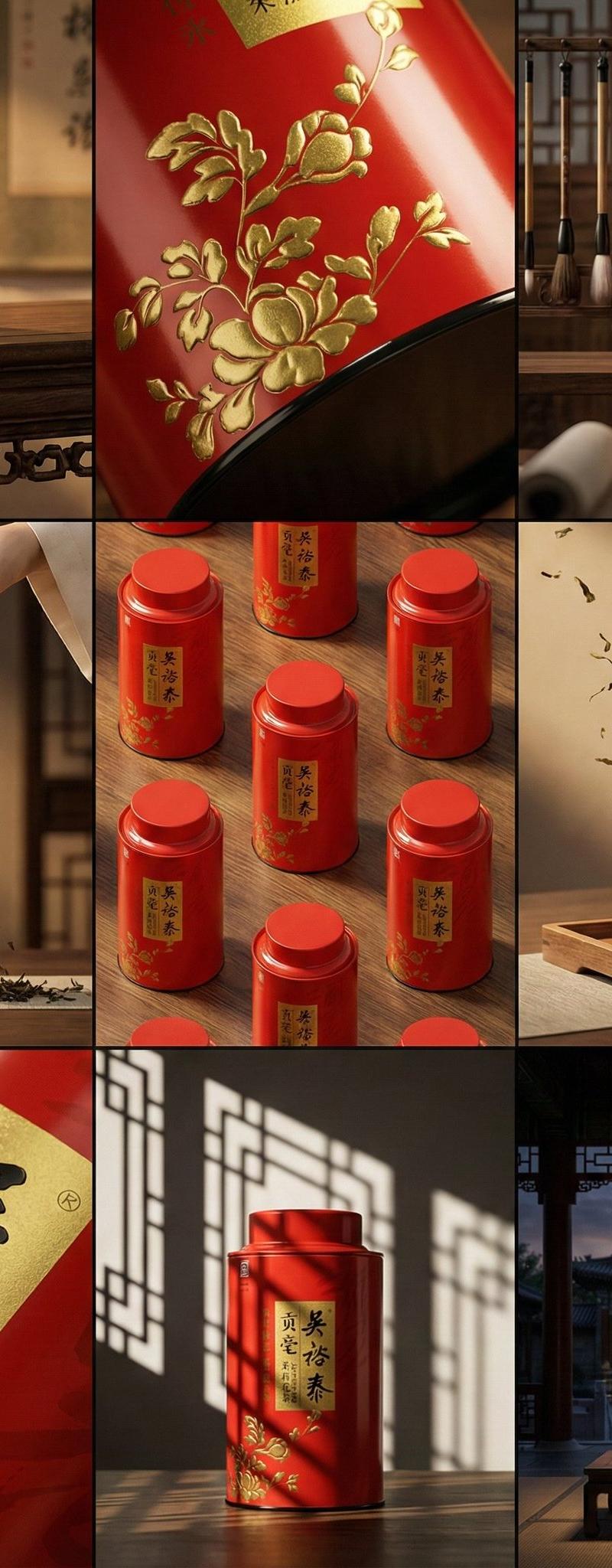
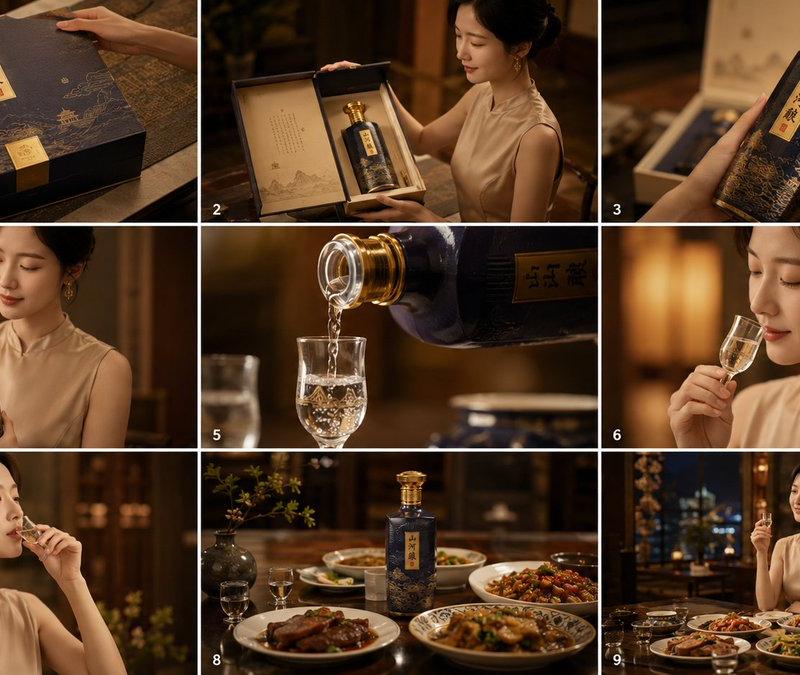
A clean 3×3 storyboard grid with nine equal-sized panels and an overall 4:5 aspect ratio.
Use the reference image as the base product reference. Keep the same product, packaging design, branding, materials, colors, proportions and overall identity across all nine panels exactly as the reference. The product must remain clearly recognizable in every frame. The label, logo and proportions must stay exactly the same.
This storyboard is a high-end designer mockup presentation for a branding portfolio. The focus is on form, composition, materiality and visual rhythm rather than realism or lifestyle narrative. The overall look should feel curated, editorial and design-driven.
FRAME 1 (The Icon): Center-composed hero shot of the red tea tin on an antique dark walnut table, bathed in warm, golden afternoon sun.
FRAME 2 (The Tactile): Extreme close-up on the glossy red metal surface showing the embossed gold floral texture catching the light.
FRAME 3 (The Environment): The canister placed on a wooden shelf in a blurred traditional Chinese study with calligraphy brushes in the background.
FRAME 4 (The Interaction): An elegant hand pouring dry tea leaves near the base of the tin, emphasizing the ritual.
FRAME 5 (The Matrix): An isometric grid of multiple red tins arranged on a wooden surface, creating a pattern of red and gold.
FRAME 6 (The Gravity): The red canister floating gently above a wooden tray, surrounded by drifting dried tea leaves.
FRAME 7 (The Signature): Macro detail focusing strictly on the black Chinese calligraphy "Wu Yu Tai" against the gold background.
FRAME 8 (The Statement): Artistic high-contrast shot using shadows of window lattice (geometric patterns) cast across the red tin.
FRAME 9 (The Horizon): Wide cinematic shot of the tin placed on a low table in a grand, dimly lit traditional courtyard at dusk.
CAMERA & STYLE:
Ultra high-quality studio imagery with a real camera look. Different camera angles and framings across frames. Controlled depth of field, precise lighting, accurate materials and reflections. Lighting logic, color palette, mood and visual language must remain consistent across all nine panels as one cohesive series.
OUTPUT:
A clean 3×3 grid with no borders, no text, no captions and no watermarks.
- Category
- Brand & Logos
- Model
- GPT Image 2
- Creator
- 松果先森
- Source language
- en
- Source ID
- 2015257114529419733
- Published
- Jan 25, 2026
Views0