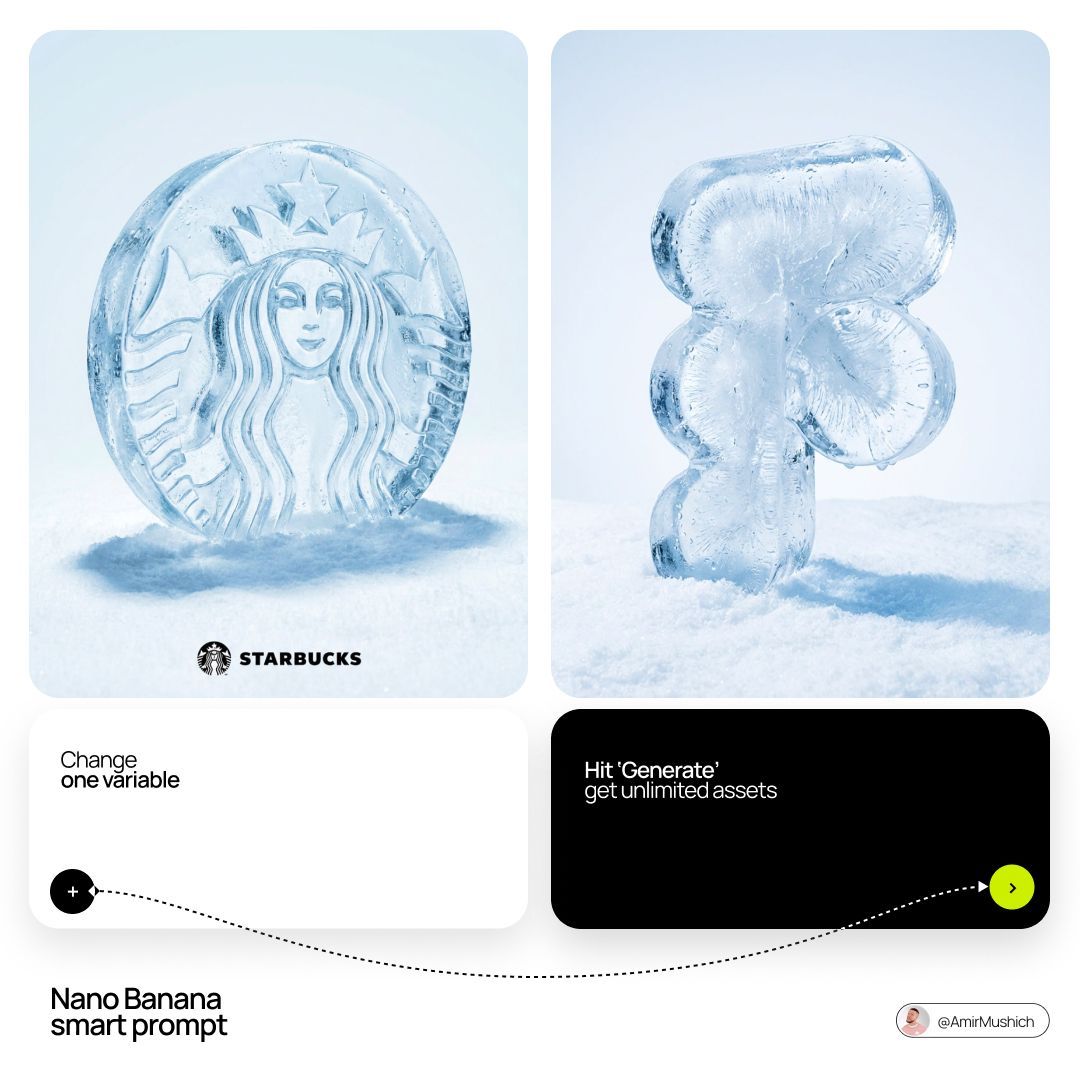
3D ice logo on snow: GPT Image 2 prompt
Prompt
[BRAND NAME]: Enter the brand name here.
Goal: Generate a hyper-realistic studio photograph where the stylized logo icon of [BRAND NAME] is a physical 3D ice sculpture lying directly on a snowy surface.
Constraint: NO TEXT inside or immediately near the central ice icon. Only the bottom signature. Light, airy background.

1. THE CENTRAL ICE ARTIFACT
- Main Subject: A large, 3D volumetric sculpture in the exact shape of the [BRAND NAME] logo icon.
- Material: Crafted from high-purity crystalline ice with intricate internal textures, frost needles, and frozen air bubbles.
- Details: The surface of the ice logo is covered with small, realistic water droplets and light condensation.
- Perspective: The logo is positioned at a 3/4 angle, lying horizontally on the snow to show its depth and thickness.

2. ENVIRONMENT & LAYOUT
- View: Eye-level macro perspective, 3/4 view.
- Surface: The logo is resting on a field of crisp, detailed, white powdery snow.
- Background: A flawless, uniform, very light pale blue and white gradient background (much lighter than the original).
- Shadow: A soft, realistic shadow is cast on the snow directly beneath the ice icon to ground it.

3. BOTTOM BRAND SIGNATURE (CRITICAL)
- Placement: A clean horizontal signature block centered at the bottom of the frame, far below the ice artifact.
- Elements: A tiny, flat, minimalist black version of the [BRAND NAME] logo icon on the left.
- Text: The word "[BRAND NAME]" in a clean, bold, black sans-serif typeface immediately to the right of the tiny logo.
- Scale: The signature is very small and subtle compared to the main ice sculpture.

4. AESTHETIC
- Premium product photography, cold and crisp atmosphere, hyper-realistic 8k resolution, cinematic lighting, ultra-detailed textures.
- Category
- Brand & Logos
- Model
- GPT Image 2
- Creator
- AmirMušić
- Source ID
- 2033619671522345426
- Published
- Mar 16, 2026
Views0





![[Character] in his iconic pose, [Universe Name], standing on a shattered rock ba](https://whqgdndlpxjbwosvipip.supabase.co/storage/v1/render/image/public/prompt-source-media/promptsref/work-43965/image-1-c1a7c6acb20a7434.png?width=800&quality=75&resize=contain)


