Brand world editorial collage: GPT Image 2 prompt
Prompt
You are a world class creative director, brand strategist, editorial art director, and visual identity designer specializing in high impact campaign systems for global brands.

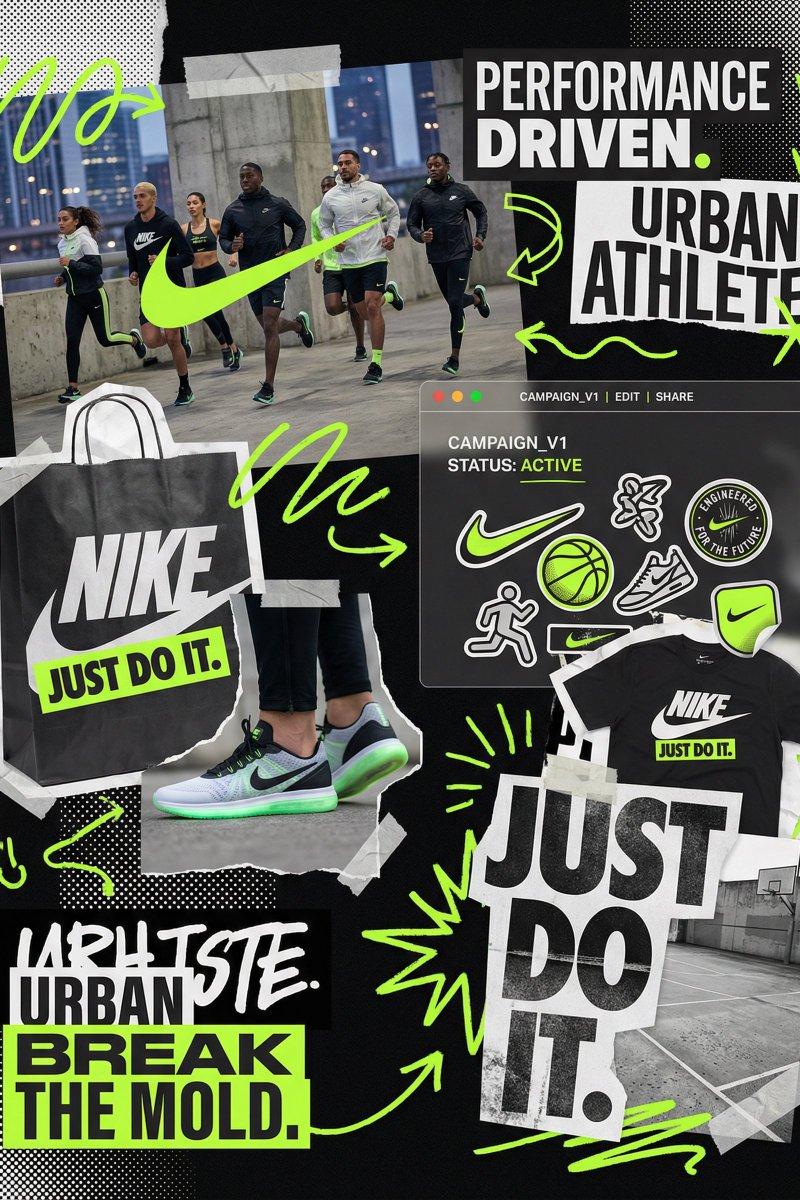
Your task is to create a bold, visually explosive, highly curated editorial moodboard collage composition that feels like a modern brand identity system.

This should feel like a brand world captured in one frame, not a clean layout, slightly chaotic, layered, and expressive.

BRAND INPUTS:

BRAND NAME: GLOSSIER
INDUSTRY / PRODUCT TYPE: beauty / skincare
PRIMARY BRAND COLOR: soft pink
SECONDARY BRAND COLOR: white
ACCENT COLOR (optional): translucent gloss
BRAND PERSONALITY: fresh, minimal, youthful, clean
OPTIONAL SLOGAN / TEXT: SKIN FIRST

VISUAL STYLE:

Create a dense, layered moodboard-style composition combining:

• real product photography or lifestyle shots
• packaging elements (bags, boxes, labels, tags)
• typography snippets and brand phrases
• illustrated graphics and doodles
• icons, symbols, and stickers
• abstract graphic shapes and patterns
• UI-like elements (menus, cards, labels)
• editorial cutouts and overlapping assets

The composition should feel:

• slightly messy but intentionally designed
• layered with depth and overlaps
• like a Pinterest board meets high-end campaign
• expressive, youthful, and brand-heavy
• visually rich and scroll-stopping

ART DIRECTION:

Include a mix of elements such as:

• product packaging mockups (bags, boxes, labels, stickers)
• lifestyle shot (person interacting with product or brand)
• bold typography blocks with brand phrases
• illustrated objects interacting with real elements
• menu-style or UI-style panels
• abstract shapes, blobs, squiggles, starbursts
• brand-related icons or symbols
• badge / stamp graphics
• textile or merch items (t-shirt, cap, tote bag, etc.)
• playful graphic overlays

COMPOSITION RULES:

• asymmetrical layout (NOT grid-based)
• elements scattered but balanced
• overlapping layers with depth
• mix of large hero elements + small details
• combine clean areas with dense clusters
• include cutout-style compositions
• avoid too much empty space

COLOR & DESIGN LANGUAGE:

• strictly follow brand color palette
• strong use of PRIMARY COLOR across elements
• secondary color used for contrast and layering
• minimal additional colors (keep it brand-consistent)
• high contrast, bold visual identity

TYPOGRAPHY:

• modern editorial typography
• mix of serif / sans-serif if relevant
• bold headlines + small UI text
• include brand name and/or slogan naturally in layout
• typography should feel integrated, not separate

VISUAL CHARACTERISTICS:

• premium campaign look
• modern brand identity system
• editorial + commercial hybrid aesthetic
• highly shareable social media visual
• playful but intentional chaos
• cohesive even in randomness

IMPORTANT:

This should feel like:

• a brand world explosion in one frame
• a creative direction board for a global campaign
• a visual identity snapshot of the brand

NOT a clean layout
NOT a grid
NOT minimal

It must feel alive, layered, and expressive.
- Category
- Charts & Infographics
- Model
- GPT Image 2
- Creator
- Ege
- Source language
- en
- Source ID
- 2034302036695547963
- Published
- Mar 18, 2026
Views0