古刹庭院老僧点亮智慧心灯
Prompt
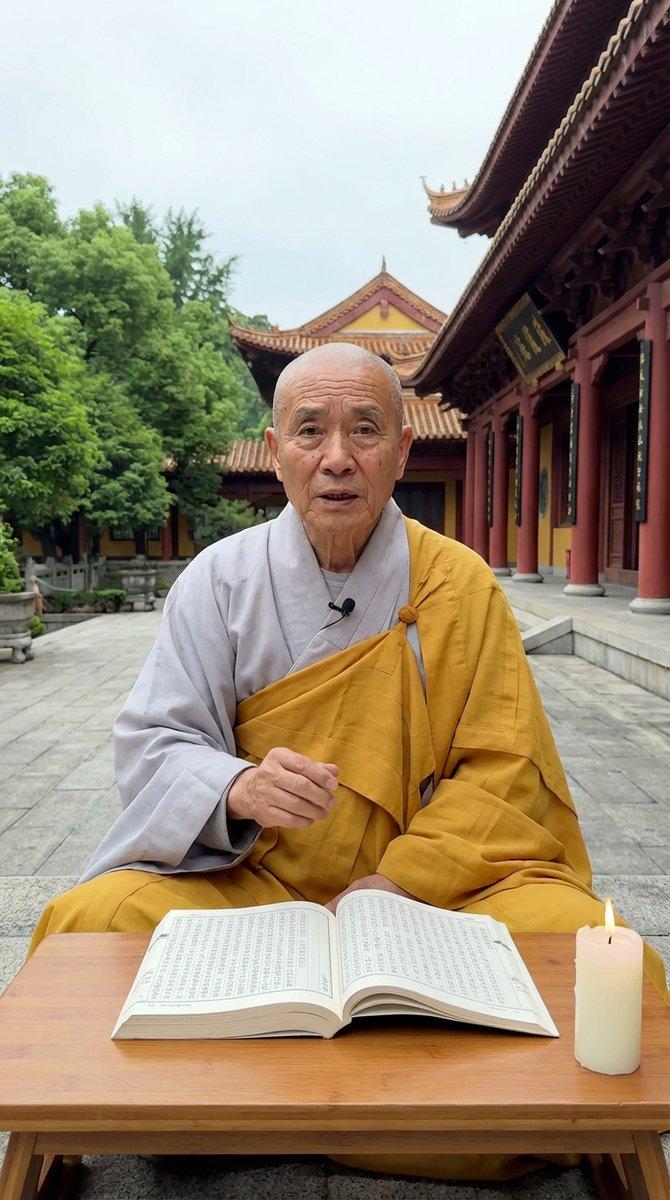
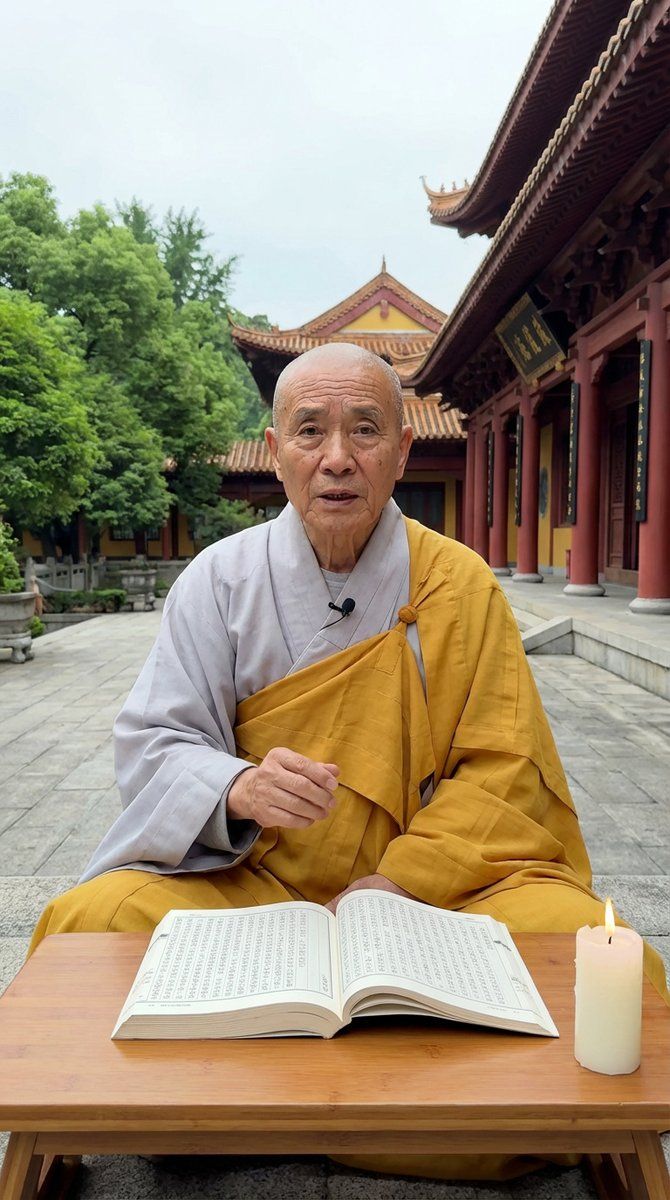
{ "scene_type": "spiritual_teaching_courtyard", "setting": { "location": "outdoor Buddhist temple courtyard", "background": { "architecture": "traditional East Asian temple with intricate wood carvings, red pillars, and curved roof tiles", "nature": "lush green trees to the left", "ground": "grey stone pavement", "weather": "overcast to soft natural daylight" } }, "subject": { "type": "elderly_monk", "position": "seated cross-legged on the ground", "pose": "sitting behind a low table, speaking directly to camera", "expression": "earnest, wise, and instructional", "appearance": { "hair": { "style": "shaved/bald", "color": "none" }, "skin_features": "aged skin with deep wrinkles", "eye_color": "dark" }, "clothing": { "top": "light grey inner robe with saffron yellow outer robe draped over shoulder", "bottom": "saffron yellow robe fabric covering legs" }, "accessories": [] }, "objects": [ { "type": "furniture", "name": "low wooden table", "material": "light wood", "position": "foreground in front of monk" }, { "type": "book", "name": "large open scripture", "state": "open with visible text columns", "position": "on wooden table" }, { "type": "light_source", "name": "candle", "color": "white wax", "state": "lit with small yellow flame", "position": "on table next to book" } ], "camera": { "device": "iPhone 17 Pro", "angle": "eye-level", "framing": "medium shot", "orientation": "portrait vertical 9:16", "quality": "4k video still, high definition, sharp focus" }, "mood": "serene, philosophical, didactic", "lighting": "soft, diffuse natural daylight", "image_style": "viral social media video, realistic", "activity": "monk delivering life advice" }- Category
- Charts & Infographics
- Model
- Nano banana pro
- Creator
- @l_w_lorenzen
- Source ID
- 7900
- Published
- Mar 21, 2026
Views34