20

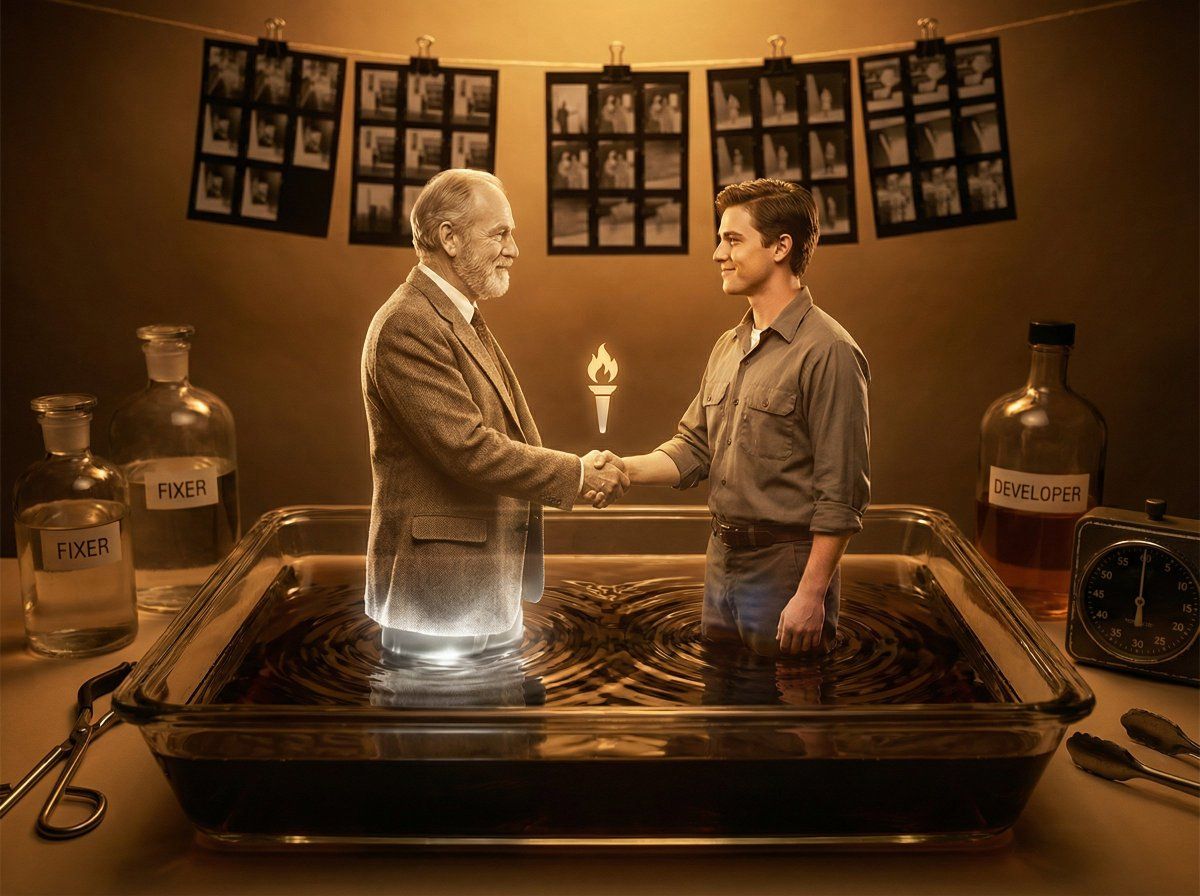
暗房显影奇迹,记忆中的爱人立体浮现
Enlarge

暗房显影奇迹,记忆中的爱人立体浮现

Prompt
A vintage photograph developing in a darkroom tray, with the figure of a loved one rising three-dimensional from the chemical bath in a tender emergence from memory to matter. The figure glows luminous silver at the base where it meets the liquid surface, transitioning through warm sepia into full color and presence. Every detail of the face materialize with photographic precision, a gentle smile captured in a perfect moment. Soft chemical ripples radiate outward from the manifestation. Amber safelight fills the room with golden warmth, vintage bottles and equipment surrounding the scene, contact sheets clipped to lines above. The intimacy of developing a treasured photograph late at night. Memory preserved, love made tangible. Warm cinematic lighting, honey amber and cream tones, 8K, tender darkroom nostalgia.
Category
Products & E-commerce
Model
Nano Banana Pro
Views22
Source ID
9011
Published
May 30, 2026

Guide

About "暗房显影奇迹,记忆中的爱人立体浮现"

What is this prompt for?

"暗房显影奇迹,记忆中的爱人立体浮现" AI image prompt for Nano Banana Pro (Products & E-commerce). 一张老式照片在暗房托盘中显影,所爱之人的身影从化学药液中三维浮现,温柔地从记忆变为实体。人物的底部与液面接触处闪耀着银色的光芒,然后逐渐过渡到温暖的棕褐色,…

The full copyable prompt and example visuals above are ready for AI image generation or one-click recreate in Picva.

How to use this prompt

  1. Step 1

    Open the prompt detail

    Review the example visuals, category, and full prompt text for "暗房显影奇迹,记忆中的爱人立体浮现".

  2. Step 2

    Copy the prompt

    Copy the prompt body from this page, or load it directly in Studio.

  3. Step 3

    Pick a model (Nano Banana Pro)

    Prefer Nano Banana Pro. If you switch models, keep subject and composition and tweak style terms.

  4. Step 4

    Generate and export

    Recreate the look in Picva, or export into your workflow for editing and publishing.

FAQ

What is the "暗房显影奇迹,记忆中的爱人立体浮现" prompt?
It is an AI image-generation prompt for Nano Banana Pro in the Products & E-commerce category. This page includes the full prompt text, example visuals, and a one-click recreate path in Picva.
How do I use this prompt to generate an image?
Copy the prompt from this page, or use Generate / Studio. Paste it into a compatible image model, or recreate the look in Picva with optional reference images.
Which model is this prompt for?
This page lists Nano Banana Pro. Most descriptive prompts also transfer to nearby image models such as GPT Image, Flux, or Midjourney with light style tweaks.
Can I use the result commercially?
You can usually copy the prompt for creation, but commercial use of the final image depends on the model terms, reference-image rights, and the generated content. Follow the source author and platform rules.