20

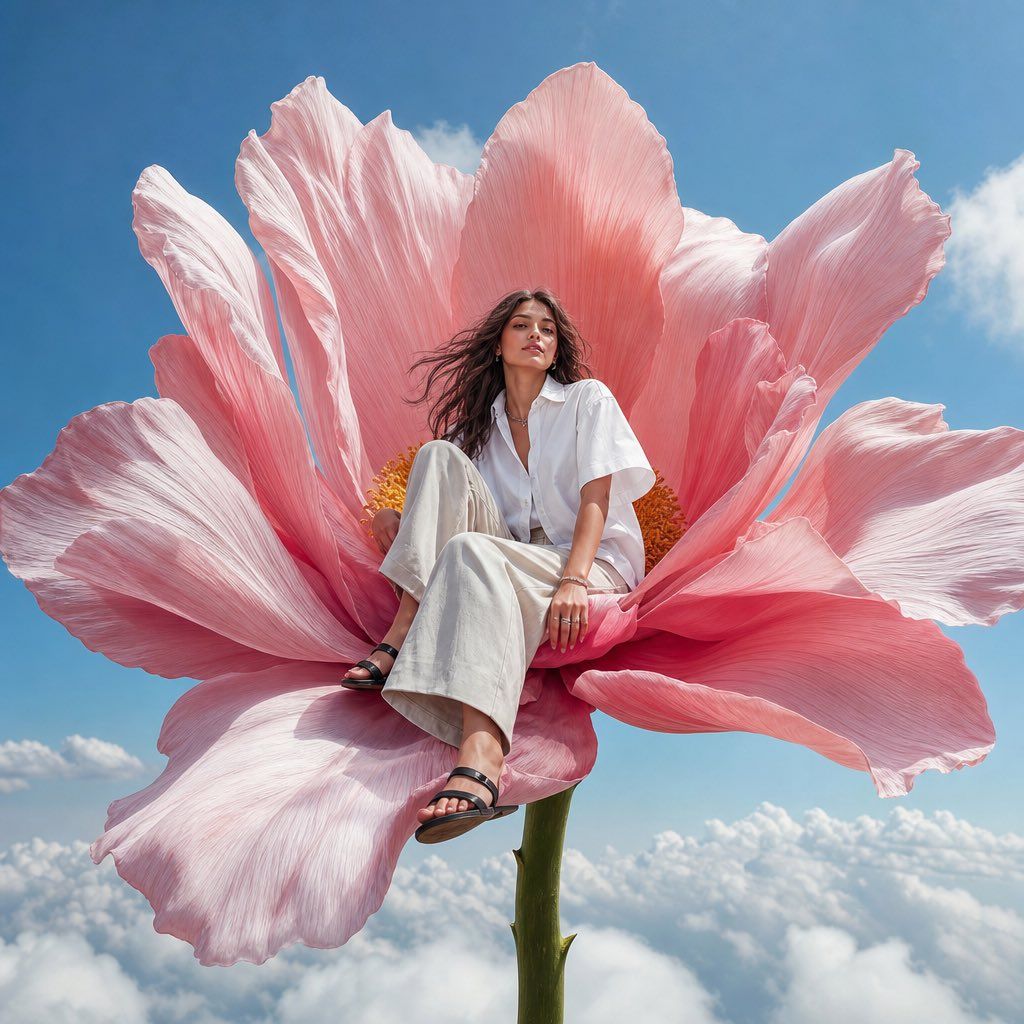
云端巨大粉色花朵上的时尚模特
Enlarge

云端巨大粉色花朵上的时尚模特

Prompt
photorealistic high-fashion editorial image, vertical 4:5. A young adult fashion model sitting calmly on the center of one enormous pink flower growing above the clouds, the flower stem rising from below and disappearing into soft white clouds. Low-angle perspective from slightly below, the flower framing the image, making the flower feel monumental and surreal. The model wears a short sleeve crisp oversized white shirt, loose light trousers, silver jewelry, and black minimal sandals. Natural open brown hair moving softly in the wind, composed expression, slight soft smile. Clean vivid blue sky, a few soft white clouds, huge detailed flower petals, bright natural daylight, crisp vivid color, playful surreal fashion campaign mood, realistic anatomy, natural hands, sharp editorial photography, no text, no logos --ar 4:5 --raw --profile glu65pn --stylize 60 --weird 4 --hd
Category
Charts & Infographics
Model
ChatGPT
Views31
Source ID
16682
Published
Jun 24, 2026

Guide

About "云端巨大粉色花朵上的时尚模特"

What is this prompt for?

"云端巨大粉色花朵上的时尚模特" AI image prompt for ChatGPT (Charts & Infographics). 逼真的高级时尚社论图像,垂直 4:5。一位年轻的成年时尚模特静静地坐在云层之上生长的一朵巨大粉红色花朵的中心,花茎从下方升起并消失在柔软的白云中。略微从下往上的低角度透视,花朵勾…

The full copyable prompt and example visuals above are ready for AI image generation or one-click recreate in Picva.

How to use this prompt

  1. Step 1

    Open the prompt detail

    Review the example visuals, category, and full prompt text for "云端巨大粉色花朵上的时尚模特".

  2. Step 2

    Copy the prompt

    Copy the prompt body from this page, or load it directly in Studio.

  3. Step 3

    Pick a model (ChatGPT)

    Prefer ChatGPT. If you switch models, keep subject and composition and tweak style terms.

  4. Step 4

    Generate and export

    Recreate the look in Picva, or export into your workflow for editing and publishing.

FAQ

What is the "云端巨大粉色花朵上的时尚模特" prompt?
It is an AI image-generation prompt for ChatGPT in the Charts & Infographics category. This page includes the full prompt text, example visuals, and a one-click recreate path in Picva.
How do I use this prompt to generate an image?
Copy the prompt from this page, or use Generate / Studio. Paste it into a compatible image model, or recreate the look in Picva with optional reference images.
Which model is this prompt for?
This page lists ChatGPT. Most descriptive prompts also transfer to nearby image models such as GPT Image, Flux, or Midjourney with light style tweaks.
Can I use the result commercially?
You can usually copy the prompt for creation, but commercial use of the final image depends on the model terms, reference-image rights, and the generated content. Follow the source author and platform rules.

