20

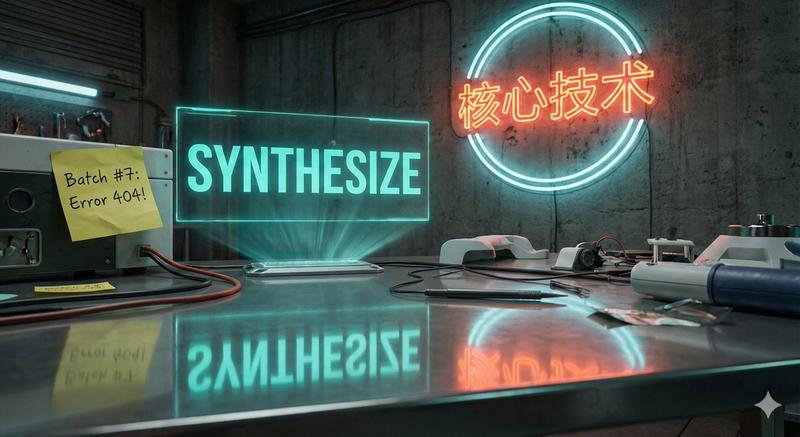
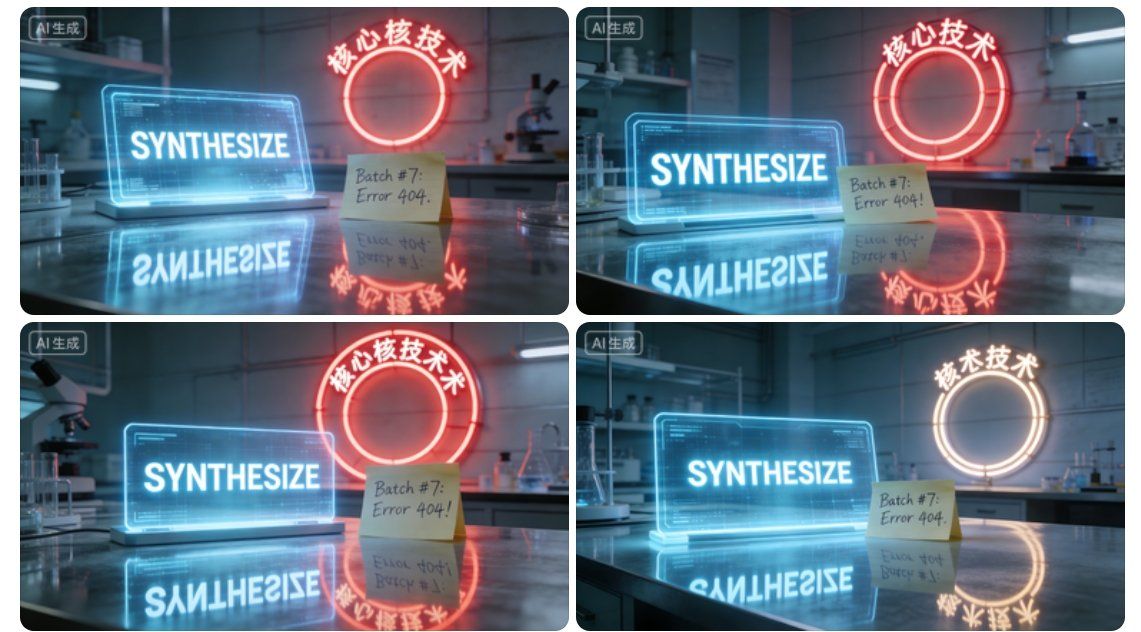
霓虹光影下的未来实验室全息合成界面
Enlarge

霓虹光影下的未来实验室全息合成界面

Prompt
A high-resolution cinematic shot of a futuristic laboratory desk. On the desk, there is a glowing holographic screen displaying the word "SYNTHESIZE" in uppercase bold sans-serif font. Next to it, a handwritten sticky note reads 'Batch #7: Error 404!'. In the background, a neon sign on the wall is shaped like a circle with the Chinese characters "核心技术" curved along the top edge. The entire scene is reflected on a polished metallic surface where the text appears mirrored but legible.
Category
Charts & Infographics
Model
Nano banana pro
Creator
@Cyronanno
Views7
Source ID
8055
Published
Mar 22, 2026

Guide

About "霓虹光影下的未来实验室全息合成界面"

What is this prompt for?

"霓虹光影下的未来实验室全息合成界面" AI image prompt for Nano banana pro (Charts & Infographics). 一张未来主义实验室桌面的高分辨率电影级镜头。桌上有一个发光的全息屏幕,上面显示着大写粗体无衬线字体 "SYNTHESIZE"。旁边有一张手写便签,上面写着“…

The full copyable prompt and example visuals above are ready for AI image generation or one-click recreate in Picva.

How to use this prompt

  1. Step 1

    Open the prompt detail

    Review the example visuals, category, and full prompt text for "霓虹光影下的未来实验室全息合成界面".

  2. Step 2

    Copy the prompt

    Copy the prompt body from this page, or load it directly in Studio.

  3. Step 3

    Pick a model (Nano banana pro)

    Prefer Nano banana pro. If you switch models, keep subject and composition and tweak style terms.

  4. Step 4

    Generate and export

    Recreate the look in Picva, or export into your workflow for editing and publishing.

FAQ

What is the "霓虹光影下的未来实验室全息合成界面" prompt?
It is an AI image-generation prompt for Nano banana pro in the Charts & Infographics category. This page includes the full prompt text, example visuals, and a one-click recreate path in Picva.
How do I use this prompt to generate an image?
Copy the prompt from this page, or use Generate / Studio. Paste it into a compatible image model, or recreate the look in Picva with optional reference images.
Which model is this prompt for?
This page lists Nano banana pro. Most descriptive prompts also transfer to nearby image models such as GPT Image, Flux, or Midjourney with light style tweaks.
Can I use the result commercially?
You can usually copy the prompt for creation, but commercial use of the final image depends on the model terms, reference-image rights, and the generated content. Follow the source author and platform rules.