19

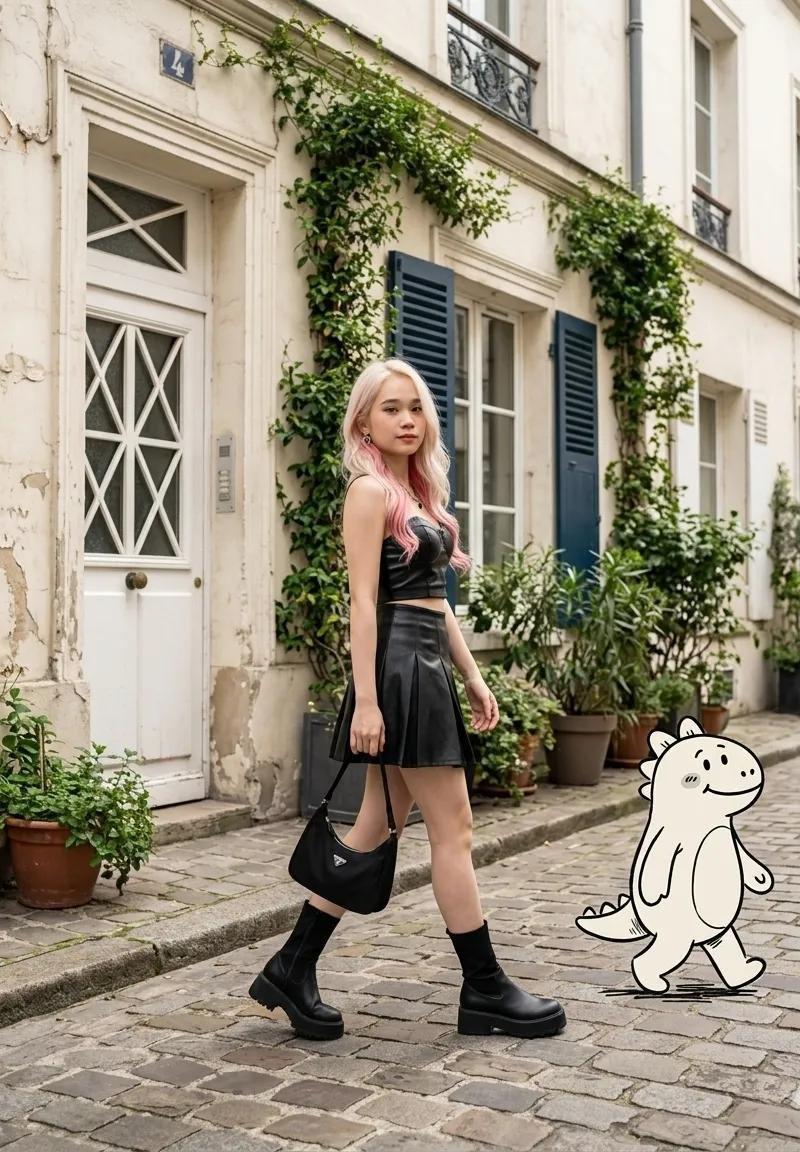
欧式街道粉发少女与卡通小恐龙
Enlarge

Example images

欧式街道粉发少女与卡通小恐龙

Prompt
Photorealistic fashion street scene
A stylish young woman with long pastel pink hair fading into soft rose tones, walking confidently on a quiet European cobblestone street. She wears a black leather crop top, a black pleated mini skirt, black mid-calf socks, chunky black platform boots, and carries a small black shoulder bag. Beside her walks a cute white cartoon dinosaur character outlined in black, smiling and matching her stride. The street is lined with cream-colored townhouses, blue shutters, climbing ivy, potted plants, and charming Parisian-style architecture. Natural overcast daylight, soft shadows, shallow depth of field, candid walking pose, fashion editorial photography, ultra-realistic skin texture, high detail, cinematic composition, full-body shot, 35mm lens, premium lifestyle magazine aesthetic.
Category
Charts & Infographics
Model
ChatGPT
Creator
@ChillaiKalan__
Source language
zh-CN
Views37
Source ID
15795
Published
Jun 11, 2026
Studio

Guide

About "欧式街道粉发少女与卡通小恐龙"

What is this prompt for?

"欧式街道粉发少女与卡通小恐龙" AI image prompt for ChatGPT (Charts & Infographics). 逼真的时尚街拍场景。一位留着长长的淡粉色头发并逐渐变为柔和玫瑰色调的时尚年轻女子,自信地走在安静的欧洲鹅卵石街道上。她穿着黑色皮革露脐上衣、黑色百褶超短裙、黑色中筒袜、厚实的黑色…

The full copyable prompt and example visuals above are ready for AI image generation or one-click recreate in Picva.

How to use this prompt

  1. Step 1

    Open the prompt detail

    Review the example visuals, category, and full prompt text for "欧式街道粉发少女与卡通小恐龙".

  2. Step 2

    Copy the prompt

    Copy the prompt body from this page, or load it directly in Studio.

  3. Step 3

    Pick a model (ChatGPT)

    Prefer ChatGPT. If you switch models, keep subject and composition and tweak style terms.

  4. Step 4

    Generate and export

    Recreate the look in Picva, or export into your workflow for editing and publishing.

FAQ

What is the "欧式街道粉发少女与卡通小恐龙" prompt?
It is an AI image-generation prompt for ChatGPT in the Charts & Infographics category. This page includes the full prompt text, example visuals, and a one-click recreate path in Picva.
How do I use this prompt to generate an image?
Copy the prompt from this page, or use Generate / Studio. Paste it into a compatible image model, or recreate the look in Picva with optional reference images.
Which model is this prompt for?
This page lists ChatGPT. Most descriptive prompts also transfer to nearby image models such as GPT Image, Flux, or Midjourney with light style tweaks.
Can I use the result commercially?
You can usually copy the prompt for creation, but commercial use of the final image depends on the model terms, reference-image rights, and the generated content. Follow the source author and platform rules.