20

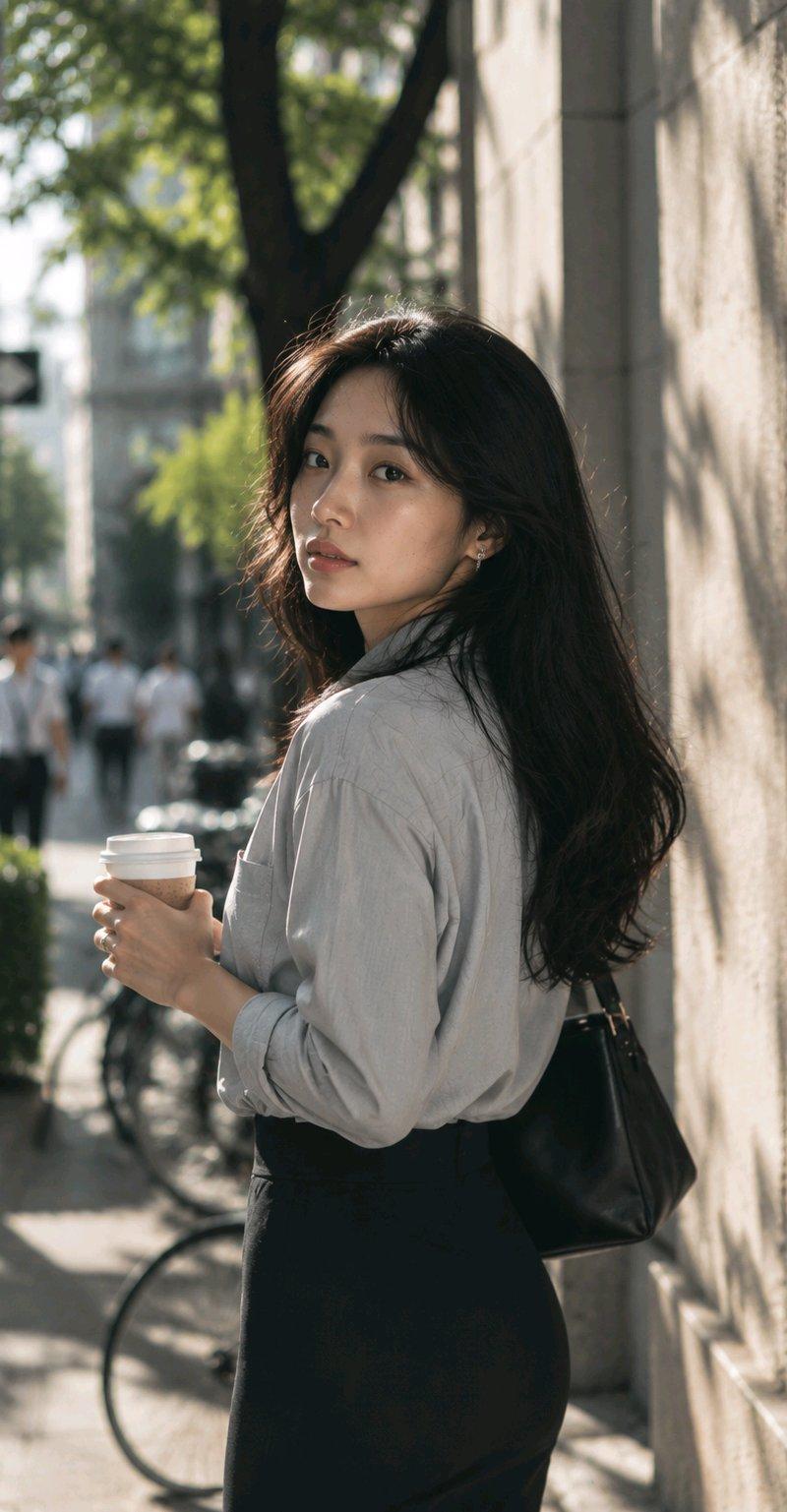
东京街头持咖啡的优雅亚洲女性
Enlarge

Example images

东京街头持咖啡的优雅亚洲女性

Prompt
Young Asian office worker woman, 25 years old, long black hair naturally over the shoulders, exquisite and three-dimensional facial features with an elegant temperament, fair skin, light makeup, gentle and quiet temperament. Wearing a light gray shirt and a black long skirt, holding coffee in hand. Standing at a Tokyo street corner, sunlight shining on the building's exterior wall. Slightly blurred pedestrians, bicycles, and street-side greenery appear in the background. Natural candid moment, just stopped and looking back at the camera. Real skin texture, sunlight passing through leaves to form dappled shadows. 85mm lens, f1.8, large aperture bokeh, high-end magazine street style texture, MUJI advertising photography style, documentary-level realism, RAW photo, ultra-realistic environmental atmosphere.
Category
Charts & Infographics
Model
ChatGPT
Creator
@Adam38363368936
Source language
zh-CN
Views65
Source ID
16588
Published
Jun 23, 2026
Studio

Guide

About "东京街头持咖啡的优雅亚洲女性"

What is this prompt for?

"东京街头持咖啡的优雅亚洲女性" AI image prompt for ChatGPT (Charts & Infographics). 年轻亚洲上班族女性,25岁,长黑发自然披肩,五官精致立体有气质,皮肤白皙,淡妆,温柔安静气质。穿浅灰色衬衫与黑色长裙,手里拿着咖啡。站在东京街头转角,阳光照射在建筑外墙上。背景出…

The full copyable prompt and example visuals above are ready for AI image generation or one-click recreate in Picva.

How to use this prompt

  1. Step 1

    Open the prompt detail

    Review the example visuals, category, and full prompt text for "东京街头持咖啡的优雅亚洲女性".

  2. Step 2

    Copy the prompt

    Copy the prompt body from this page, or load it directly in Studio.

  3. Step 3

    Pick a model (ChatGPT)

    Prefer ChatGPT. If you switch models, keep subject and composition and tweak style terms.

  4. Step 4

    Generate and export

    Recreate the look in Picva, or export into your workflow for editing and publishing.

FAQ

What is the "东京街头持咖啡的优雅亚洲女性" prompt?
It is an AI image-generation prompt for ChatGPT in the Charts & Infographics category. This page includes the full prompt text, example visuals, and a one-click recreate path in Picva.
How do I use this prompt to generate an image?
Copy the prompt from this page, or use Generate / Studio. Paste it into a compatible image model, or recreate the look in Picva with optional reference images.
Which model is this prompt for?
This page lists ChatGPT. Most descriptive prompts also transfer to nearby image models such as GPT Image, Flux, or Midjourney with light style tweaks.
Can I use the result commercially?
You can usually copy the prompt for creation, but commercial use of the final image depends on the model terms, reference-image rights, and the generated content. Follow the source author and platform rules.