20

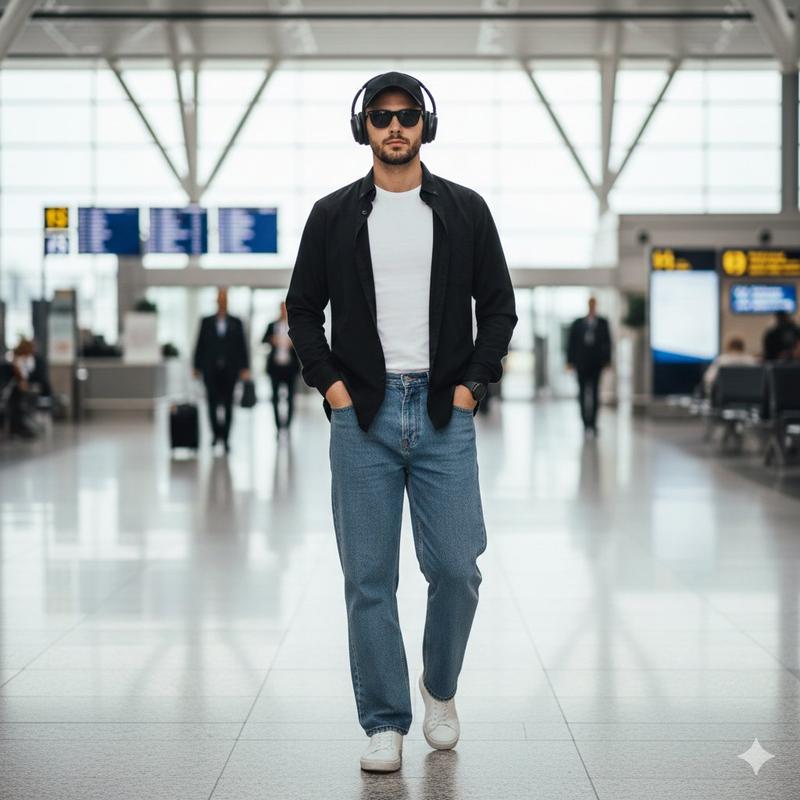
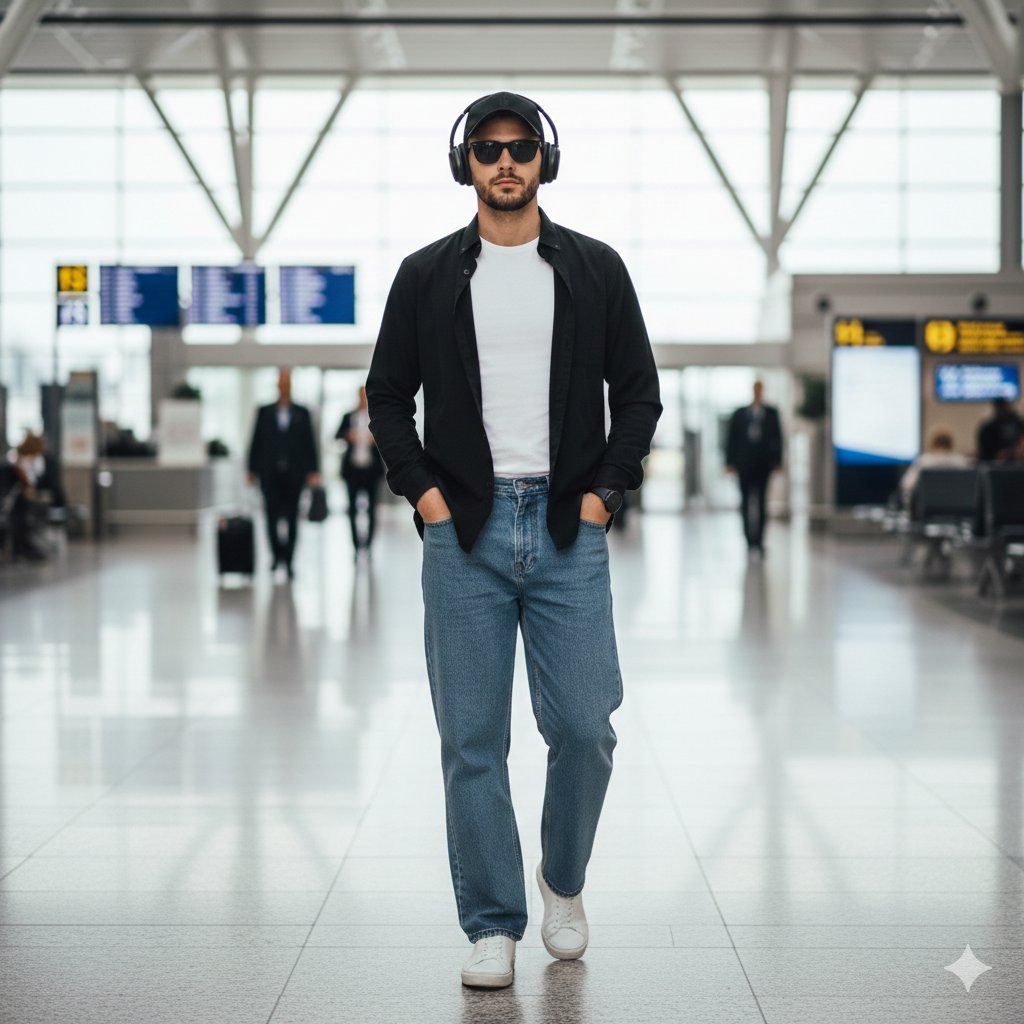
时尚男士漫步机场航站楼
Enlarge

时尚男士漫步机场航站楼

Prompt
A stylish young man walking naturally through an airport terminal, casually carrying travel essentials. The passport is not visible, implying he is traveling. He wears over-ear headphones and walks with relaxed confidence. He has a light trimmed beard with a few strands of hair visible from under a modern cap, and sleek black sunglasses for a cool travel vibe.
Outfit: a white inner t-shirt worn untucked over the pants, with a black shirt open in the front. He wears relaxed parallel-fit jeans and clean white sneakers.
Scene details: modern airport interior, soft cinematic lighting, shallow depth of field, motion blur of travelers in background, ultra-realistic textures, travel lifestyle aesthetic, high fashion street style, 4K realism.
Category
创意图片
Model
Nano Banana Pro
Creator
auqib
Views0
Source ID
0bc32d48-4c36-4302-9477-333fdc91bc02
Published
Mar 8, 2026

Guide

About "时尚男士漫步机场航站楼"

What is this prompt for?

"时尚男士漫步机场航站楼" AI image prompt for Nano Banana Pro (创意图片). 生成一张超现实图像的提示词:一位时尚的年轻男士,身着休闲高街风格服饰(白色 T 恤、敞开的黑色衬衫、直筒牛仔裤、白色运动鞋),在现代机场航站楼内自然行走。画面强调柔和的电影级灯光和背景中的运动模糊效果。…

The full copyable prompt and example visuals above are ready for AI image generation or one-click recreate in Picva.

How to use this prompt

  1. Step 1

    Open the prompt detail

    Review the example visuals, category, and full prompt text for "时尚男士漫步机场航站楼".

  2. Step 2

    Copy the prompt

    Copy the prompt body from this page, or load it directly in Studio.

  3. Step 3

    Pick a model (Nano Banana Pro)

    Prefer Nano Banana Pro. If you switch models, keep subject and composition and tweak style terms.

  4. Step 4

    Generate and export

    Recreate the look in Picva, or export into your workflow for editing and publishing.

FAQ

What is the "时尚男士漫步机场航站楼" prompt?
It is an AI image-generation prompt for Nano Banana Pro in the 创意图片 category. This page includes the full prompt text, example visuals, and a one-click recreate path in Picva.
How do I use this prompt to generate an image?
Copy the prompt from this page, or use Generate / Studio. Paste it into a compatible image model, or recreate the look in Picva with optional reference images.
Which model is this prompt for?
This page lists Nano Banana Pro. Most descriptive prompts also transfer to nearby image models such as GPT Image, Flux, or Midjourney with light style tweaks.
Can I use the result commercially?
You can usually copy the prompt for creation, but commercial use of the final image depends on the model terms, reference-image rights, and the generated content. Follow the source author and platform rules.