19

夜间音乐节摄影提示
Enlarge

夜间音乐节摄影提示

Prompt
{
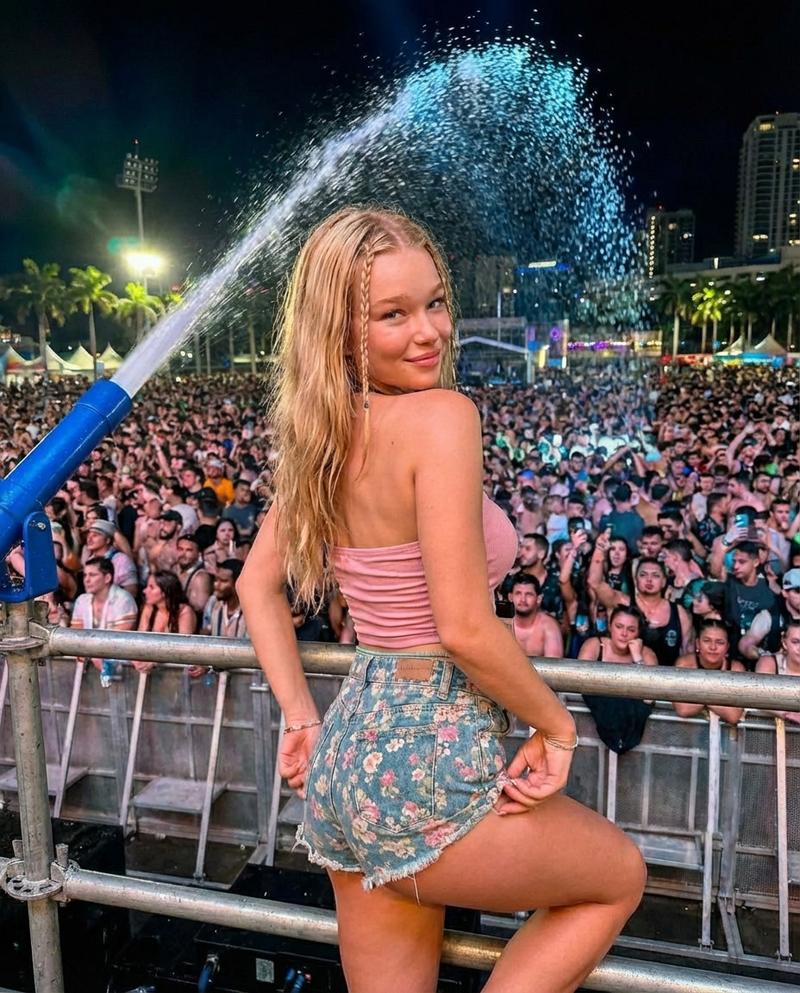
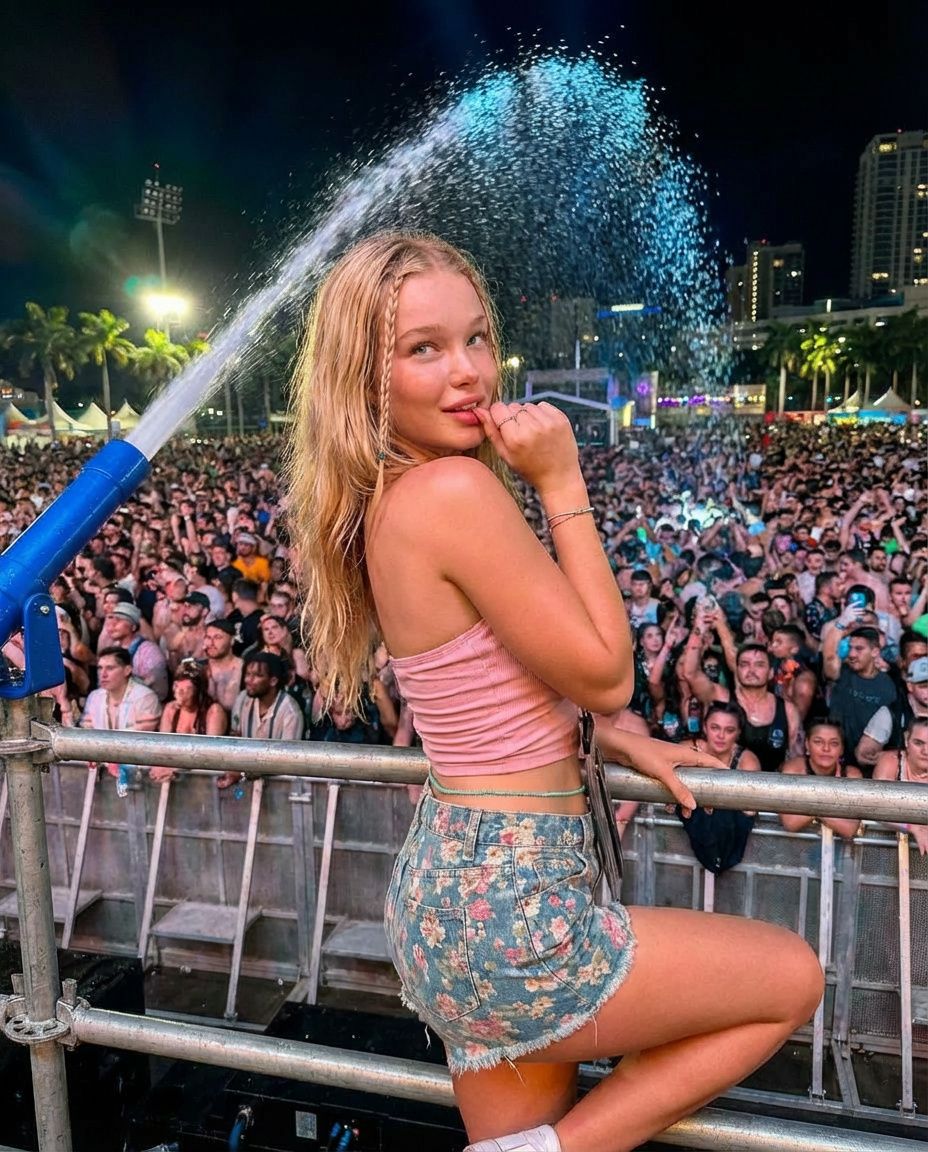
  "prompt": "A young blonde woman at a lively outdoor music festival at night, posing by a metal barricade in front of a large cheering crowd. She is wearing a pink cropped tank top and high-waisted floral denim shorts. A large water cannon sprays water into the air behind her, creating a sparkling mist under colorful stage lights. Palm trees and city buildings are visible in the background. Vibrant nightlife atmosphere, energetic crowd, candid yet stylish pose, high detail, sharp focus, realistic lighting.",
  "negative_prompt": "low resolution, blurry, distorted anatomy, extra limbs, poorly drawn hands, bad lighting, overexposed, underexposed",
  "style": "festival photography, nightlife, candid portrait",
  "lighting": "colorful stage lighting, night scene, dynamic highlights",
  "camera": "35mm lens, natural perspective, high clarity",
  "resolution": "1024x1024"
}
Category
创意图片
Model
Nano Banana Pro
Creator
Dockie
Views0
Source ID
da868a69-45fb-48b2-a2bb-3d184b802403
Published
Mar 8, 2026

Guide

About "夜间音乐节摄影提示"

What is this prompt for?

"夜间音乐节摄影提示" AI image prompt for Nano Banana Pro (创意图片). 一个结构化的 JSON 提示词,用于 Nano Banana Pro 生成一张充满活力、自然真实的年轻金发女性肖像,场景为夜晚热闹的户外音乐节,画面中包含彩色舞台灯光下的水炮喷射。 --- ```json…

The full copyable prompt and example visuals above are ready for AI image generation or one-click recreate in Picva.

How to use this prompt

  1. Step 1

    Open the prompt detail

    Review the example visuals, category, and full prompt text for "夜间音乐节摄影提示".

  2. Step 2

    Copy the prompt

    Copy the prompt body from this page, or load it directly in Studio.

  3. Step 3

    Pick a model (Nano Banana Pro)

    Prefer Nano Banana Pro. If you switch models, keep subject and composition and tweak style terms.

  4. Step 4

    Generate and export

    Recreate the look in Picva, or export into your workflow for editing and publishing.

FAQ

What is the "夜间音乐节摄影提示" prompt?
It is an AI image-generation prompt for Nano Banana Pro in the 创意图片 category. This page includes the full prompt text, example visuals, and a one-click recreate path in Picva.
How do I use this prompt to generate an image?
Copy the prompt from this page, or use Generate / Studio. Paste it into a compatible image model, or recreate the look in Picva with optional reference images.
Which model is this prompt for?
This page lists Nano Banana Pro. Most descriptive prompts also transfer to nearby image models such as GPT Image, Flux, or Midjourney with light style tweaks.
Can I use the result commercially?
You can usually copy the prompt for creation, but commercial use of the final image depends on the model terms, reference-image rights, and the generated content. Follow the source author and platform rules.