20

电影级克里斯蒂亚诺·罗纳尔多更衣室肖像
Enlarge

电影级克里斯蒂亚诺·罗纳尔多更衣室肖像

Prompt
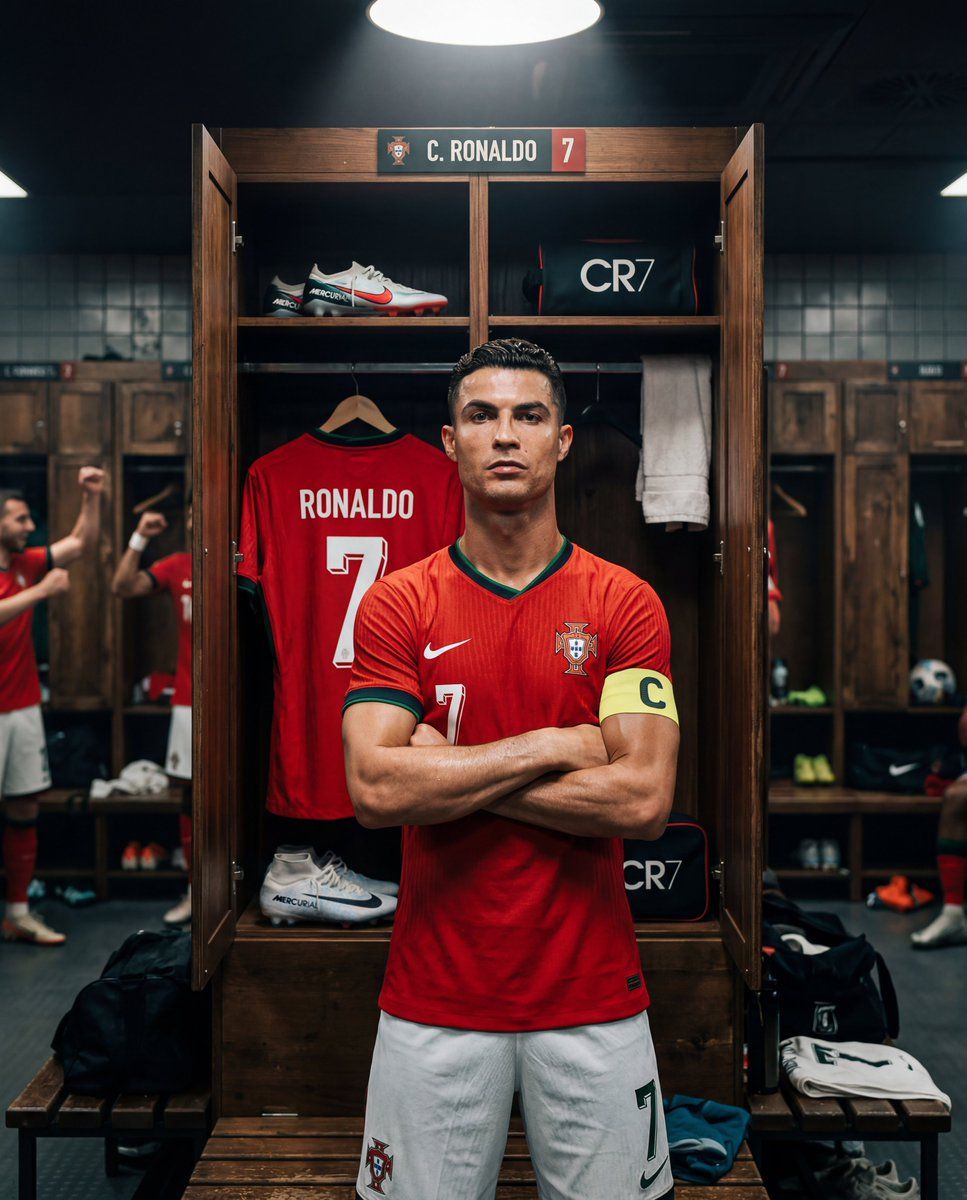
A cinematic, realistic locker room portrait of famous footballer {argument name="footballer name" default="Cristiano Ronaldo"}, showing his recognizable face, sharp jawline, short styled hair, and athletic build. He is wearing the {argument name="team jersey" default="Portugal national team red jersey"} with the Portugal crest. Ronaldo stands tall in front of the locker, arms crossed with a confident and focused expression.

Behind him, a personalized jersey with the name "{argument name="jersey name" default="RONALDO"}" and number 7 hangs clearly on display inside the locker.

Dramatic spotlight from above, detailed wooden locker room environment, subtle shadows and reflections, moody cinematic tone, ultra-detailed realism, 8K resolution, professional sports photography style, Instagram 4:5 ratio.
Category
创意图片
Model
Nano Banana Pro
Creator
Harboriis
Views1
Source ID
c9966a9d-ec13-4f5b-a1c8-05703fd88e4d
Published
Mar 8, 2026

Guide

About "电影级克里斯蒂亚诺·罗纳尔多更衣室肖像"

What is this prompt for?

"电影级克里斯蒂亚诺·罗纳尔多更衣室肖像" AI image prompt for Nano Banana Pro (创意图片). 一个旨在生成足球运动员克里斯蒂亚诺·罗纳尔多(Cristiano Ronaldo)在细节丰富的木质更衣室中电影般超现实肖像的提示。该提示强调了他特定的外貌、葡萄牙球衣、自信的姿势和戏剧性…

The full copyable prompt and example visuals above are ready for AI image generation or one-click recreate in Picva.

How to use this prompt

  1. Step 1

    Open the prompt detail

    Review the example visuals, category, and full prompt text for "电影级克里斯蒂亚诺·罗纳尔多更衣室肖像".

  2. Step 2

    Copy the prompt

    Copy the prompt body from this page, or load it directly in Studio.

  3. Step 3

    Pick a model (Nano Banana Pro)

    Prefer Nano Banana Pro. If you switch models, keep subject and composition and tweak style terms.

  4. Step 4

    Generate and export

    Recreate the look in Picva, or export into your workflow for editing and publishing.

FAQ

What is the "电影级克里斯蒂亚诺·罗纳尔多更衣室肖像" prompt?
It is an AI image-generation prompt for Nano Banana Pro in the 创意图片 category. This page includes the full prompt text, example visuals, and a one-click recreate path in Picva.
How do I use this prompt to generate an image?
Copy the prompt from this page, or use Generate / Studio. Paste it into a compatible image model, or recreate the look in Picva with optional reference images.
Which model is this prompt for?
This page lists Nano Banana Pro. Most descriptive prompts also transfer to nearby image models such as GPT Image, Flux, or Midjourney with light style tweaks.
Can I use the result commercially?
You can usually copy the prompt for creation, but commercial use of the final image depends on the model terms, reference-image rights, and the generated content. Follow the source author and platform rules.