16

多字体文本生成与控制
Enlarge

多字体文本生成与控制

Prompt
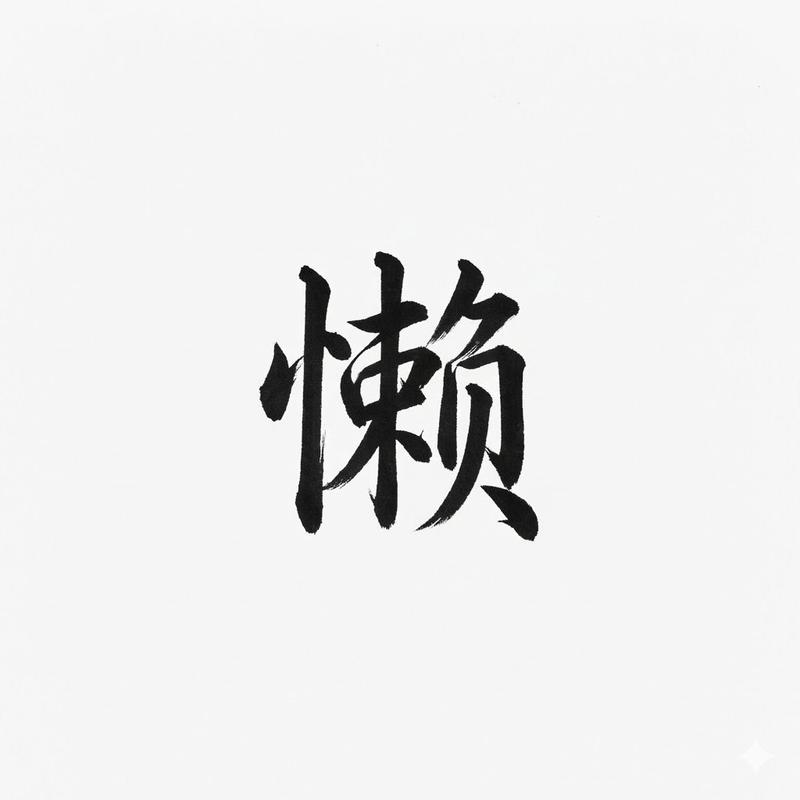
以下の文字列を指定のフォントで表記してください
背景は白、文字は黒で表現して下さい。
9種のフォントを1回で生成してください。

# 文字列
{argument name="文字列1" default="Nano Banana Proでフォントを再現"}

# 再現したいフォント
明朝体(Serif)
ゴシック体(Sans-Serif)
隷書体(Reisho)
勘亭流(Kanteiryu)
手書き風(Handwritten)
デコラティブ/タイトル系(Display)
ホラー系(Horror)
サイバー・SF系(Tech)
カリグラフィ(Calligraphy / Script)

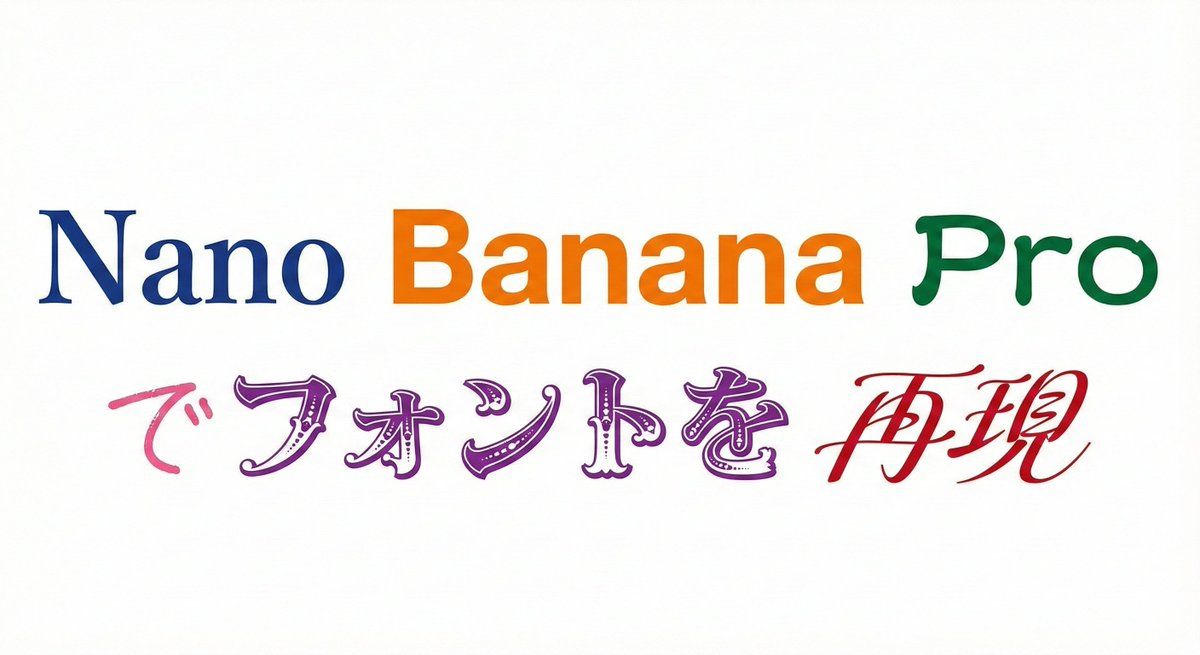
さらに文字列の特定の部分に特定のフォントを指定することもできる

プロンプト:
以下の文字列を指定のフォントで表記してください
背景は白、文字は各フォントで色を変更して下さい。

# 文字列
{argument name="文字列2" default="Nano Banana Proでフォントを再現"}

# 再現したいフォント
Nano :明朝体(Serif)
Banana :ゴシック体(Sans-Serif)
Pro:隷書体(Reisho)
で:手書き風(Handwritten)
フォントを:デコラティブ/タイトル系(Display)
再現:カリグラフィ(Calligraphy / Script)
Category
创意图片
Model
Nano Banana Pro
Views0
Source ID
31a02be1-2710-4a02-862f-cb4133ac4172
Published
Mar 8, 2026

Guide

About "多字体文本生成与控制"

What is this prompt for?

"多字体文本生成与控制" AI image prompt for Nano Banana Pro (创意图片). 以下是两个提示,展示了 Nano Banana Pro 的高级文本控制功能,它能够使用多种指定的日语和英文字体样式生成单个字符串,甚至可以为字符串中的特定单词分配不同的字体。 --- 请使用指定的字体显示…

The full copyable prompt and example visuals above are ready for AI image generation or one-click recreate in Picva.

How to use this prompt

  1. Step 1

    Open the prompt detail

    Review the example visuals, category, and full prompt text for "多字体文本生成与控制".

  2. Step 2

    Copy the prompt

    Copy the prompt body from this page, or load it directly in Studio.

  3. Step 3

    Pick a model (Nano Banana Pro)

    Prefer Nano Banana Pro. If you switch models, keep subject and composition and tweak style terms.

  4. Step 4

    Generate and export

    Recreate the look in Picva, or export into your workflow for editing and publishing.

FAQ

What is the "多字体文本生成与控制" prompt?
It is an AI image-generation prompt for Nano Banana Pro in the 创意图片 category. This page includes the full prompt text, example visuals, and a one-click recreate path in Picva.
How do I use this prompt to generate an image?
Copy the prompt from this page, or use Generate / Studio. Paste it into a compatible image model, or recreate the look in Picva with optional reference images.
Which model is this prompt for?
This page lists Nano Banana Pro. Most descriptive prompts also transfer to nearby image models such as GPT Image, Flux, or Midjourney with light style tweaks.
Can I use the result commercially?
You can usually copy the prompt for creation, but commercial use of the final image depends on the model terms, reference-image rights, and the generated content. Follow the source author and platform rules.