18

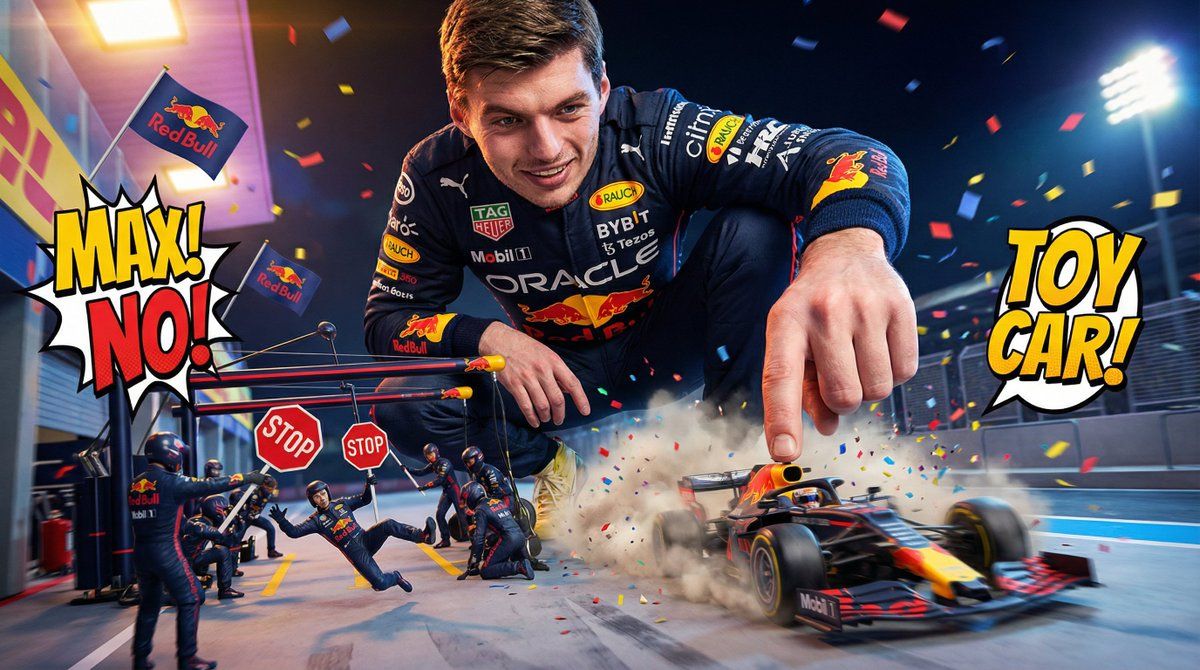
维修区里的喜剧巨星马克斯·维斯塔潘
Enlarge

维修区里的喜剧巨星马克斯·维斯塔潘

Prompt
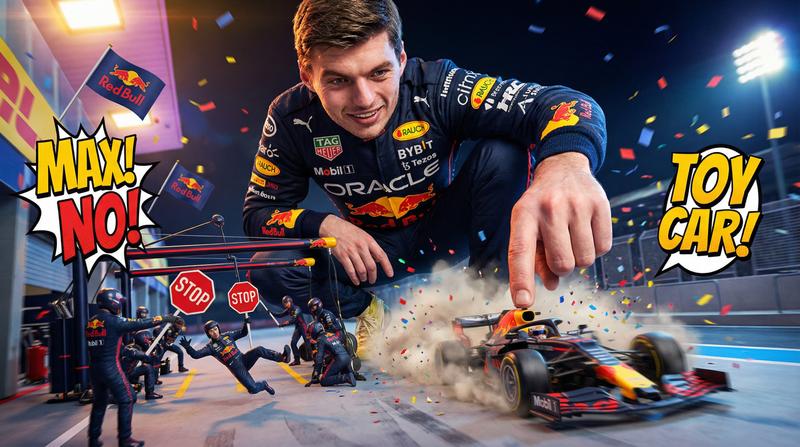
A giant Max Verstappen in a dark navy Red Bull race suit crouches on the pit lane with a grin, treating the tiny Red Bull F1 car like a toy he’s about to prank the world with. He gently taps the rear wing to make it wobble, amused by how fragile it looks in his enormous hand.

Mini Red Bull mechanics run around dramatically, holding up giant STOP signs and shouting exaggeratedly for Max not to push too hard. Max smirks and gives the tiniest nudge—yet the car rockets forward like a slingshot.

Low-angle comedic perspective: Max towers like a playful titan. Tiny Red Bull logos wave on little flags, confetti explosions pop at random, and one miniature crew member gets blown backward by the sudden launch.

Bright arcade-style lighting, funny dust clouds, high-speed cartoonish motion.
Category
创意图片
Model
Nano Banana Pro
Views0
Source ID
c70a0a64-db41-427f-b4af-88d13c320138
Published
Mar 8, 2026

Guide

About "维修区里的喜剧巨星马克斯·维斯塔潘"

What is this prompt for?

"维修区里的喜剧巨星马克斯·维斯塔潘" AI image prompt for Nano Banana Pro (创意图片). 一个富有创意、喜剧色彩的提示,用于生成一张图片:巨大的马克斯·维斯塔潘(Max Verstappen)蹲在维修区,把一辆微型红牛 F1 赛车当成玩具,而小小的机械师们则反应夸张,以低角度、街…

The full copyable prompt and example visuals above are ready for AI image generation or one-click recreate in Picva.

How to use this prompt

  1. Step 1

    Open the prompt detail

    Review the example visuals, category, and full prompt text for "维修区里的喜剧巨星马克斯·维斯塔潘".

  2. Step 2

    Copy the prompt

    Copy the prompt body from this page, or load it directly in Studio.

  3. Step 3

    Pick a model (Nano Banana Pro)

    Prefer Nano Banana Pro. If you switch models, keep subject and composition and tweak style terms.

  4. Step 4

    Generate and export

    Recreate the look in Picva, or export into your workflow for editing and publishing.

FAQ

What is the "维修区里的喜剧巨星马克斯·维斯塔潘" prompt?
It is an AI image-generation prompt for Nano Banana Pro in the 创意图片 category. This page includes the full prompt text, example visuals, and a one-click recreate path in Picva.
How do I use this prompt to generate an image?
Copy the prompt from this page, or use Generate / Studio. Paste it into a compatible image model, or recreate the look in Picva with optional reference images.
Which model is this prompt for?
This page lists Nano Banana Pro. Most descriptive prompts also transfer to nearby image models such as GPT Image, Flux, or Midjourney with light style tweaks.
Can I use the result commercially?
You can usually copy the prompt for creation, but commercial use of the final image depends on the model terms, reference-image rights, and the generated content. Follow the source author and platform rules.