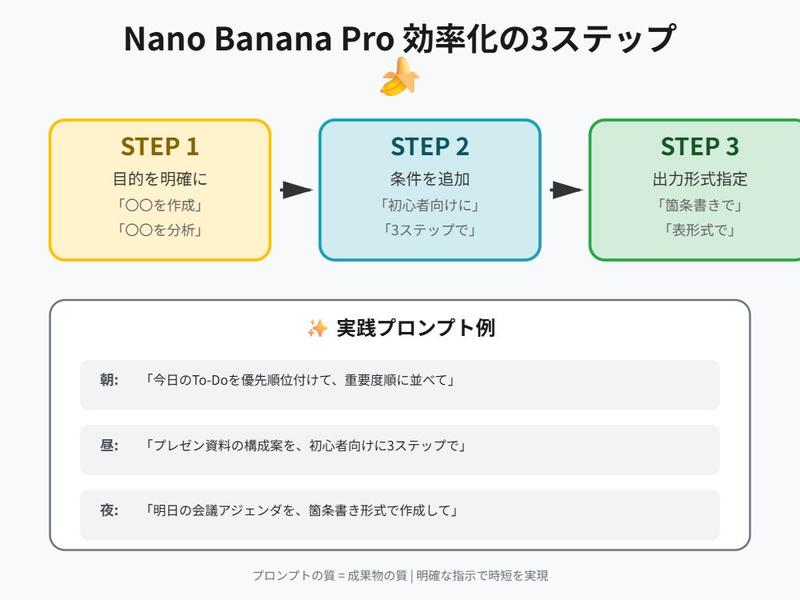
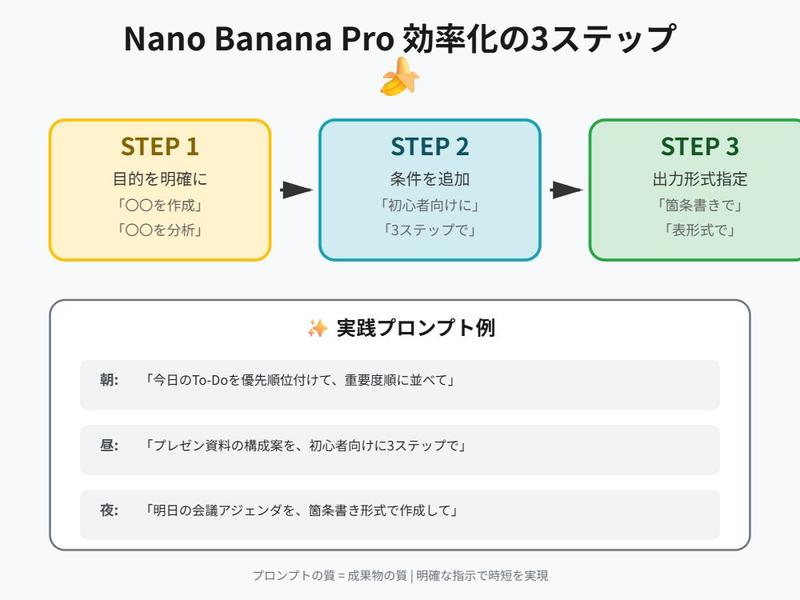
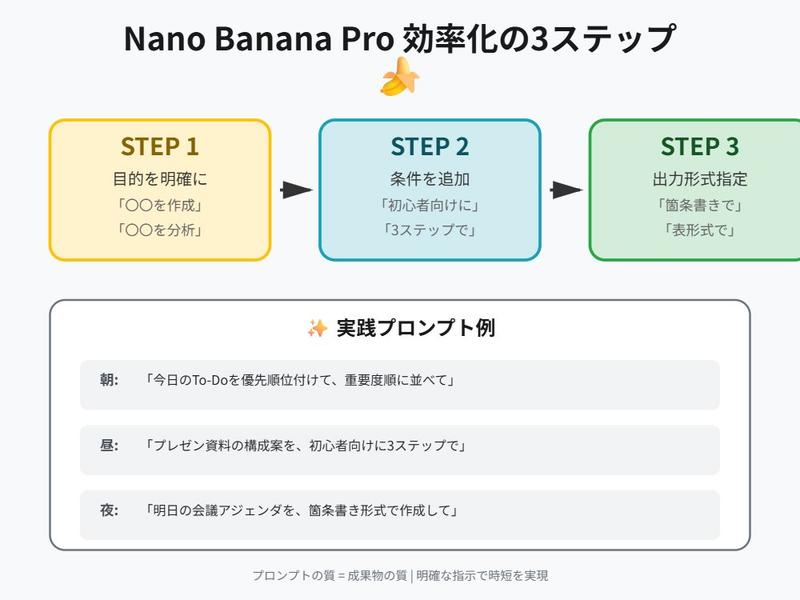
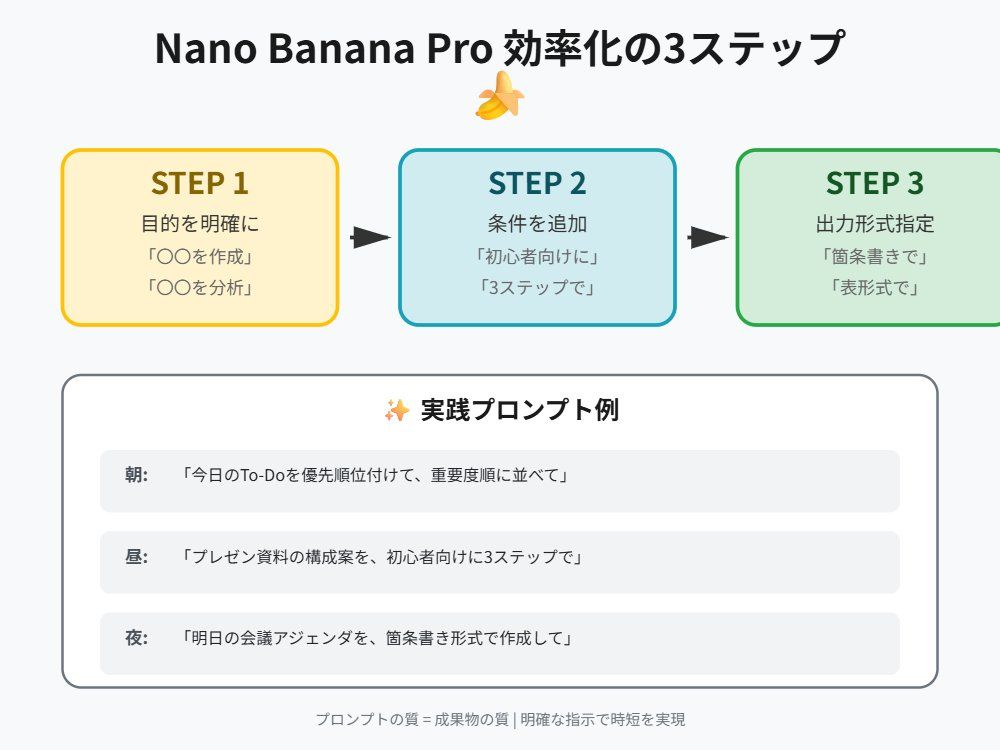
Nano Banana Pro 初学者提示技巧
Prompt
「{argument name="タスク" default="〇〇"}を初心者向けに{argument name="ステップ数" default="3"}ステップで」- Category
- 创意图片
- Model
- Nano Banana Pro
- Creator
- よくばりおじさん
- Source ID
- 0d0bc792-f832-4248-a5e5-f39d6cc5b8e3
- Published
- Mar 8, 2026
Views0
18
「{argument name="タスク" default="〇〇"}を初心者向けに{argument name="ステップ数" default="3"}ステップで」Guide
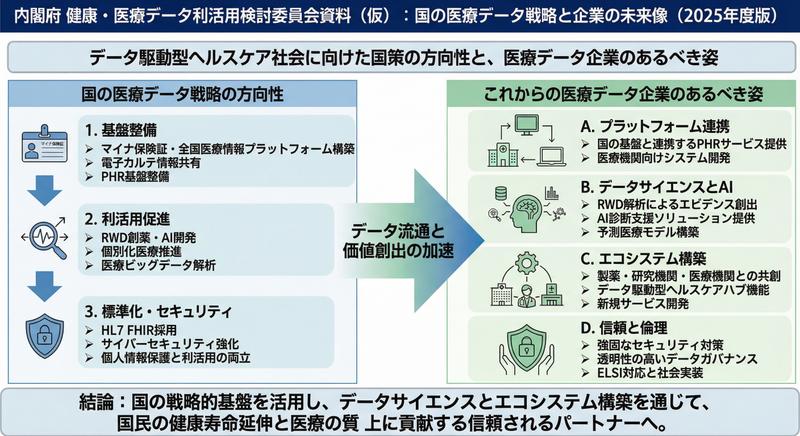
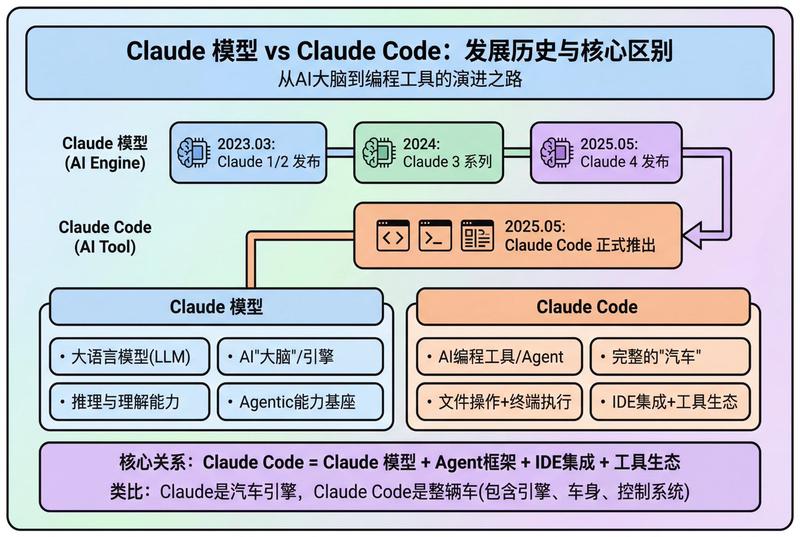
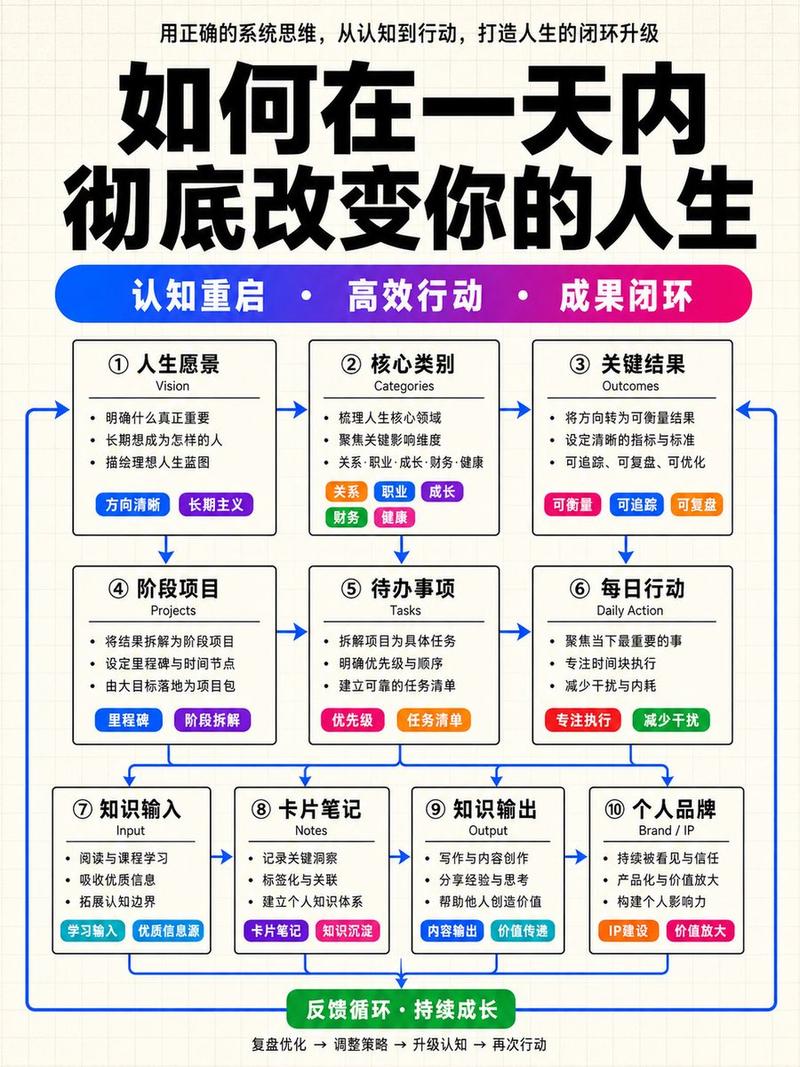
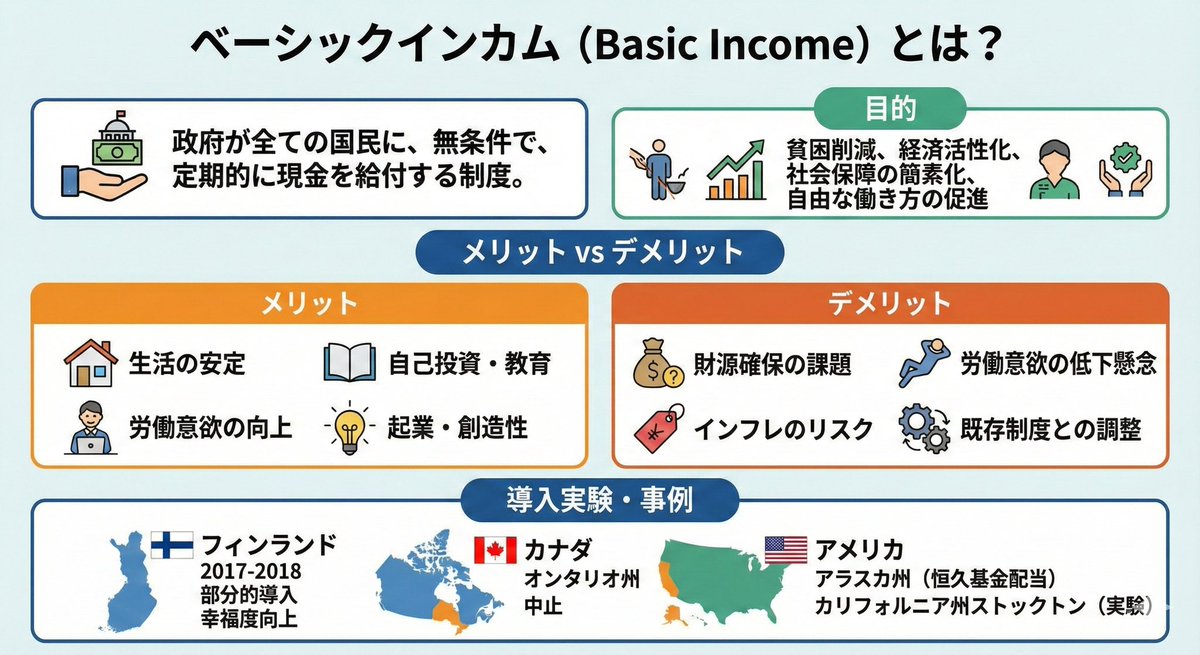
"Nano Banana Pro 初学者提示技巧" AI image prompt for Nano Banana Pro (创意图片). 一种使用 Nano Banana Pro 简化复杂任务的提示技巧,通过请求为初学者提供三步解释,可以将会议材料的创建速度提高三倍。 --- 为初学者用 {argument nam…
The full copyable prompt and example visuals above are ready for AI image generation or one-click recreate in Picva.
Step 1
Review the example visuals, category, and full prompt text for "Nano Banana Pro 初学者提示技巧".
Step 2
Copy the prompt body from this page, or load it directly in Studio.
Step 3
Prefer Nano Banana Pro. If you switch models, keep subject and composition and tweak style terms.
Step 4
Recreate the look in Picva, or export into your workflow for editing and publishing.