20

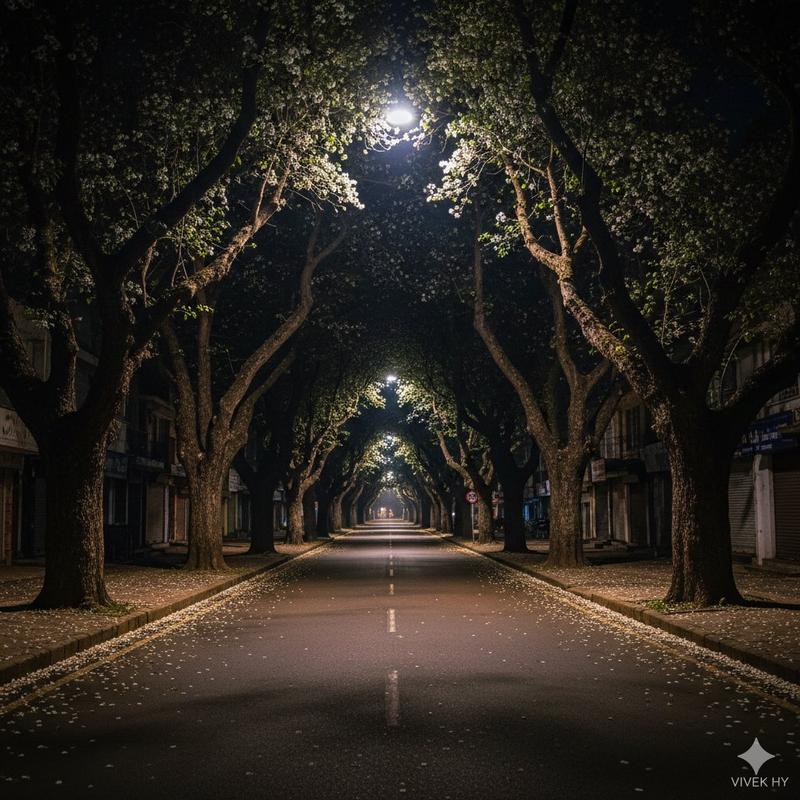
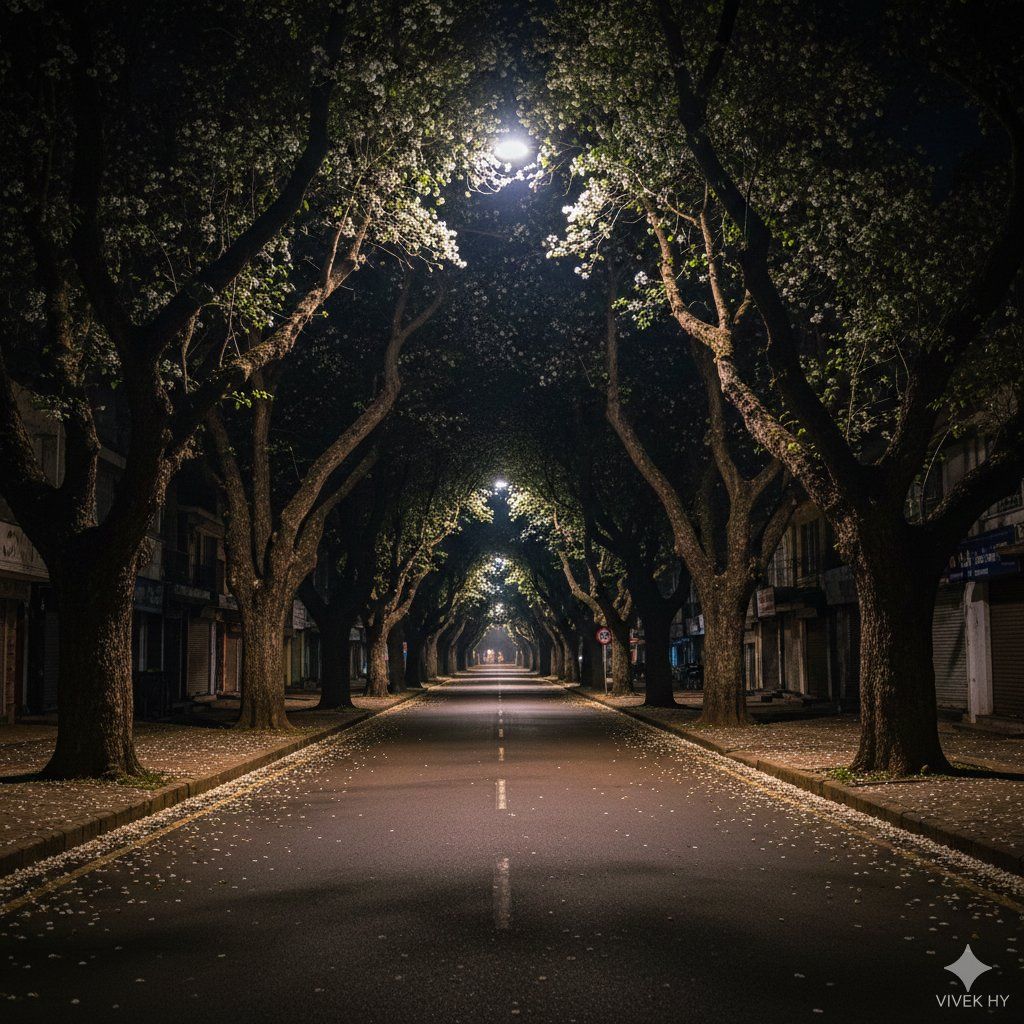
超逼真的花瓣夜街场景
Enlarge

超逼真的花瓣夜街场景

Prompt
{
  "image_prompt": {
    "scene": {
      "description": "ultra-realistic empty street at night with tall trees lit by overhead streetlights",
      "details": [
        "bright streetlight illuminating upper branches",
        "scattered white petals covering the road",
        "deep shadows and dark building silhouettes",
        "dim shops and houses on the side"
      ]
    },
    "lighting": {
      "type": "nighttime street lighting",
      "details": "strong overhead lamp casting focused glow on tree leaves, soft spill light on pavement, dark background contrast"
    },
    "environment": {
      "mood": "quiet, calm, slightly cinematic nighttime ambiance",
      "elements": [
        "empty road",
        "sidewalk with fallen petals",
        "faint distant streetlights",
        "trees forming a canopy"
      ]
    },
    "camera": {
      "framing": "vertical composition showing road depth and tall tree",
      "style": "low-noise clean night shot",
      "depth": "deep perspective with visible far-end lights"
    },
    "quality": "8K hyper-realistic, crisp night lighting, detailed shadows, natural colors",
    "signature": "VIVEK HY"
  }
}
Category
创意图片
Model
Nano Banana Pro
Creator
Vivek HY
Views0
Source ID
122d0ad1-e8b5-438c-acc0-064efad0c5f1
Published
Mar 8, 2026

Guide

About "超逼真的花瓣夜街场景"

What is this prompt for?

"超逼真的花瓣夜街场景" AI image prompt for Nano Banana Pro (创意图片). 一个 JSON 提示,用于生成一张超逼真的 8K 垂直图像,描绘夜晚空无一人的街道。场景中,高大的树木被路灯照亮,路面上散落着白色花瓣,深邃的阴影营造出一种宁静的电影氛围。 --- ```json { "…

The full copyable prompt and example visuals above are ready for AI image generation or one-click recreate in Picva.

How to use this prompt

  1. Step 1

    Open the prompt detail

    Review the example visuals, category, and full prompt text for "超逼真的花瓣夜街场景".

  2. Step 2

    Copy the prompt

    Copy the prompt body from this page, or load it directly in Studio.

  3. Step 3

    Pick a model (Nano Banana Pro)

    Prefer Nano Banana Pro. If you switch models, keep subject and composition and tweak style terms.

  4. Step 4

    Generate and export

    Recreate the look in Picva, or export into your workflow for editing and publishing.

FAQ

What is the "超逼真的花瓣夜街场景" prompt?
It is an AI image-generation prompt for Nano Banana Pro in the 创意图片 category. This page includes the full prompt text, example visuals, and a one-click recreate path in Picva.
How do I use this prompt to generate an image?
Copy the prompt from this page, or use Generate / Studio. Paste it into a compatible image model, or recreate the look in Picva with optional reference images.
Which model is this prompt for?
This page lists Nano Banana Pro. Most descriptive prompts also transfer to nearby image models such as GPT Image, Flux, or Midjourney with light style tweaks.
Can I use the result commercially?
You can usually copy the prompt for creation, but commercial use of the final image depends on the model terms, reference-image rights, and the generated content. Follow the source author and platform rules.