20

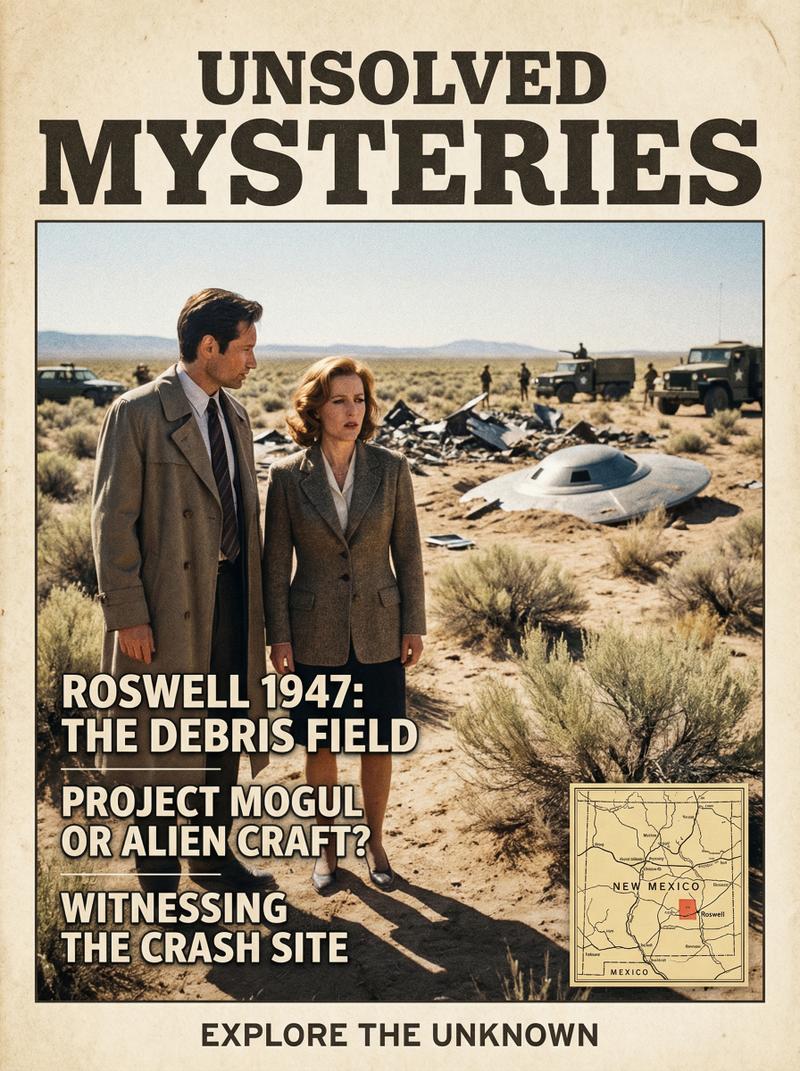
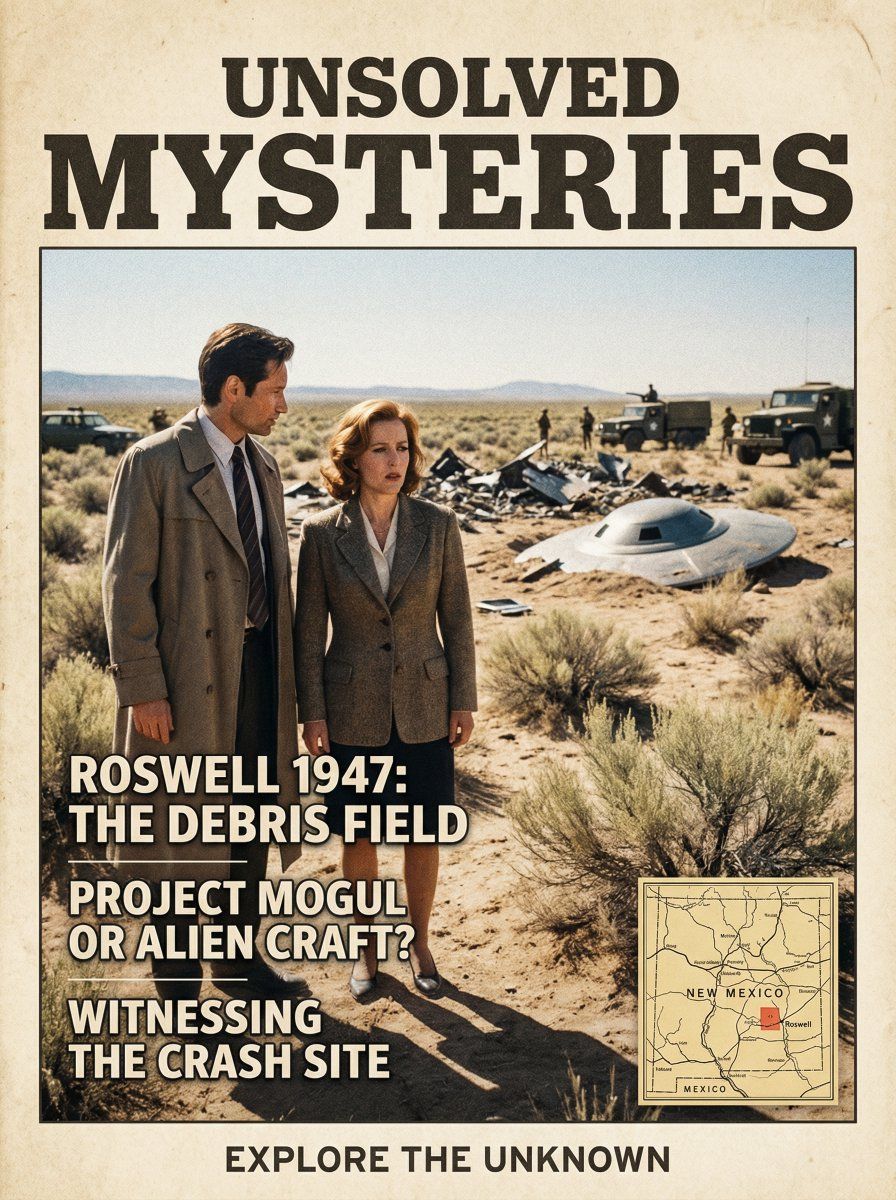
罗斯威尔事件杂志封面
Enlarge

罗斯威尔事件杂志封面

Prompt
Create a beautiful, photo book style magazine cover that fully utilizes the 9:16 aspect ratio. Place the attached people at the precise coordinates of {argument name="latitude" default="33°57'01\"N"}, {argument name="longitude" default="105°18'51\"W"} on {argument name="date" default="24 June 1947"} research the major historic event that happened there on that date and place the subjects witnessing it seamlessly blending the subjects into the scene as if they are sightseeing. Approach this task with the understanding that this is a critical page that will significantly influence visitor numbers. Include magazine stories about the specific location and reference the main interesting facts about the location, do not display the coordinates on the image but do include a small minimap of geographic location.
Category
创意图片
Model
Nano Banana Pro
Views0
Source ID
9ee156d6-8ee1-4253-a0eb-2e1b0f31d1dc
Published
Mar 8, 2026

Guide

About "罗斯威尔事件杂志封面"

What is this prompt for?

"罗斯威尔事件杂志封面" AI image prompt for Nano Banana Pro (创意图片). 一个复杂且具有历史感的图像生成提示,用于创建一本相册风格的杂志封面(9:16 宽高比)。它要求将上传的主体精确放置在 1947 年 6 月 24 日罗斯威尔事件的坐标处,将它们无缝融入场景,仿佛它们正在目…

The full copyable prompt and example visuals above are ready for AI image generation or one-click recreate in Picva.

How to use this prompt

  1. Step 1

    Open the prompt detail

    Review the example visuals, category, and full prompt text for "罗斯威尔事件杂志封面".

  2. Step 2

    Copy the prompt

    Copy the prompt body from this page, or load it directly in Studio.

  3. Step 3

    Pick a model (Nano Banana Pro)

    Prefer Nano Banana Pro. If you switch models, keep subject and composition and tweak style terms.

  4. Step 4

    Generate and export

    Recreate the look in Picva, or export into your workflow for editing and publishing.

FAQ

What is the "罗斯威尔事件杂志封面" prompt?
It is an AI image-generation prompt for Nano Banana Pro in the 创意图片 category. This page includes the full prompt text, example visuals, and a one-click recreate path in Picva.
How do I use this prompt to generate an image?
Copy the prompt from this page, or use Generate / Studio. Paste it into a compatible image model, or recreate the look in Picva with optional reference images.
Which model is this prompt for?
This page lists Nano Banana Pro. Most descriptive prompts also transfer to nearby image models such as GPT Image, Flux, or Midjourney with light style tweaks.
Can I use the result commercially?
You can usually copy the prompt for creation, but commercial use of the final image depends on the model terms, reference-image rights, and the generated content. Follow the source author and platform rules.