17

Create a flat, minimalist infographic illustration on a [pale cream/off-white] background. The la...
Enlarge

Example images

Create a flat, minimalist infographic illustration on a [pale cream/off-white] background. The la...

Prompt
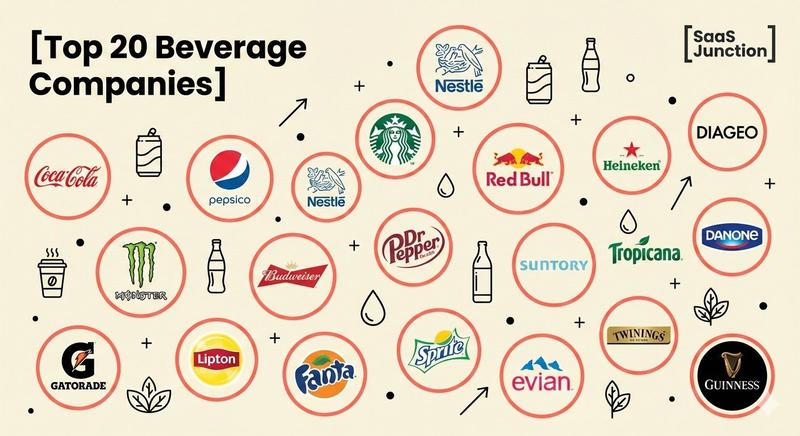
Create a flat, minimalist infographic illustration on a [pale cream/off-white] background. The layout should feature a scattered arrangement of [20] distinct circles. Each circle must have a thin, clean [coral-red] outline. Inside each circle, display the logo or name of a major beverage company including: [Coca-Cola, PepsiCo, Nestle, Starbucks, Red Bull, Heineken, Diageo, Dr Pepper, Monster, Budweiser, Suntory, Danone, Tropicana, Gatorade, Lipton, Fanta, Sprite, Evian, Twinings, Guinness].

Interspersed between the company circles, place minimalist black line-art icons representing the industry, such as [soda cans, glass bottles, coffee cups, droplets, and leaves]. Add small decorative graphic elements like tiny black plus signs (+), small filled dots, and thin black arrows pointing upwards to indicate growth.

In the top left corner, place a bold title graphic text reading "[Top 20 Beverage Companies]". In the top right corner, clearly display a modern logo with the text "[SaaS Junction]".

The overall style should be corporate but playful, 2D vector art, high contrast, with no shading or 3D effects. Maintain a color palette of [Cream, Coral-Red, Black, and varied logo colors].
Category
创意图片
Model
Nano Banana Pro
Creator
Pixshop
Views5
Source ID
088627d3-a3d4-4c2b-afc2-d610ce2c8aff
Published
Jan 14, 2026

Guide

About "Create a flat, minimalist infographic illustration on a [pale cream/off-white] background. The la..."

What is this prompt for?

"Create a flat, minimalist infographic illustration on a [pale cream/off-white] background. The la..." AI image prompt for Nano Banana Pro (创意图片). 创意图片 Copy it…

The full copyable prompt and example visuals above are ready for AI image generation or one-click recreate in Picva.

How to use this prompt

  1. Step 1

    Open the prompt detail

    Review the example visuals, category, and full prompt text for "Create a flat, minimalist infographic illustration on a [pale cream/off-white] background. The la...".

  2. Step 2

    Copy the prompt

    Copy the prompt body from this page, or load it directly in Studio.

  3. Step 3

    Pick a model (Nano Banana Pro)

    Prefer Nano Banana Pro. If you switch models, keep subject and composition and tweak style terms.

  4. Step 4

    Generate and export

    Recreate the look in Picva, or export into your workflow for editing and publishing.

FAQ

What is the "Create a flat, minimalist infographic illustration on a [pale cream/off-white] background. The la..." prompt?
It is an AI image-generation prompt for Nano Banana Pro in the 创意图片 category. This page includes the full prompt text, example visuals, and a one-click recreate path in Picva.
How do I use this prompt to generate an image?
Copy the prompt from this page, or use Generate / Studio. Paste it into a compatible image model, or recreate the look in Picva with optional reference images.
Which model is this prompt for?
This page lists Nano Banana Pro. Most descriptive prompts also transfer to nearby image models such as GPT Image, Flux, or Midjourney with light style tweaks.
Can I use the result commercially?
You can usually copy the prompt for creation, but commercial use of the final image depends on the model terms, reference-image rights, and the generated content. Follow the source author and platform rules.