抓拍闪光摄影:混乱的假日派对(副本)
Prompt
{
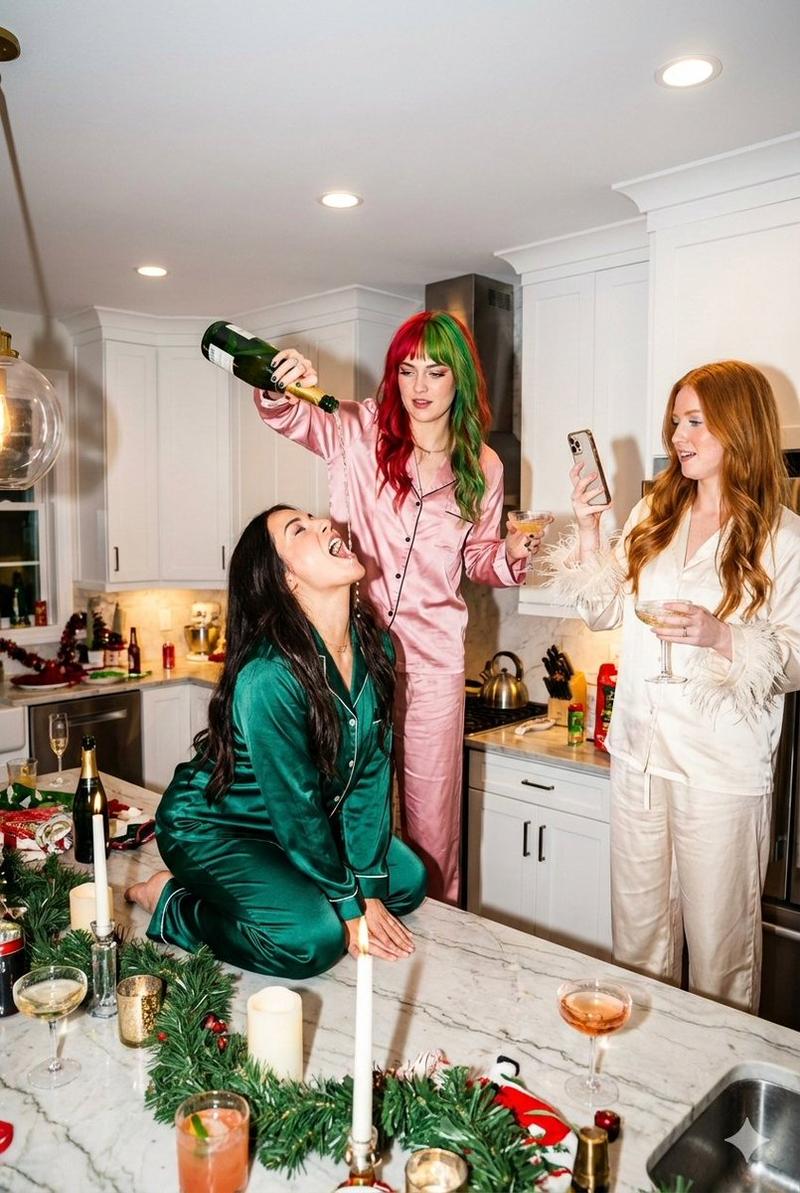
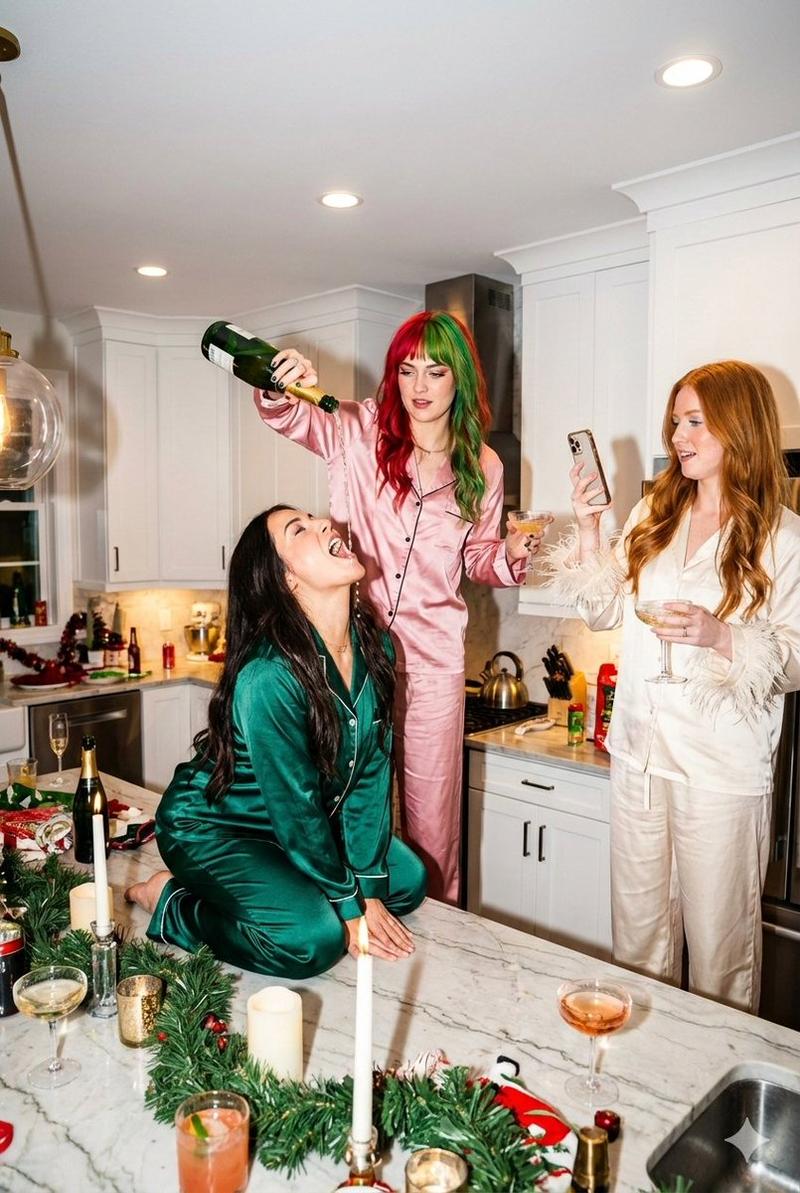
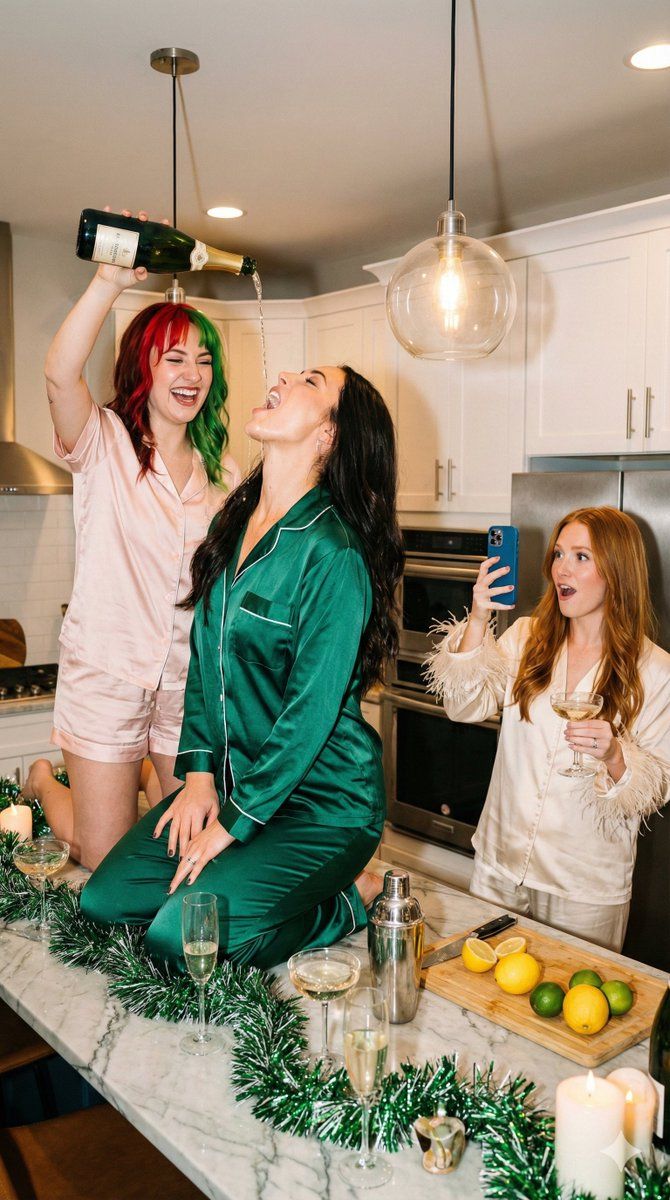
  "scene_context": {
    "setting": "Modern kitchen interior with white cabinets and marble island",
    "occasion": "Holiday party / Girls' night in / New Year's Eve celebration",
    "vibe": "Chaotic fun, high energy, influencer lifestyle, candid flash photography"
  },
  "camera_details": {
    "camera": "Canon EOS R5 Mirrorless Digital Camera",
    "lens": "Canon RF 24-70mm f/2.8L IS USM Lens",
    "focal_length": "35mm",
    "aperture": "f/4.0",
    "shutter_speed": "1/125 sec",
    "iso": "ISO 800",
    "lighting": "On-camera direct flash with warm ambient indoor light fill",
    "focus_mode": "AF-C (Continuous Auto-Focus) tracking the central subject",
    "composition": "Medium-wide angle, eye-level shot",
    "style": "Candid, unposed, flash-lit photograph"
  },
  "subjects": [
    {
      "id": "subject_left",
      "position": "Kneeling on top of the marble kitchen island",
      "appearance": "Young woman with long dark hair, ecstatic expression, head tilted back, mouth open",
      "apparel": "Emerald green satin pajama set with white piping (long sleeve button-down, long pants)",
      "action": "Catching a stream of champagne being poured from above into her mouth"
    },
    {
      "id": "subject_center",
      "position": "Standing behind the kitchen island",
      "appearance": "Young woman with split-dyed hair (right side bright red, left side bright green)",
      "apparel": "Light pink satin pajama short set (short sleeve button-down, shorts)",
      "action": "Holding a green champagne bottle upside down high in the air, pouring it into the first subject's mouth, laughing"
    },
    {
      "id": "subject_right",
      "position": "Standing to the right side of the frame",
      "appearance": "Young woman with long ginger/red hair, surprised and excited expression",
      "apparel": "Cream/white satin pajama set with ostrich feather cuffs on the sleeves",
      "action": "Holding a blue smartphone to record the scene, holding a champagne coupe glass in the other hand"
    }
  ],
  "props_and_decor": {
    "foreground_items": [
      "Green holiday tinsel garland on the counter",
      "Champagne flutes filled with liquid",
      "Silver cocktail shaker",
      "Cutting board with sliced lemons and limes",
      "White jar candle",
      "Tall red taper candle in gold holder"
    ],
    "background_items": [
      "Glass pendant lights emitting warm glow",
      "White kitchen cabinetry",
      "Stainless steel appliances"
    ]
  },
  "technical_aesthetics": {
    "lighting": "Warm indoor ambient lighting mixed with direct camera flash",
    "color_palette": "Festive colors: Emerald green, red, pink, gold, silver, warm white",
    "composition": "Vertical shot, eye-level, focused on the action at the center island"
}- Category
- 创意图片
- Model
- Nano Banana Pro
- Creator
- Lex
- Source ID
- 626758b3-5425-4213-acea-d80f3e957a50
- Published
- Mar 8, 2026
Views0