18

数学符号的弹出式纸艺工程
Enlarge

数学符号的弹出式纸艺工程

Prompt
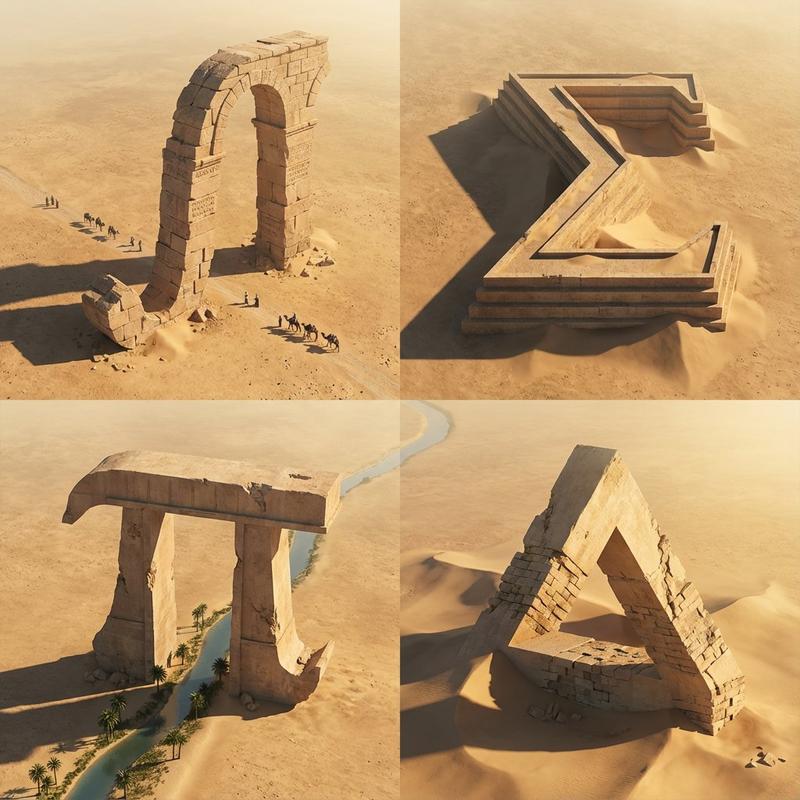
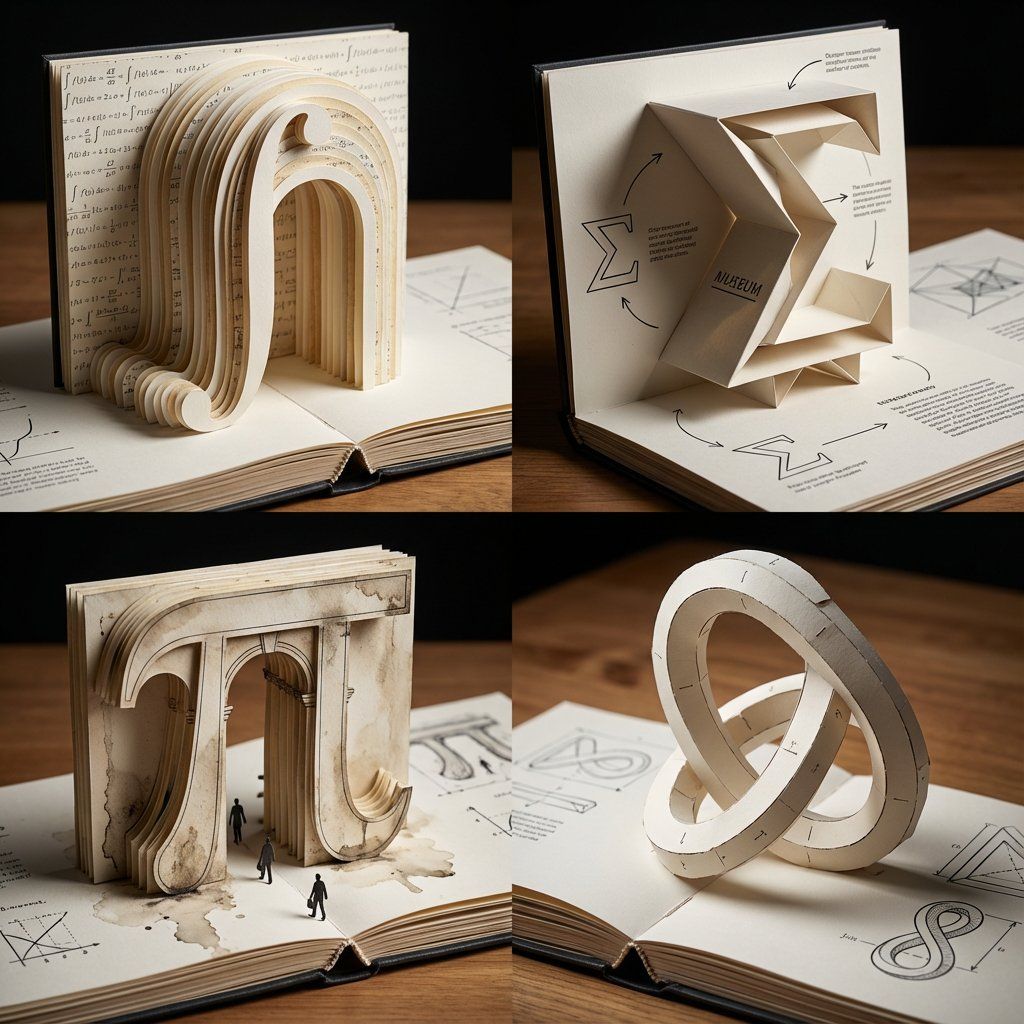
A 2x2 grid of 4 large mathematical symbols built as pop-up paper engineering on an opened book
[Top Left: The Integral (∫) as a towering paper archway, cut-paper strata, printed equations as microtext wallpaper]
[Top Right: The Sigma (Σ) as a folded paper museum with sharp origami cantilevers, shadow play, diagram callouts]
[Bottom Left: The Pi (π) as a pop-up classical gate in layered cardstock, weathered ink textures, tiny paper pedestrians]
[Bottom Right: The Klein bottle silhouette as an impossible pop-up sculpture, paper tabs and join lines visible, elegant paradox geometry]
Tabletop editorial lighting, shallow DOF, crisp paper fibers, bookbinding details, inked diagrams, swiss grid layout, hyper-clean miniature realism.
Category
创意图片
Model
Nano Banana Pro
Creator
Gadgetify
Views0
Source ID
29925329-f68d-4412-9801-3b38900212c1
Published
Mar 8, 2026

Guide

About "数学符号的弹出式纸艺工程"

What is this prompt for?

"数学符号的弹出式纸艺工程" AI image prompt for Nano Banana Pro (创意图片). 给 Nano Banana Pro 的一个提示,要求生成一张 2x2 网格图像,其中包含四个大型数学符号(积分符号、西格玛符号、圆周率符号、克莱因瓶),这些符号以超现实的弹出式纸艺雕塑形式呈现在一本打…

The full copyable prompt and example visuals above are ready for AI image generation or one-click recreate in Picva.

How to use this prompt

  1. Step 1

    Open the prompt detail

    Review the example visuals, category, and full prompt text for "数学符号的弹出式纸艺工程".

  2. Step 2

    Copy the prompt

    Copy the prompt body from this page, or load it directly in Studio.

  3. Step 3

    Pick a model (Nano Banana Pro)

    Prefer Nano Banana Pro. If you switch models, keep subject and composition and tweak style terms.

  4. Step 4

    Generate and export

    Recreate the look in Picva, or export into your workflow for editing and publishing.

FAQ

What is the "数学符号的弹出式纸艺工程" prompt?
It is an AI image-generation prompt for Nano Banana Pro in the 创意图片 category. This page includes the full prompt text, example visuals, and a one-click recreate path in Picva.
How do I use this prompt to generate an image?
Copy the prompt from this page, or use Generate / Studio. Paste it into a compatible image model, or recreate the look in Picva with optional reference images.
Which model is this prompt for?
This page lists Nano Banana Pro. Most descriptive prompts also transfer to nearby image models such as GPT Image, Flux, or Midjourney with light style tweaks.
Can I use the result commercially?
You can usually copy the prompt for creation, but commercial use of the final image depends on the model terms, reference-image rights, and the generated content. Follow the source author and platform rules.