高级时装圣诞专题提示
Prompt
[Identity_Preservation]
BoneStructure = "{argument name="bone structure" default="identical_symmetry_jawline_cheek_curves"}"
Nose_Lips = "{argument name="nose lips" default="exact_contour_fullness_unaltered"}"
Eyes_Brows = "{argument name="eyes brows" default="specific_eyelid_shape_eyebrow_arch_match"}"
Skin_Texture = "{argument name="skin texture" default="fair_tone_subtle_pores_youthful_glow_hyper_real"}"
Stylization = "{argument name="stylization" default="none_zero_distortion_photorealistic_accuracy"}"

[Scene_Environment]
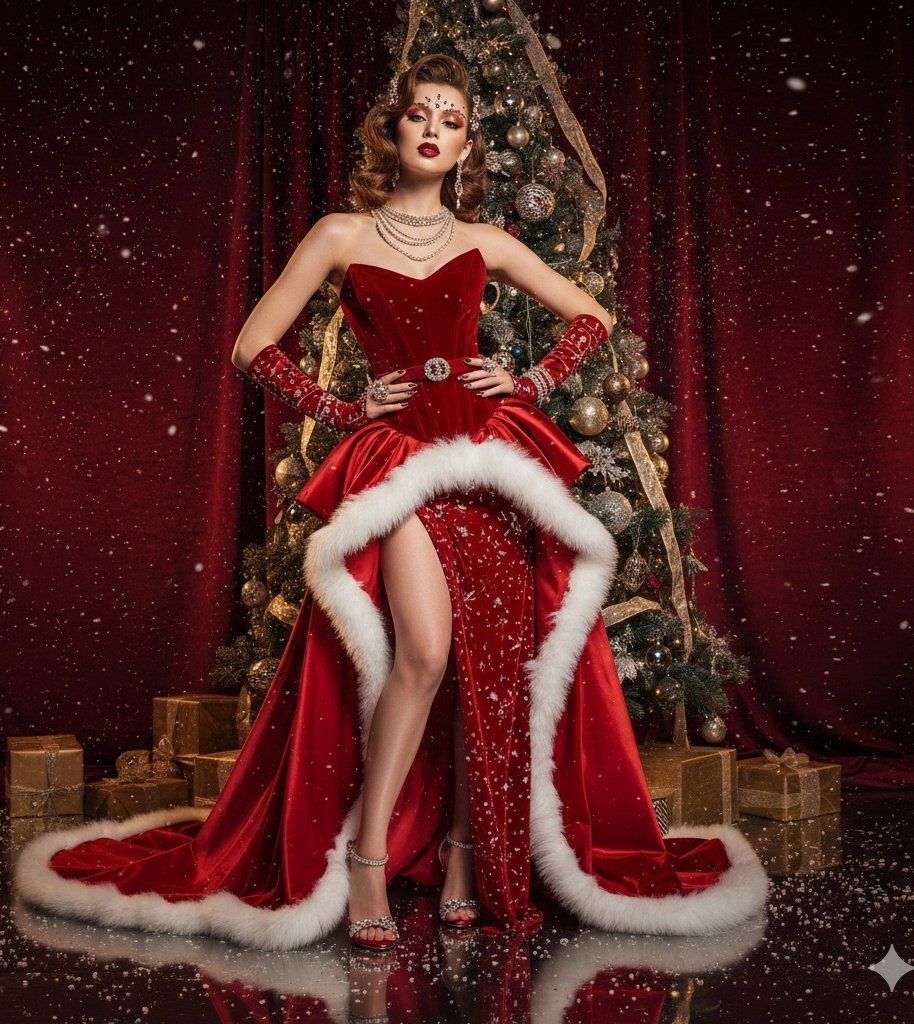
Backdrop = "{argument name="backdrop" default="deep_burgundy_velvet_golden_reflections"}"
Decorations = "{argument name="decorations" default="designer_tree_metallic_ornaments_crystals_ribbons"}"
Props = "{argument name="props" default="gold_accented_gift_boxes_elegant_scattering"}"
Atmosphere = "{argument name="atmosphere" default="floating_studio_snow_particles_glossy_floor_reflections"}"
Mood = "{argument name="mood" default="high-fashion_festive_drama_glamorous_editorial"}"

[Composition_Pose]
Shot_Type = "{argument name="shot type" default="full_body_editorial"}"
Stance = "{argument name="stance" default="dynamic_fashion_hip_pop_one_leg_forward_shoulders_back"}"
Framing = "{argument name="framing" default="rule_of_thirds_couture_silhouette"}"
Head_Angle = "{argument name="head angle" default="dramatic_tilt_editorial"}"
Eye_Contact = "{argument name="eye contact" default="intense_direct_camera_engagement"}"

[Styling_Beauty]
Hair = "{argument name="hair" default="voluminous_waves_chestnut_caramel_highlights_crystal_pins"}"
Eyes = "{argument name="eyes" default="metallic_gold_crimson_shadow_glitter_lashes"}"
Lips = "{argument name="lips" default="couture_red_soft_gloss_slightly_parted"}"
Face_Accents = "{argument name="face accents" default="micro_face_jewels_brow_cheekbone_crystals"}"
Nails = "{argument name="nails" default="deep_red_gold_accents_snowflake_tips"}"

[Couture_Outfit]
Gown = "{argument name="gown" default="structured_red_velvet_corset_voluminous_skirt_high_slit"}"
Materials = "{argument name="materials" default="satin_tulle_white_faux_fur_trim"}"
Embellishments = "{argument name="embellishments" default="swarovski_crystals_pearls_metallic_studs"}"
Footwear = "{argument name="footwear" default="metallic_red_stilettos_crystal_straps"}"

[Accessories]
Jewelry = "{argument name="jewelry" default="layered_asymmetric_necklaces_stacked_cuffs_oversized_earrings"}"
Hands = "{argument name="hands" default="jeweled_glove_extensions_multi_joint_rings"}"
Waist = "{argument name="waist" default="designer_belt_jeweled_buckle"}"

[Technical_Specs]
Camera = "{argument name="camera" default="Full_frame_DSLR_85mm_lens"}"
Settings = "{argument name="settings" default="f/2.8_aperture_ISO100_1/160s"}"
Lighting = "{argument name="lighting" default="studio_key_sculpting_rim_lighting_jewel_highlights"}"
Resolution = "{argument name="resolution" default="HDR_Ultra_HD_crystal_clear_textures"}"- Category
- 创意图片
- Model
- Nano Banana Pro
- Creator
- Javeriya ✨
- Source ID
- 5e81b67e-c186-43f0-a1a4-ce9a50535ebb
- Published
- Mar 8, 2026
Views0



















