20

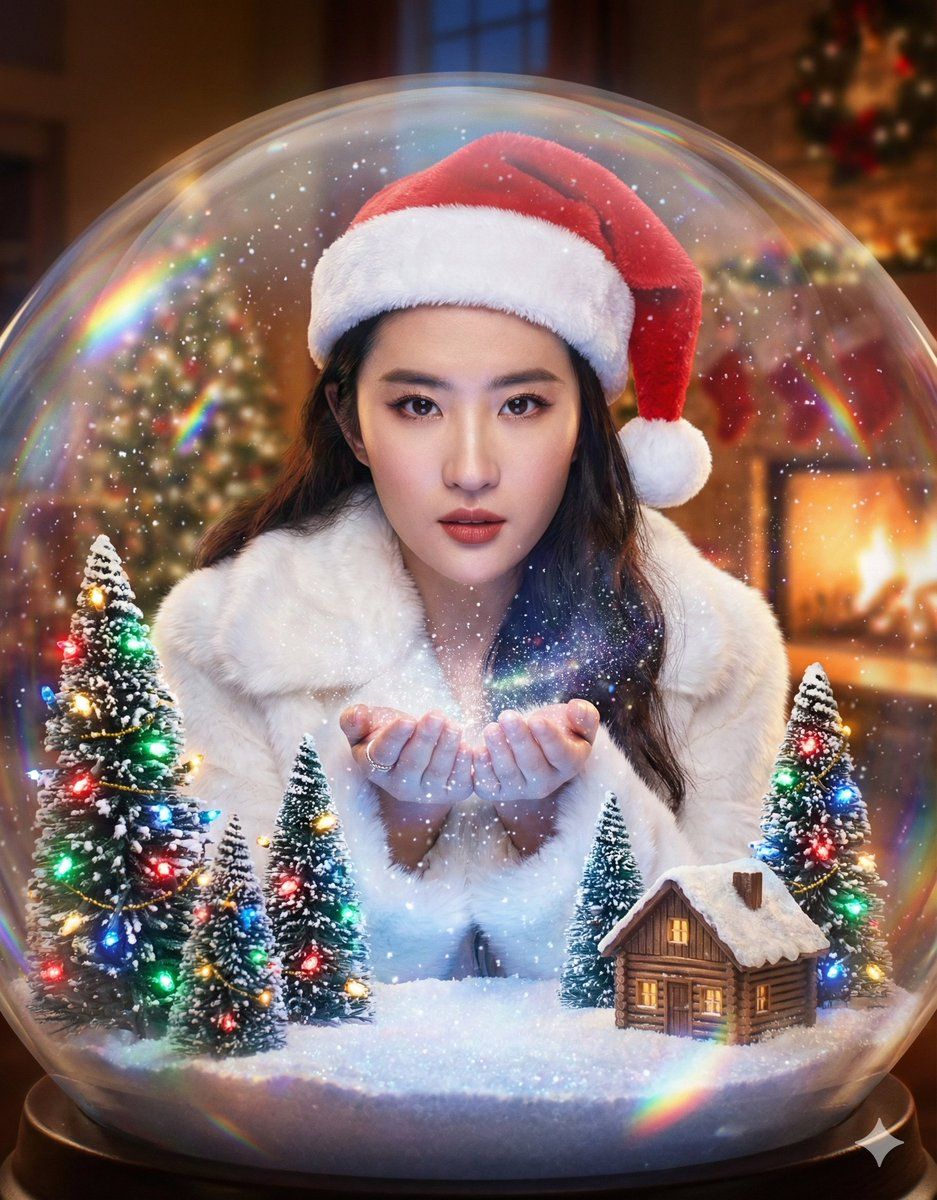
被困在巨型圣诞雪球中的超现实人物
Enlarge

被困在巨型圣诞雪球中的超现实人物

Prompt
(Surrealism, fantasy art, macro photography style). A magical composition where the specific character is captured inside a giant, life-sized glass snow globe. [CRITICAL: Keep the face identical to the source image, maintain consistent facial features within the glass distortion].

Inside the Globe: The character is wearing a {argument name="clothing inside globe" default="white faux fur winter coat and a red Santa hat"}, catching falling snowflakes with her hands. The environment inside includes miniature snow-covered pine trees decorated with colorful Christmas lights twinkling in red, green, blue, and gold. A tiny wooden cabin sits among the trees. Swirling magical glitter and snow dust fill the air inside the sphere.

Outside the Globe: The background is a blurry, cozy living room with a fireplace, emphasizing that the character is inside the ornament.

Lighting: The snow globe is glowing from within, illuminated by the warm colorful glow of the Christmas tree lights mixing with cool magical blue and white light on the falling snow. The character's face is beautifully lit by this magical mixed lighting. External warm light reflects off the curved glass surface, creating rainbow prismatic effects.

Technical: Ray tracing reflections on the glass, refraction effects, crystal clear focus on the character, magical atmosphere, ethereal and dreamy aesthetic, 8k resolution, intricate details of the snowflakes and Christmas lights bokeh.
Category
创意图片
Model
Nano Banana Pro
Views0
Source ID
de243560-d190-4df4-a1d9-7b47f75c0bc5
Published
Mar 8, 2026

Guide

About "被困在巨型圣诞雪球中的超现实人物"

What is this prompt for?

"被困在巨型圣诞雪球中的超现实人物" AI image prompt for Nano Banana Pro (创意图片). 一个给 Nano Banana Pro 的详细提示,用于生成一张超现实的奇幻风格图像,其中一个特定角色被放置在一个巨大的、真人大小的玻璃雪球内。该提示强调在应用玻璃扭曲的同时保持角色的面部特征…

The full copyable prompt and example visuals above are ready for AI image generation or one-click recreate in Picva.

How to use this prompt

  1. Step 1

    Open the prompt detail

    Review the example visuals, category, and full prompt text for "被困在巨型圣诞雪球中的超现实人物".

  2. Step 2

    Copy the prompt

    Copy the prompt body from this page, or load it directly in Studio.

  3. Step 3

    Pick a model (Nano Banana Pro)

    Prefer Nano Banana Pro. If you switch models, keep subject and composition and tweak style terms.

  4. Step 4

    Generate and export

    Recreate the look in Picva, or export into your workflow for editing and publishing.

FAQ

What is the "被困在巨型圣诞雪球中的超现实人物" prompt?
It is an AI image-generation prompt for Nano Banana Pro in the 创意图片 category. This page includes the full prompt text, example visuals, and a one-click recreate path in Picva.
How do I use this prompt to generate an image?
Copy the prompt from this page, or use Generate / Studio. Paste it into a compatible image model, or recreate the look in Picva with optional reference images.
Which model is this prompt for?
This page lists Nano Banana Pro. Most descriptive prompts also transfer to nearby image models such as GPT Image, Flux, or Midjourney with light style tweaks.
Can I use the result commercially?
You can usually copy the prompt for creation, but commercial use of the final image depends on the model terms, reference-image rights, and the generated content. Follow the source author and platform rules.











