20

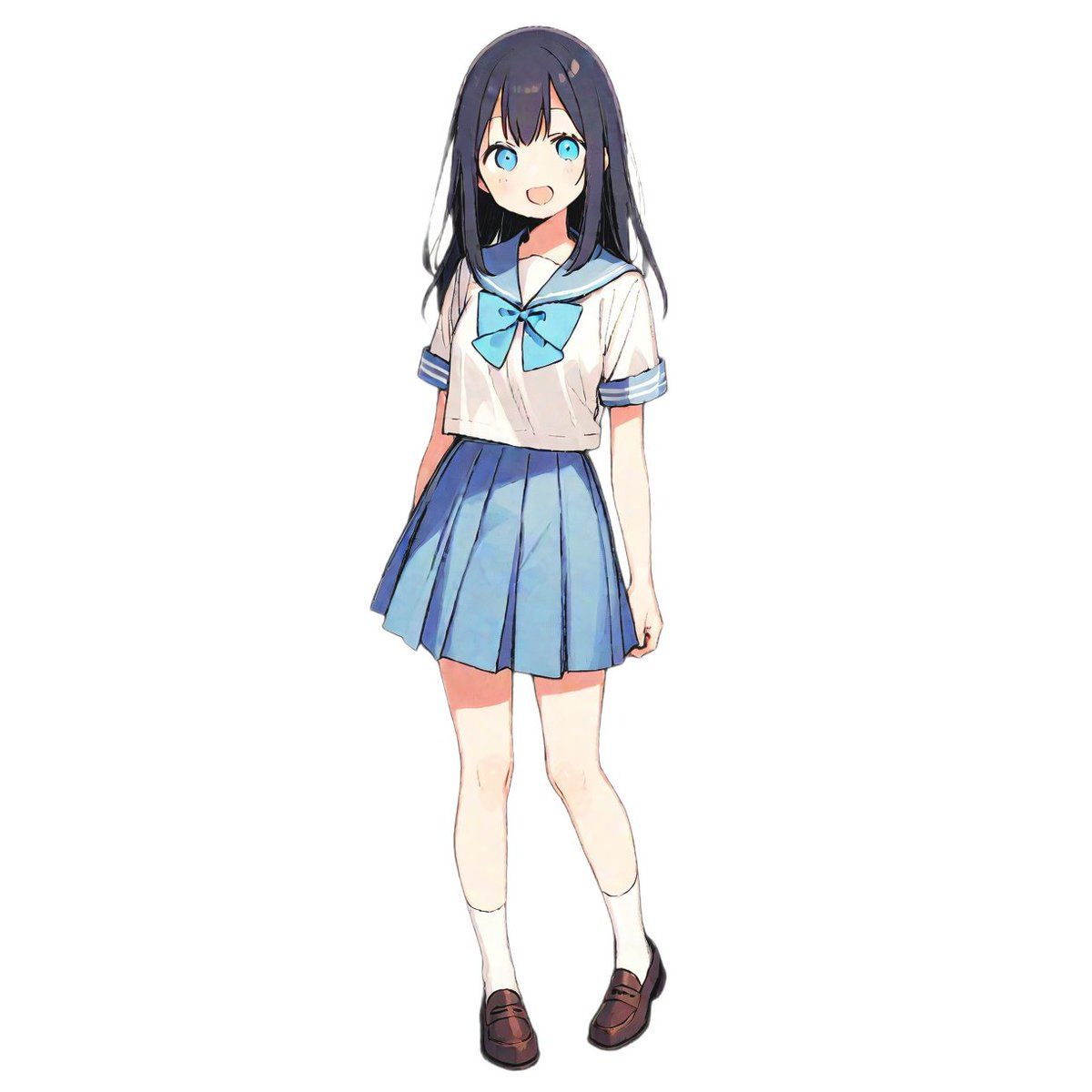
配对时尚生成提示
Enlarge

配对时尚生成提示

Prompt
【設定セクション】
[女性の服装名]: {argument name="女性の服装名" default="セーラー服"}
[髪の色]: {argument name="髪の色" default="黒髪"}
[瞳の色]: {argument name="瞳の色" default="青色の瞳"}
[テーマカラー]: {argument name="テーマカラー" default="水色と白"}
[スタイルの雰囲気]: 繊細なアニメ塗り、清潔感、白い背景のキャラクター立ち絵

【生成プロンプト本文】
最高品質のアニメーションイラスト。
1人の少年(男性キャラクター)。全身図。
髪の色は[髪の色]、目の色は[瞳の色]です。

《服装の指示》
彼は、[女性の服装名]と社会通念上「対(つい)」となる男性用の服装を着用しています。
・重要:[女性の服装名]が女性特有のデザイン(例:セーラー服、ドレス、振袖)である場合、女性服のデザインをそのまま適用せず、それに対応する男性の正装や制服に変換してください。
(変換例:セーラー服なら「学ラン」または「ブレザー」、振袖なら「紋付袴」、ドレスなら「タキシード」)
・服装の配色は[テーマカラー]を取り入れ、ペア感を演出してください。

絵のスタイルは、添付画像のような繊細なラインと鮮やかな色彩を持つ現代的なアニメ調で、背景はシンプルな白です。
Category
创意图片
Model
Nano Banana Pro
Views0
Source ID
f2d9b808-c530-4bc9-993d-c4b0ddd79bb2
Published
Mar 8, 2026

Guide

About "配对时尚生成提示"

What is this prompt for?

"配对时尚生成提示" AI image prompt for Nano Banana Pro (创意图片). 这是一个为 Nano Banana Pro 设计的提示词,旨在生成一个男性角色的服装,该服装与参考图片中女性角色的服装形成“一对”或互补。它包含一个设置部分,用于自定义女性服装类型、发色、眼睛颜色和主题颜色,…

The full copyable prompt and example visuals above are ready for AI image generation or one-click recreate in Picva.

How to use this prompt

  1. Step 1

    Open the prompt detail

    Review the example visuals, category, and full prompt text for "配对时尚生成提示".

  2. Step 2

    Copy the prompt

    Copy the prompt body from this page, or load it directly in Studio.

  3. Step 3

    Pick a model (Nano Banana Pro)

    Prefer Nano Banana Pro. If you switch models, keep subject and composition and tweak style terms.

  4. Step 4

    Generate and export

    Recreate the look in Picva, or export into your workflow for editing and publishing.

FAQ

What is the "配对时尚生成提示" prompt?
It is an AI image-generation prompt for Nano Banana Pro in the 创意图片 category. This page includes the full prompt text, example visuals, and a one-click recreate path in Picva.
How do I use this prompt to generate an image?
Copy the prompt from this page, or use Generate / Studio. Paste it into a compatible image model, or recreate the look in Picva with optional reference images.
Which model is this prompt for?
This page lists Nano Banana Pro. Most descriptive prompts also transfer to nearby image models such as GPT Image, Flux, or Midjourney with light style tweaks.
Can I use the result commercially?
You can usually copy the prompt for creation, but commercial use of the final image depends on the model terms, reference-image rights, and the generated content. Follow the source author and platform rules.












