15

玩具总动员自拍与身份锁定提示词
Enlarge

玩具总动员自拍与身份锁定提示词

Prompt
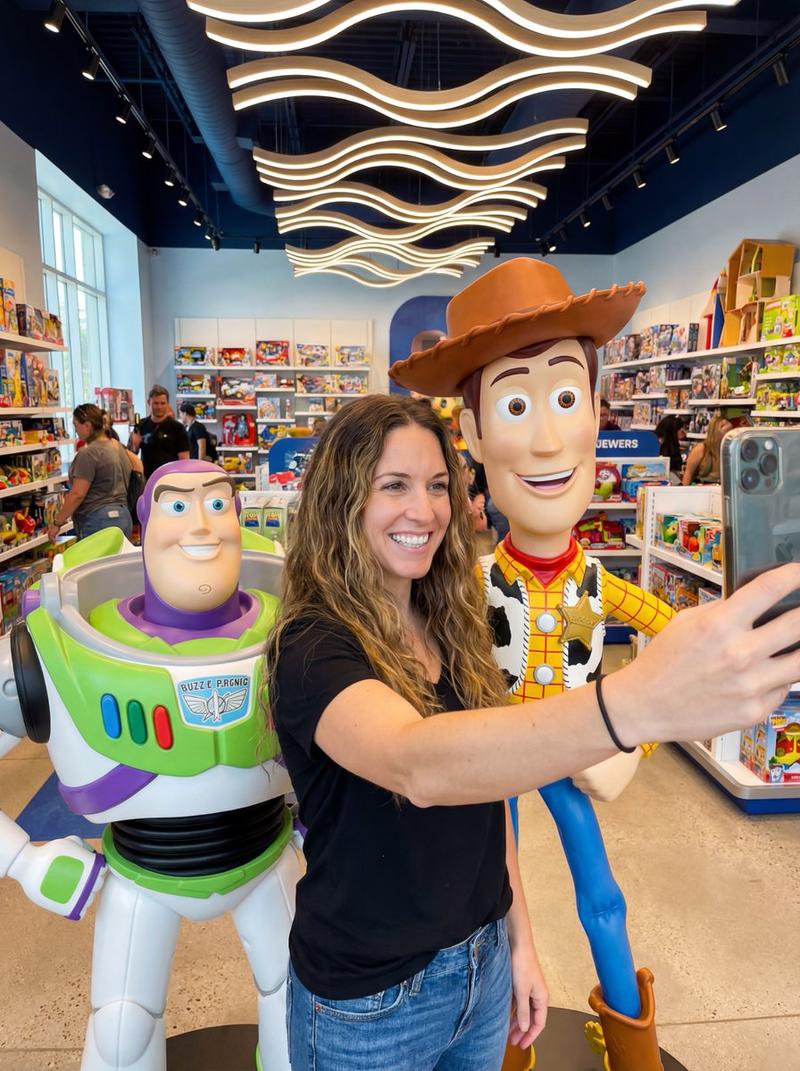
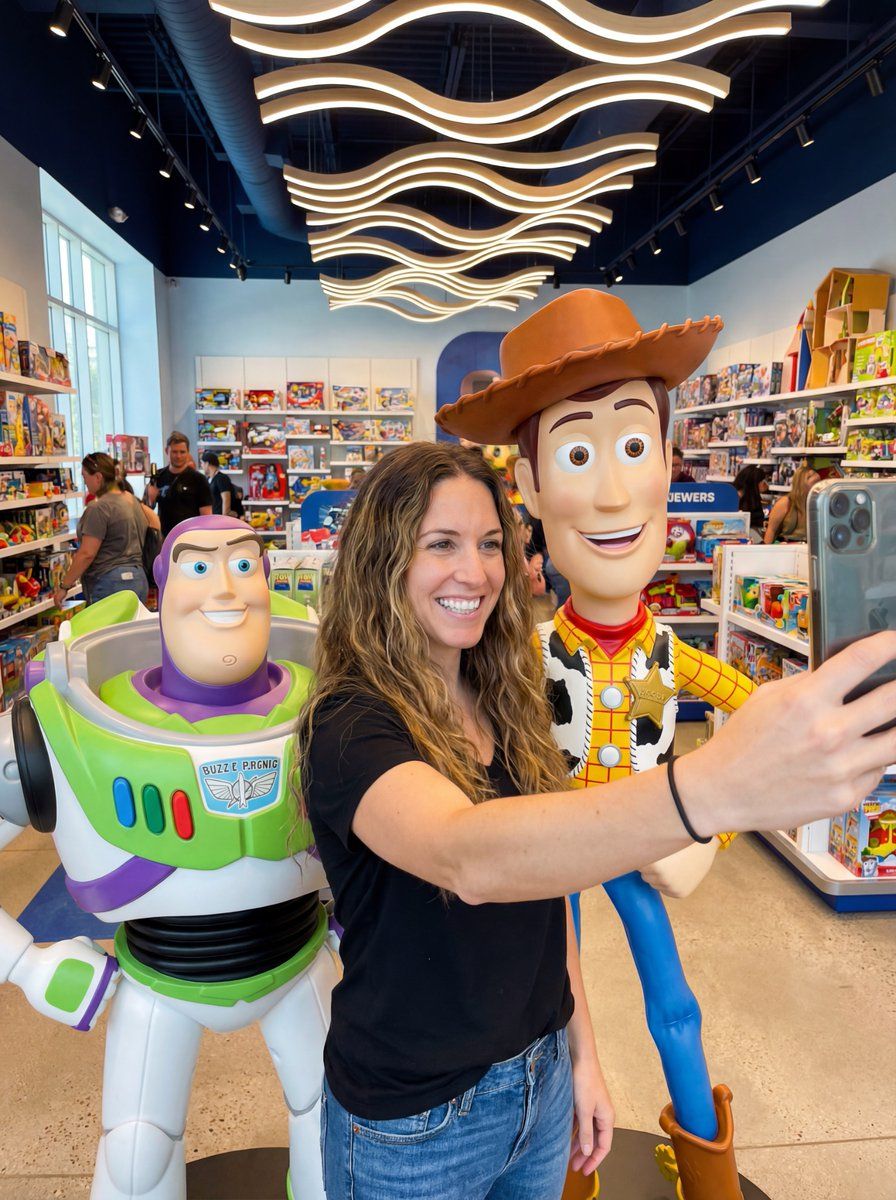
A candid, realistic selfie photograph taken by a woman with long, wavy brown hair, smiling broadly at the camera. She is wearing a black t-shirt and blue jeans, and her right arm is extended forward, holding the camera. She is standing in a brightly lit, modern  toy store, positioned between large, life-sized statues of Buzz Lightyear and Woody from  Toy Story. Buzz, on the left, is in his classic space ranger suit, smiling. Woody, on the right, is wearing his cowboy hat, yellow plaid shirt, cow-print vest, and boots, also smiling. The background shows shelves packed with toys, other shoppers, and a unique ceiling with wavy light fixtures. Don't change the face, make sure the face is the same.
Category
创意图片
Model
Nano Banana Pro
Views0
Source ID
9fcdda63-ccec-466a-a386-7af3c8972f2f
Published
Mar 8, 2026

Guide

About "玩具总动员自拍与身份锁定提示词"

What is this prompt for?

"玩具总动员自拍与身份锁定提示词" AI image prompt for Nano Banana Pro (创意图片). 生成一张逼真的自拍照的提示,照片中一名女子站在现代玩具店里,位于巴斯光年和胡迪的真人大小雕像之间。提示强调保持该女子精确的面部特征,并详细描述了场景、服装以及《玩具总动员》角色的外观。 ---…

The full copyable prompt and example visuals above are ready for AI image generation or one-click recreate in Picva.

How to use this prompt

  1. Step 1

    Open the prompt detail

    Review the example visuals, category, and full prompt text for "玩具总动员自拍与身份锁定提示词".

  2. Step 2

    Copy the prompt

    Copy the prompt body from this page, or load it directly in Studio.

  3. Step 3

    Pick a model (Nano Banana Pro)

    Prefer Nano Banana Pro. If you switch models, keep subject and composition and tweak style terms.

  4. Step 4

    Generate and export

    Recreate the look in Picva, or export into your workflow for editing and publishing.

FAQ

What is the "玩具总动员自拍与身份锁定提示词" prompt?
It is an AI image-generation prompt for Nano Banana Pro in the 创意图片 category. This page includes the full prompt text, example visuals, and a one-click recreate path in Picva.
How do I use this prompt to generate an image?
Copy the prompt from this page, or use Generate / Studio. Paste it into a compatible image model, or recreate the look in Picva with optional reference images.
Which model is this prompt for?
This page lists Nano Banana Pro. Most descriptive prompts also transfer to nearby image models such as GPT Image, Flux, or Midjourney with light style tweaks.
Can I use the result commercially?
You can usually copy the prompt for creation, but commercial use of the final image depends on the model terms, reference-image rights, and the generated content. Follow the source author and platform rules.