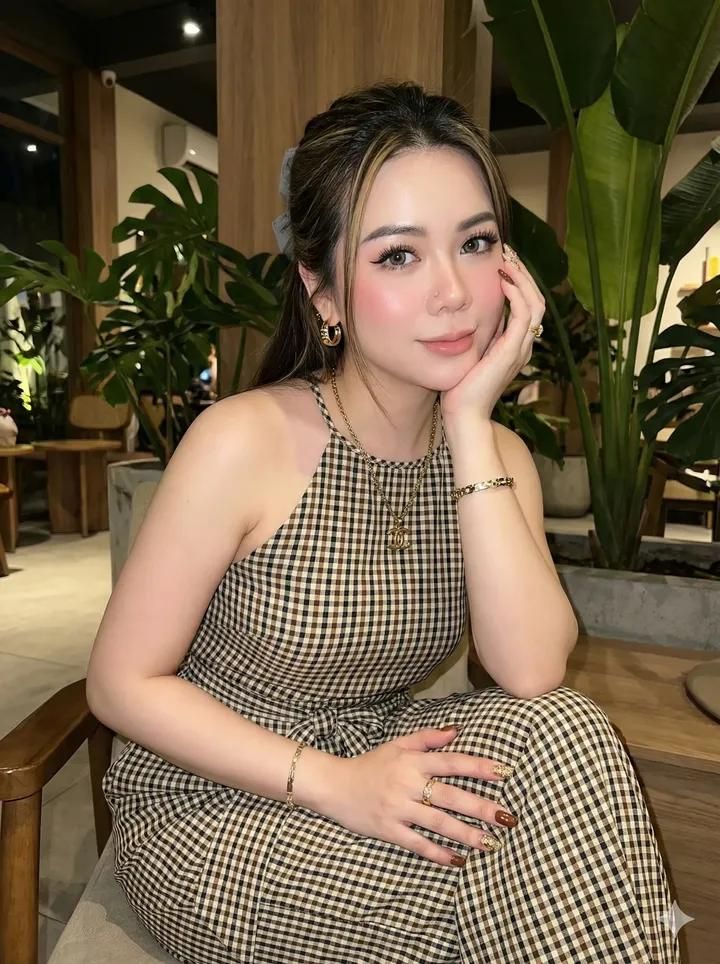
超逼真的闪光人像,带面部锁定提示
Prompt
selfie camera. maintain the original face do not change the shape of the face Create a hyper realistic portrait of 8k quality. Edit this photo without changing the original face 100%. Create a realistic portrait photo with high quality, featuring a young woman with a soft and elegant face, displaying a clean and feminine natural beauty, modern with a clean, soft look, a glowing and flawless face. And her body contains Clothes: wearing a long sleeveless jumpsuit (halter neck) with a small checkered pattern (gingham / checkered) with a dominant color of brown, black, and cream. The jumpsuit cut is loose and flowy, the waist is tied with a matching fabric that forms an elegant body silhouette. The length of the pants touches the floor, adding an elegant and effortless chic impression. and her hair is very long, straight, dark brown with blonde highlights, styled back and slightly tied with a faint gray hair clipMake Up: Her skin is clean, bright, glowing white. Her face is glowing white and her make up is soft and romantic with striking eye makeup including winged eyeliner and her eyes are light gray. Her eyelashes are curly and thick and her lips are nude pink, and her blouse is pink On her right and left cheeks and her blouse is on And she wears a piercing on her nose Her nails are glossy brown mixed with 3D gold glitter,Accessories in the form of: a gold chain necklace with an elegant logo pendant, and ring earrings and also a bracelet that matches the necklace adds a touch of luxury and sophistication. Pose & Expression: Calm, soft, and feminine facial expression, with her eyes looking at the camera, giving a warm and graceful impression. Relaxed sitting pose, head slightly tilted, one hand supporting her cheek with slender fingers, creating an intimate, calm, and aesthetic impressionBackground: an indoor café or cozy room with a natural feel, filled with tropical green plants with large leaves, presenting a fresh and warm atmosphere. Wood and plant elements create a natural, modern, and aesthetic impression. Night or indoor atmosphere with low light. The background is made not crowded to focus on the face. ... Camera & Lighting Effects: The camera flash is active (on-camera flash) directly to the face, Soft flash effect, not harsh. Her glowing face is clearly visible.A little soft shadow in the background. Composition & Technique: Vertical photo 9:12 ratio High resolution, sharp details Realistic photography, ultra high detail. Main focus: glowing face, eyes, and make up Eye-level camera angle (parallel to the eyes) A little close-up framing, focus on the face. The camera is slightly tilted from the front left or right of the face. The face should not be made thin
- Category
- 创意图片
- Model
- Nano Banana Pro
- Creator
- simply
- Source ID
- 1fbda636-da68-41ed-a1be-55db989842d9
- Published
- Mar 8, 2026
Views0














