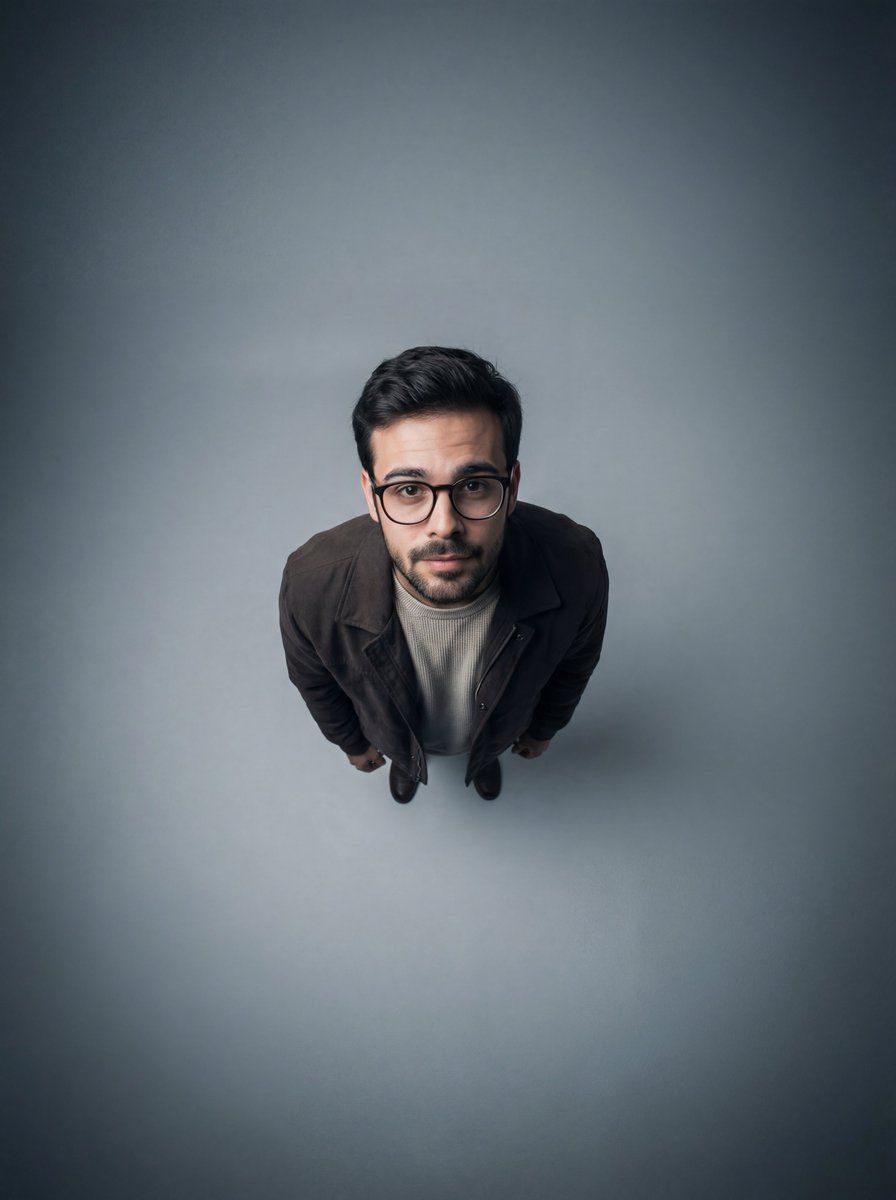
电影感广角畸变俯视人像
Prompt
{
"image_type": "photographic portrait",
"style": "studio portrait, cinematic, minimalist",
"composition": {
"orientation": "portrait",
"framing": "full body from extreme high angle",
"subject_position": "centered",
"camera_angle": "top-down (bird’s-eye / overhead)",
"lens_distortion": "strong wide-angle perspective exaggeration",
"negative_space": "extensive surrounding empty space",
"perspective": "dramatic overhead with subject looking up"
},
"subject": {
"count": 1,
"description": "young person with glasses",
"pose": "standing upright, shoulders slightly forward, arms relaxed",
"expression": "soft, introspective, mildly curious",
"gaze": "looking directly up at the camera",
"accessories": [
"round eyeglasses"
],
"clothing": {
"outerwear": "dark brown jacket",
"innerwear": "light-colored knit or textured shirt",
"style": "casual, understated"
}
},
"facial_details": {
"features": "rounded face, soft jawline",
"emotion": "calm, thoughtful",
"eye_emphasis": "enhanced by glasses and upward gaze"
},
"lighting": {
"type": "studio lighting",
"setup": "top-centered soft light with gradual falloff",
"contrast": "low to moderate",
"shadows": "subtle shadows beneath chin and body",
"vignette": "strong radial vignette darkening toward edges"
},
"color": {
"palette": [
"cool gray",
"charcoal",
"muted brown",
"soft beige"
],
"temperature": "cool-neutral",
"saturation": "low",
"mood": "quiet, contemplative"
},
"background": {
"environment": "studio",
"surface": "smooth seamless floor",
"gradient": "radial gradient from light center to dark edges",
"distractions": "none"
},
"technical_details": {
"camera_type": "digital",
"lens": "ultra-wide or fisheye-style wide-angle",
"depth_of_field": "deep (entire subject in focus)",
"sharpness": "high center sharpness with slight edge softness",
"noise": "minimal",
"post_processing": [
"contrast shaping",
"cool color grading",
"vignette enhancement",
"perspective exaggeration"
]
},
"artistic_elements": {
"concept": "isolation and vulnerability through scale and perspective",
"visual_metaphor": "small subject surrounded by vast empty space",
"aesthetic_influences": [
"editorial portrait photography",
"modern studio minimalism",
"cinematic overhead compositions"
]
},
"typography": {
"presence": false
},
"overall_mood": "intimate, introspective, slightly surreal",
"intended_use": [
"editorial portrait",
"conceptual photography reference",
"AI image generation style guide"
]
}- Category
- 创意图片
- Model
- Nano Banana Pro
- Creator
- Heisenberg
- Source ID
- f0dc9b68-bc71-46b5-ab07-ef17b4791d29
- Published
- Mar 8, 2026
Views0















