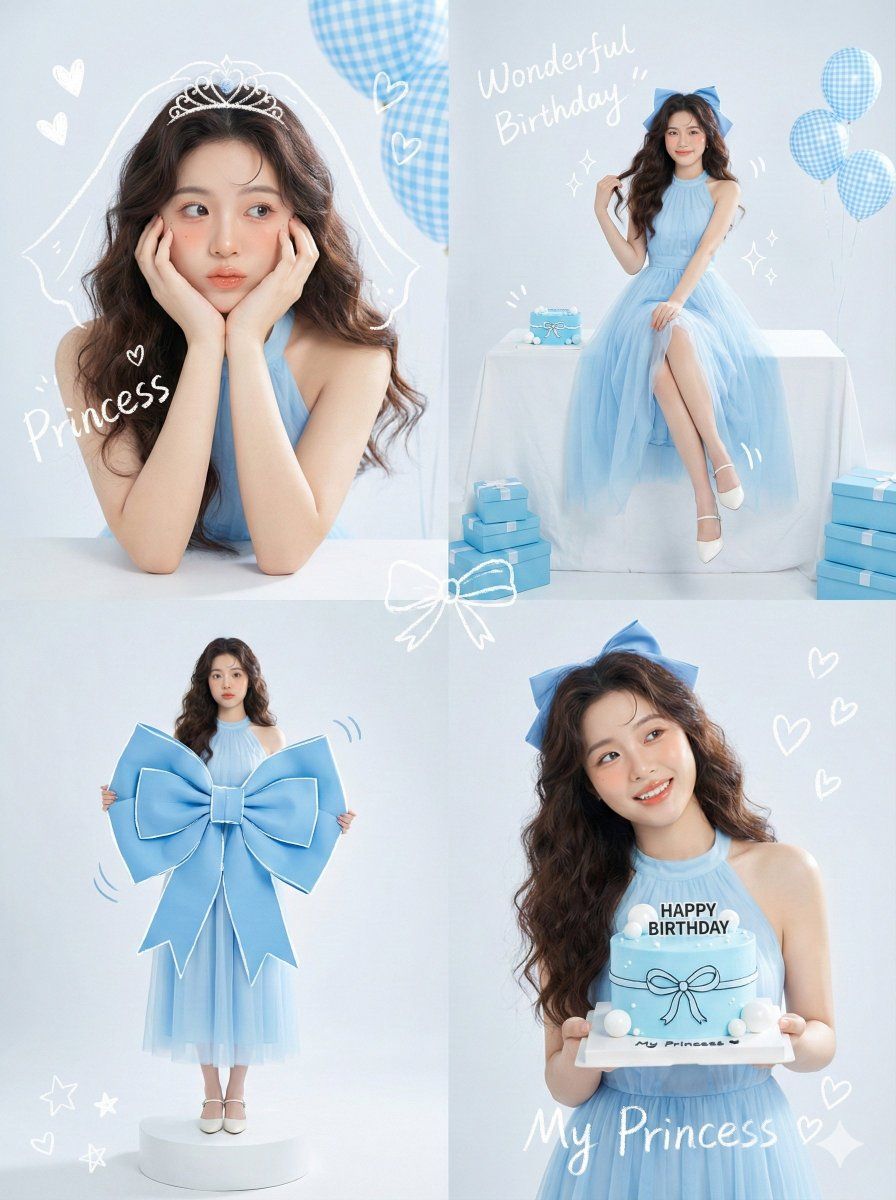
韩国偶像涂鸦生日拼贴画
Prompt
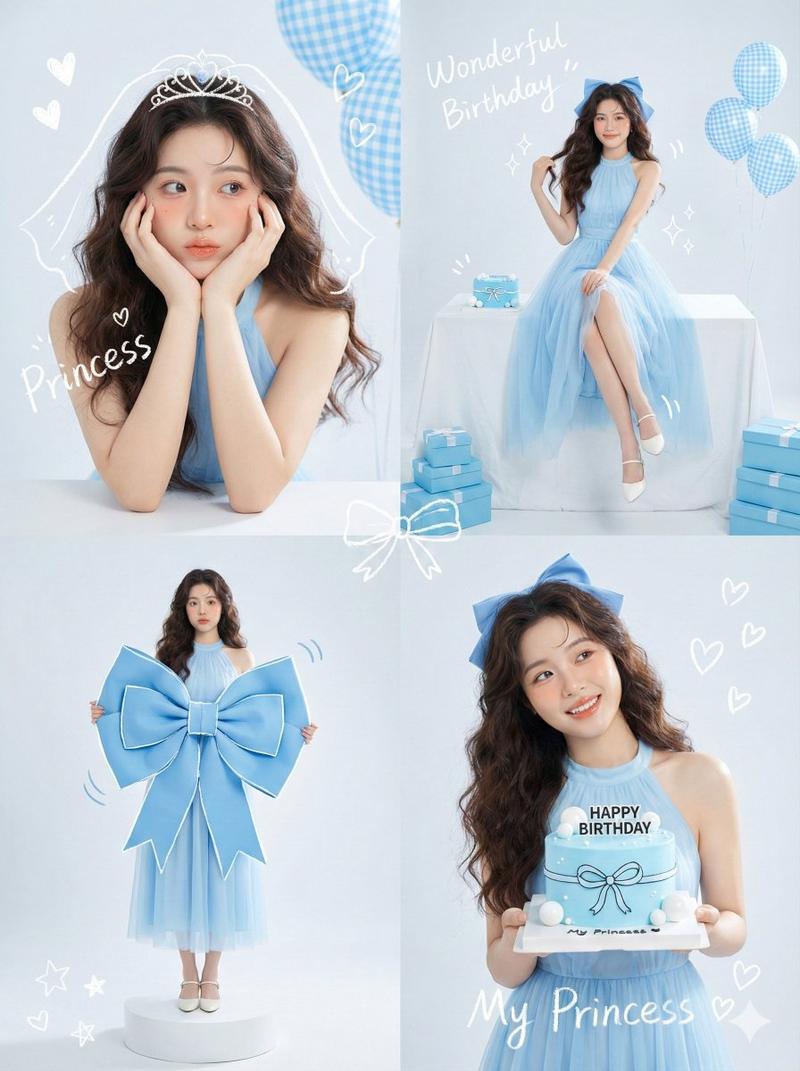
Korean Idol Studio Portrait style, soft high-key lighting, pastel blue color palette, mixed media with white hand-drawn doodle overlays."
    },
    "subject_details": {
      "demographics": "Young Asian woman, 18 years old, fresh and elegant visual.",
      "styling": {
        "hair": "Long, dark brown, voluminous loose waves. Styled half-up or with a large blue ribbon accessory.",
        "outfit": "Elegant baby blue sleeveless halter-neck dress with a flowing chiffon or tulle skirt.",
        "makeup": "Fresh dewy skin, peach/pink blush, glossy lips, defined eyelashes (Idol makeup style)."
      }
    },
    "panel_breakdown": {
      "top_left_panel": {
        "framing": "Close-up Portrait.",
        "pose": "Leaning elbows on a white surface, face resting in palms ('flower pose'), squishing cheeks slightly. Looking off-camera with a cute, dreamy expression.",
        "doodles": "White scribble of a veil/tiara on head, text 'Princess', floating hearts.",
        "props": "Blue gingham patterned balloons in background."
      },
      "top_right_panel": {
        "framing": "Full Body / Wide Shot.",
        "pose": "Sitting elegantly sideways on a table covered in a white cloth. One hand touching the ribbon in hair, legs crossed at ankles. Looking at camera.",
        "props": "Small blue cake on table, blue gift boxes stacked on floor, blue gingham balloons.",
        "doodles": "Text 'Wonderful Birthday' and sparkle drawings."
      },
      "bottom_left_panel": {
        "framing": "Full Body standing.",
        "pose": "Standing straight, holding a massive, oversized blue bow prop (fashion editorial style) against her chest.",
        "doodles": "White outlines tracing the bow to emphasize the shape, motion lines.",
        "props": "Standing on a small white circular pedestal."
      },
      "bottom_right_panel": {
        "framing": "Waist-up Shot.",
        "pose": "Holding a minimalist blue birthday cake with both hands at chest level. Head tilted, looking away to the side with a bright smile.",
        "cake_details": "Blue icing, white ball decorations, text 'HAPPY BIRTHDAY' in black.",
        "doodles": "White ribbon drawn on the cake, heart shapes, text 'My Princess '."
      }
    },
    "camera_technical_values": {
      "lens": "85mm (Portrait telephoto for flattering facial features).",
      "aperture": "f/2.8 to f/4.0 (Soft background blur).",
      "shutter_speed": "1/200s.",
      "iso": "ISO 100.",
      "lighting_setup": "High-Key Studio Lighting. Bright, soft, shadowless 'beauty' light. White seamless background.",
      "tone": "Cool pastel blue tones, bright and airy."
    },
    "post_processing": {
      "overlays": "Handwritten white crayon/chalk text reading '{argument name="overlay text" default="Wonderful Birthday"}', 'Princess My'. Cute doodle illustrations of stars, hearts, and ribbons."
}- Category
- 创意图片
- Model
- Nano Banana Pro
- Creator
- Iqra Saifi
- Source ID
- ba41dbdc-eb23-4bd8-ab22-f2067a4d07e0
- Published
- Mar 8, 2026
Views0