20

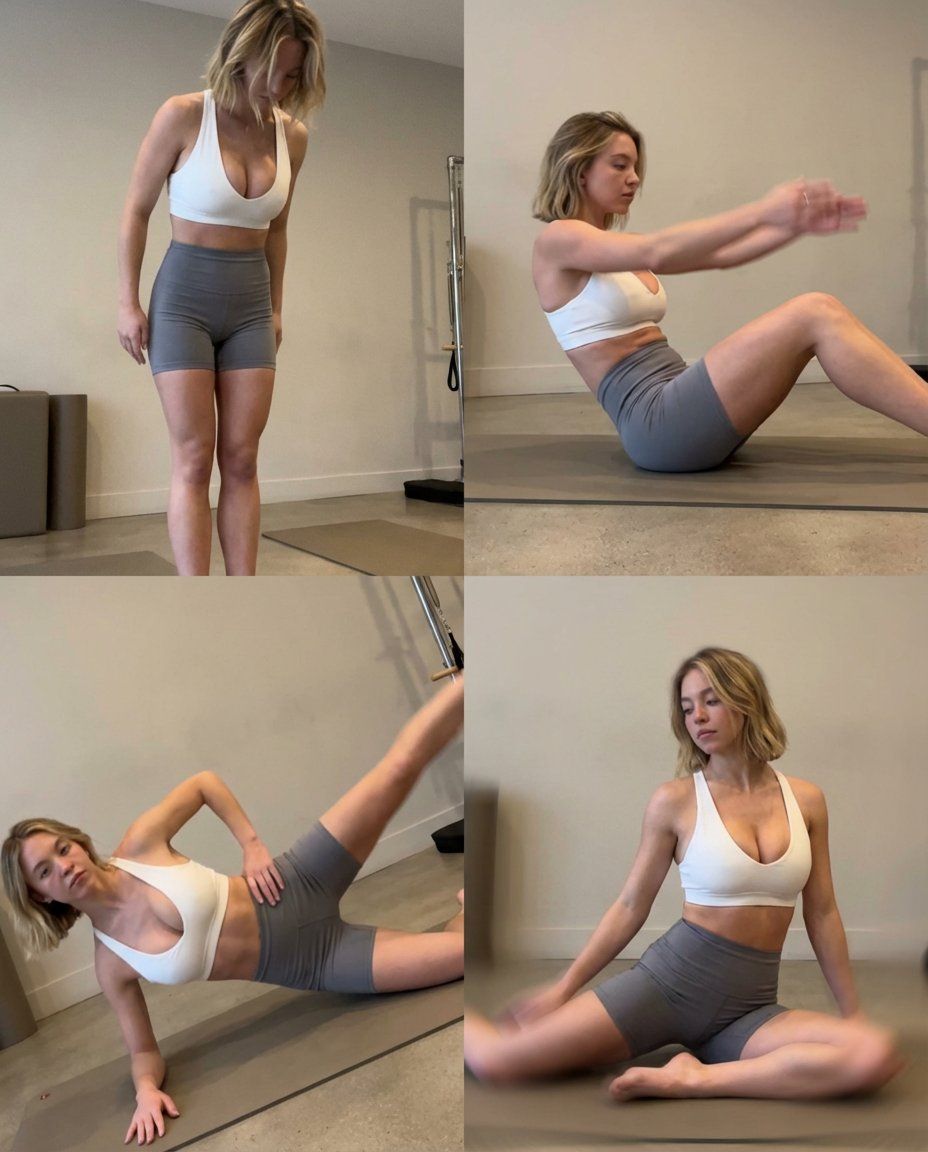
普拉提课程的低质量智能手机照片拼贴
Enlarge

普拉提课程的低质量智能手机照片拼贴

Prompt
A beautiful, sensual blond woman doing Pilates, shown as a 2×2 grid collage on a 4:5 canvas. Each panel is a low-quality smartphone photo, casual and unpolished, as if taken during a workout break.

elegant facial features, and a calm yet confident presence. Her expression is focused and relaxed, not posed for a professional shoot.

Outfit (same in all frames):

Gray tight shorts

White sports bra with a deep neckline
Simple, realistic gym wear, slightly wrinkled, natural fit.

2×2 Grid – Pilates Movements (Smartphone Style)

Standing Roll Down – casual framing, slightly cropped feet, imperfect angle

Pilates Hundred (on mat) – mild motion blur in arms, uneven focus

Side Leg Lift – tilted framing, phone held slightly off-level

Seated Spine Stretch / Mermaid Stretch – relaxed posture, soft blur at edges

Smartphone Photo Look

Front or rear smartphone camera

Low resolution, slight blur
Visible film grain / digital noise
Uneven exposure and white balance
Mild wide-angle distortion
Handheld feel, imperfect framing
No retouching, natural skin texture
Environment
Simple Pilates studio or gym corner
Neutral walls, basic mats
No staged lighting, only ambient indoor light
Ordinary, real workout atmosphere
Optional Negative Prompt

professional studio lighting, DSLR quality, cinematic look, ultra-sharp focus, fashion shoot, CGI, cartoon style
Category
创意图片
Model
Nano Banana Pro
Creator
Keskin
Views0
Source ID
c600e5af-1062-4a18-8271-fc6c68ade1d4
Published
Mar 8, 2026

Guide

About "普拉提课程的低质量智能手机照片拼贴"

What is this prompt for?

"普拉提课程的低质量智能手机照片拼贴" AI image prompt for Nano Banana Pro (创意图片). 一个旨在生成女性做普拉提的 2x2 网格拼贴画的提示,特别模仿随意、低质量智能手机照片的美学。它强调了运动模糊、焦点不均、数字噪点和不完美的构图等缺陷,与拍摄对象优雅的特征形成对比。 ---…

The full copyable prompt and example visuals above are ready for AI image generation or one-click recreate in Picva.

How to use this prompt

  1. Step 1

    Open the prompt detail

    Review the example visuals, category, and full prompt text for "普拉提课程的低质量智能手机照片拼贴".

  2. Step 2

    Copy the prompt

    Copy the prompt body from this page, or load it directly in Studio.

  3. Step 3

    Pick a model (Nano Banana Pro)

    Prefer Nano Banana Pro. If you switch models, keep subject and composition and tweak style terms.

  4. Step 4

    Generate and export

    Recreate the look in Picva, or export into your workflow for editing and publishing.

FAQ

What is the "普拉提课程的低质量智能手机照片拼贴" prompt?
It is an AI image-generation prompt for Nano Banana Pro in the 创意图片 category. This page includes the full prompt text, example visuals, and a one-click recreate path in Picva.
How do I use this prompt to generate an image?
Copy the prompt from this page, or use Generate / Studio. Paste it into a compatible image model, or recreate the look in Picva with optional reference images.
Which model is this prompt for?
This page lists Nano Banana Pro. Most descriptive prompts also transfer to nearby image models such as GPT Image, Flux, or Midjourney with light style tweaks.
Can I use the result commercially?
You can usually copy the prompt for creation, but commercial use of the final image depends on the model terms, reference-image rights, and the generated content. Follow the source author and platform rules.