19

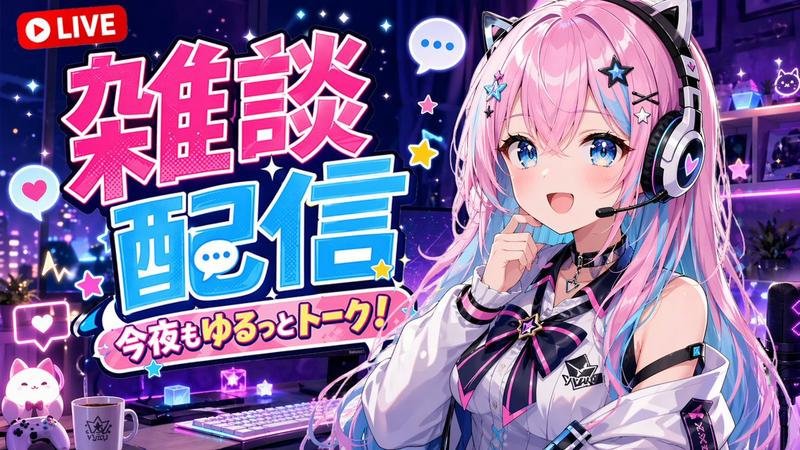
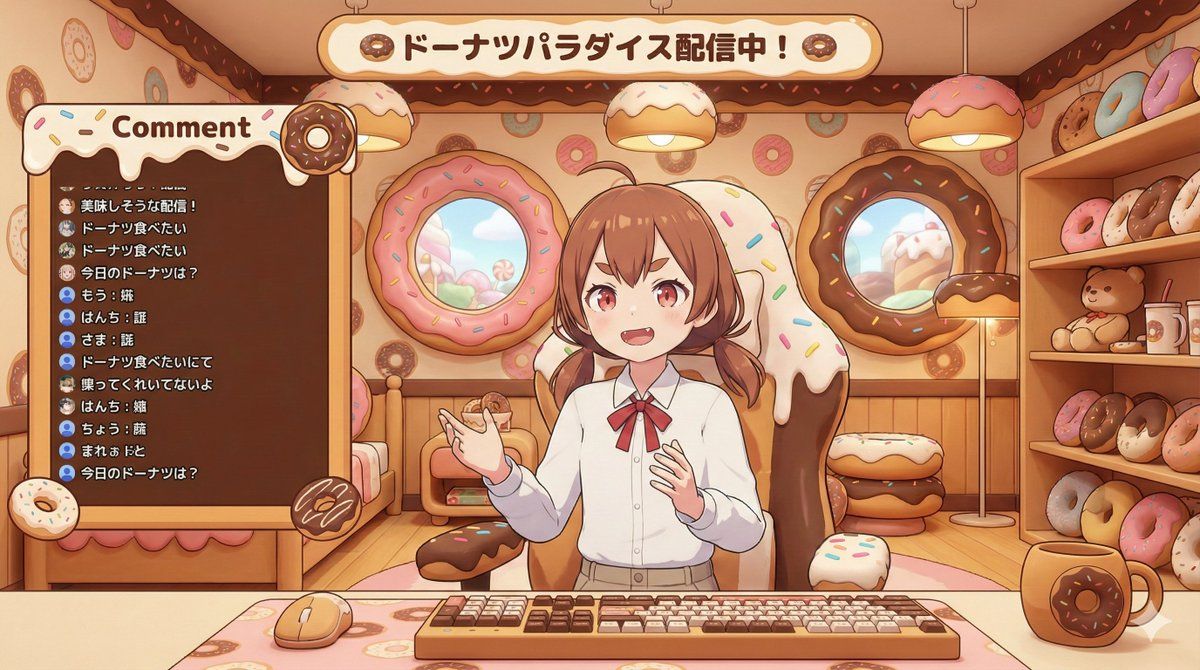
VTuber 直播屏幕生成,支持可定制角色和主题
Enlarge

VTuber 直播屏幕生成,支持可定制角色和主题

Prompt
[キャラクター設定部分]
・キャラクターの外見: {argument name="キャラクターの外見" default="茶色の髪、短いツインテール、赤い瞳、少し尖った歯(ギザ歯)"}。

・スタイル設定: {argument name="スタイル設定" default="ドーナツモチーフがいっぱいの部屋"}

[固定部分]
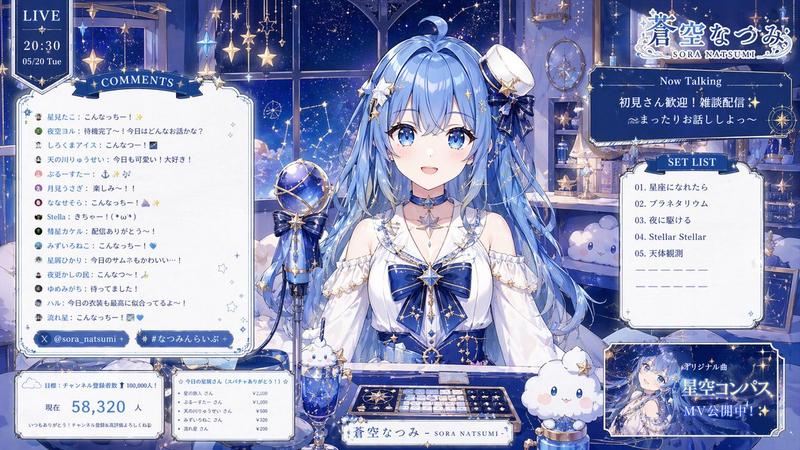
VTuberの配信画面のレイアウトを描いた高品質な画像。画像比率は横長(16:9)。
画風は**「UnityやUnreal Engineでレンダリングされたようなセルシェーディングされたアニメ調の3D CGレンダリング(3Dモデル)」**スタイルで出力すること。

メインビジュアル:
[キャラクター設定部分]で描写されたキャラクターが、3Dアバターとして描かれ、画面中央の[スタイル設定]に合わせたデザインのゲーミングチェアに座っている。キャラクターは立体的で、アニメ調のシェーディングが施されており、正面に向かって手ぶりを交えて話しかけている。

デザインの統一:
部屋のインテリア、ゲーミングチェアのデザイン、および画面上に配置された「コメント欄(チャットウィンドウ)の枠」は、すべて[スタイル設定]のテーマに合わせた3D空間として描写すること。

構図と要素:

背景: [スタイル設定]に基づいた奥行きのある3D背景(窓、壁の装飾、家具など)。

前景: 机の上にキーボード、マウス、マグカップが配置されており、配信中の雰囲気、手元が見える構図。

UI要素(コメント欄): 画面の左側または右側の空いたスペースに、[スタイル設定]のデザインに合わせた「コメント表示用の枠(ウィンドウ)」を配置する。
画面上部に「テーマ表示用の枠」を配置し、適切なテーマを記述する。

コメントの内容: コメント枠の中には、視聴者からの日本語のテーマに沿ったテキストコメントが縦に並んで表示されている様子を描く。文字は手書き風ではなく、デジタルフォントのように見せ、配信のチャット画面らしさを表現する。

全体的に、3Dアバターを使用しているプロのVTuberが使用するような、統一感があり魅力的で没入感のある配信画面にしてください。
Category
创意图片
Model
Nano Banana Pro
Views0
Source ID
ddff5755-25ae-4799-894b-0abc7601151c
Published
Mar 8, 2026

Guide

About "VTuber 直播屏幕生成,支持可定制角色和主题"

What is this prompt for?

"VTuber 直播屏幕生成,支持可定制角色和主题" AI image prompt for Nano Banana Pro (创意图片). 一个全面的提示,旨在生成高质量、沉浸式的 VTuber 直播屏幕布局。它指定了 3D 动漫风格的赛璐珞渲染,允许自定义角色的外观和整体房间/UI 主题(例如,赛博朋克、哥特式恐…

The full copyable prompt and example visuals above are ready for AI image generation or one-click recreate in Picva.

How to use this prompt

  1. Step 1

    Open the prompt detail

    Review the example visuals, category, and full prompt text for "VTuber 直播屏幕生成,支持可定制角色和主题".

  2. Step 2

    Copy the prompt

    Copy the prompt body from this page, or load it directly in Studio.

  3. Step 3

    Pick a model (Nano Banana Pro)

    Prefer Nano Banana Pro. If you switch models, keep subject and composition and tweak style terms.

  4. Step 4

    Generate and export

    Recreate the look in Picva, or export into your workflow for editing and publishing.

FAQ

What is the "VTuber 直播屏幕生成,支持可定制角色和主题" prompt?
It is an AI image-generation prompt for Nano Banana Pro in the 创意图片 category. This page includes the full prompt text, example visuals, and a one-click recreate path in Picva.
How do I use this prompt to generate an image?
Copy the prompt from this page, or use Generate / Studio. Paste it into a compatible image model, or recreate the look in Picva with optional reference images.
Which model is this prompt for?
This page lists Nano Banana Pro. Most descriptive prompts also transfer to nearby image models such as GPT Image, Flux, or Midjourney with light style tweaks.
Can I use the result commercially?
You can usually copy the prompt for creation, but commercial use of the final image depends on the model terms, reference-image rights, and the generated content. Follow the source author and platform rules.