17

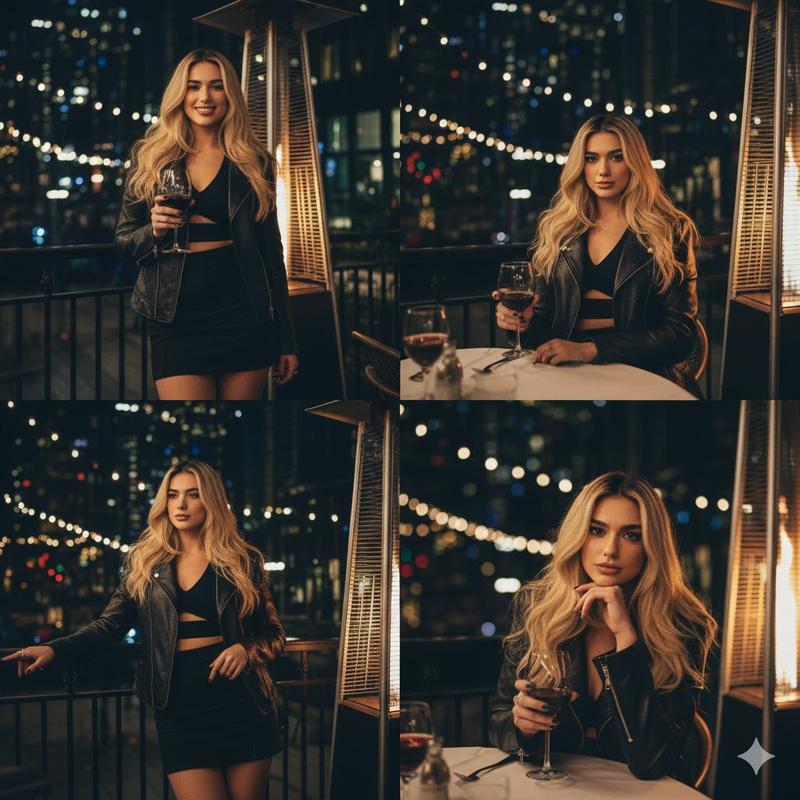
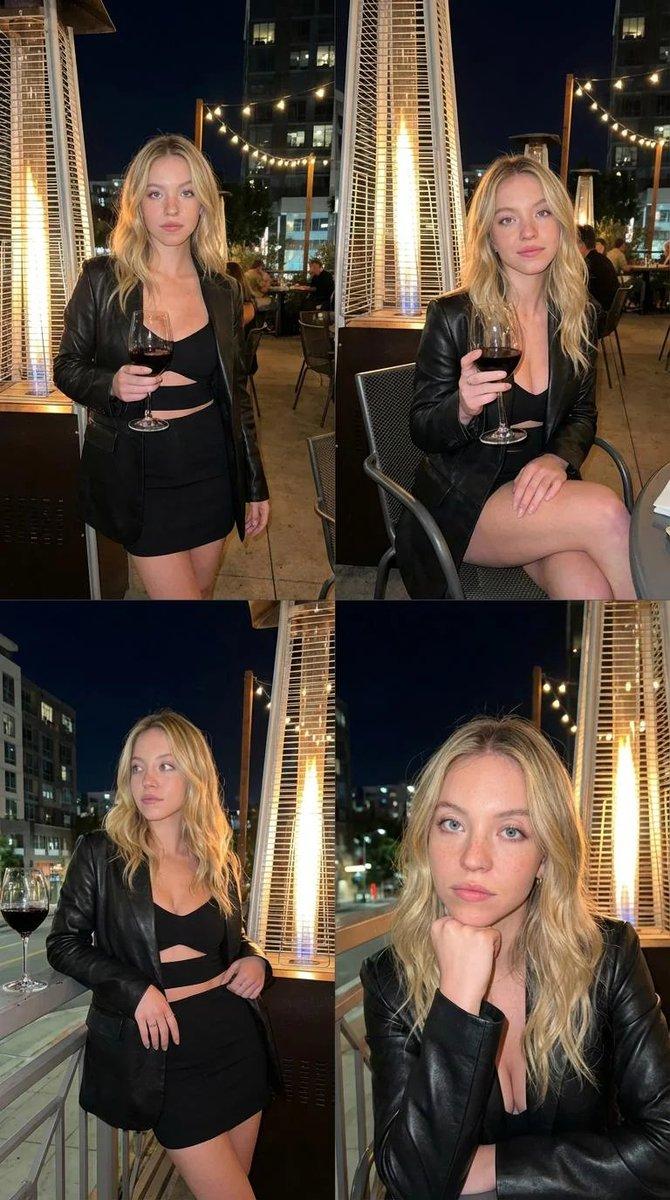
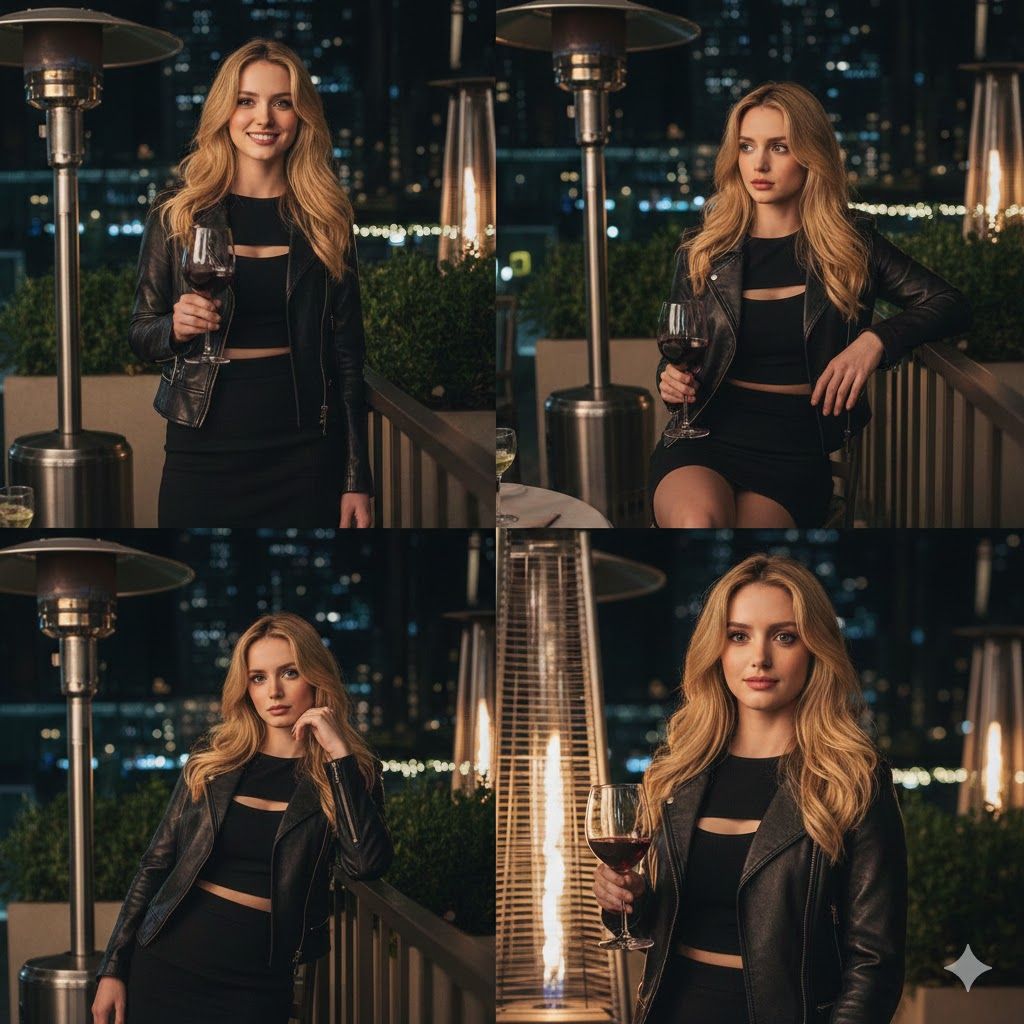
夜生活场景的四图拼贴提示
Enlarge

夜生活场景的四图拼贴提示

Prompt
{
  "scene_type": "nightlife_lifestyle",
  "setting": {
    "location": "outdoor restaurant or lounge patio",
    "time": "night",
    "environment": "urban, intimate, upscale",
    "lighting": "warm ambient lighting from patio heaters and string lights"
  },
  "composition": {
    "format": "four-image collage",
    "layout": "2x2 grid",
    "continuity": "same subject, outfit, and location across all frames"
  },
  "subject": {
    "type": "person",
    "appearance": {
      "hair": {
        "color": "blonde",
        "length": "long",
        "style": "loose, softly waved"
      }
    },
    "clothing": {
      "outerwear": "black leather jacket",
      "top": "black cut-out crop top",
      "bottom": "black fitted mini skirt"
    },
    "expressions": [
      "confident",
      "relaxed",
      "contemplative",
      "posed"
    ],
    "poses": [
      "standing with wine glass",
      "seated holding wine glass",
      "leaning with hands near waist",
      "resting chin on hand"
    ]
  },
  "objects": [
    {
      "type": "wine_glass",
      "content": "red wine",
      "held": true
    },
    {
      "type": "patio_heater",
      "description": "tall outdoor gas heater emitting warm light"
    },
    {
      "type": "met"
Category
创意图片
Model
Nano Banana Pro
Creator
yusra.
Views0
Source ID
de46fa39-e6c7-4cc3-a724-329768ce84a1
Published
Mar 8, 2026

Guide

About "夜生活场景的四图拼贴提示"

What is this prompt for?

"夜生活场景的四图拼贴提示" AI image prompt for Nano Banana Pro (创意图片). 一个详细的 JSON 格式提示,专为 Gemini Nano Banana Pro 模型设计,用于生成一个四图拼贴画,描绘一个人置身于高档都市夜生活场景中。该提示详细说明了场景细节、构图、人物外貌、服…

The full copyable prompt and example visuals above are ready for AI image generation or one-click recreate in Picva.

How to use this prompt

  1. Step 1

    Open the prompt detail

    Review the example visuals, category, and full prompt text for "夜生活场景的四图拼贴提示".

  2. Step 2

    Copy the prompt

    Copy the prompt body from this page, or load it directly in Studio.

  3. Step 3

    Pick a model (Nano Banana Pro)

    Prefer Nano Banana Pro. If you switch models, keep subject and composition and tweak style terms.

  4. Step 4

    Generate and export

    Recreate the look in Picva, or export into your workflow for editing and publishing.

FAQ

What is the "夜生活场景的四图拼贴提示" prompt?
It is an AI image-generation prompt for Nano Banana Pro in the 创意图片 category. This page includes the full prompt text, example visuals, and a one-click recreate path in Picva.
How do I use this prompt to generate an image?
Copy the prompt from this page, or use Generate / Studio. Paste it into a compatible image model, or recreate the look in Picva with optional reference images.
Which model is this prompt for?
This page lists Nano Banana Pro. Most descriptive prompts also transfer to nearby image models such as GPT Image, Flux, or Midjourney with light style tweaks.
Can I use the result commercially?
You can usually copy the prompt for creation, but commercial use of the final image depends on the model terms, reference-image rights, and the generated content. Follow the source author and platform rules.