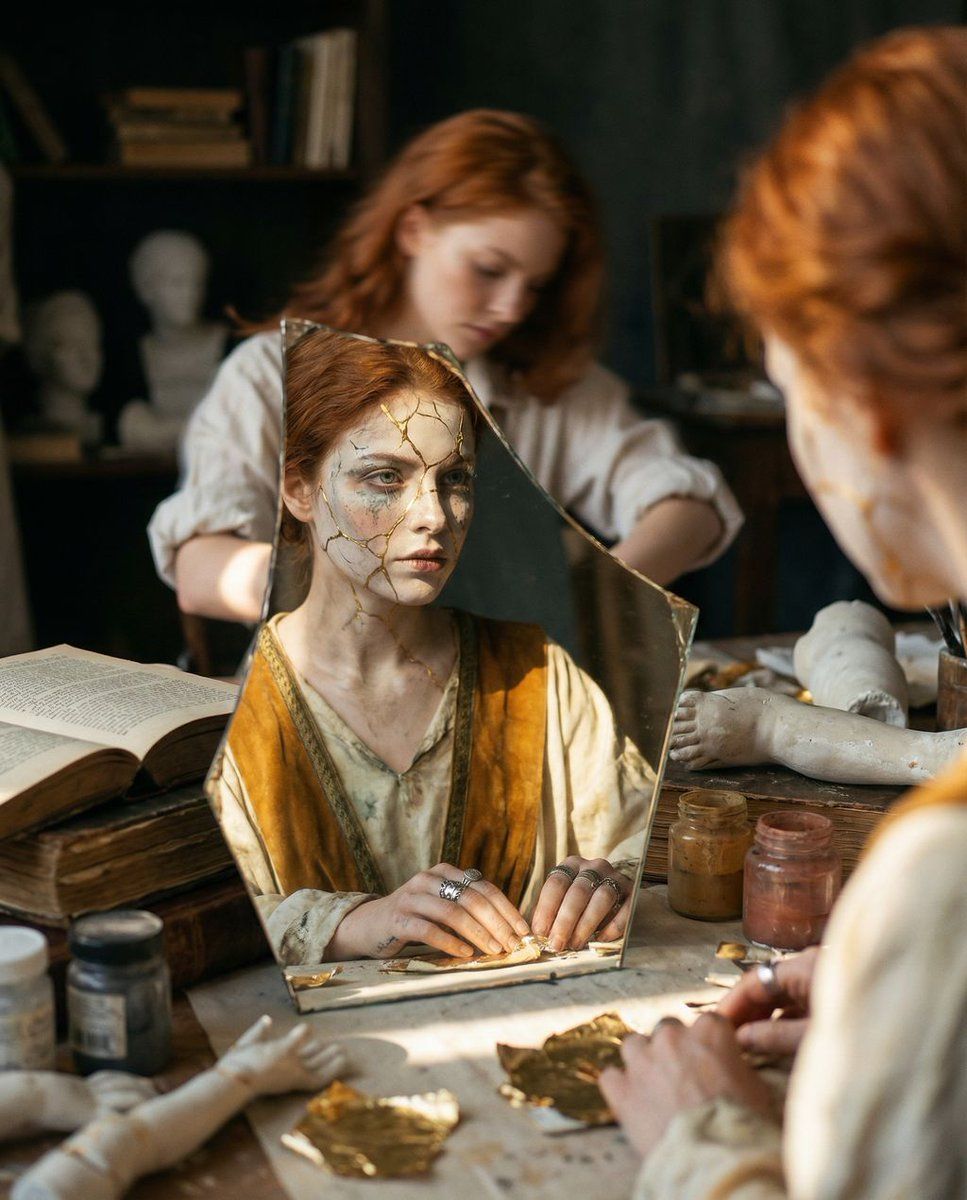
倒影遗物:超现实工匠肖像
Prompt
{
  "vibe_title_en": "Reflected Relic",
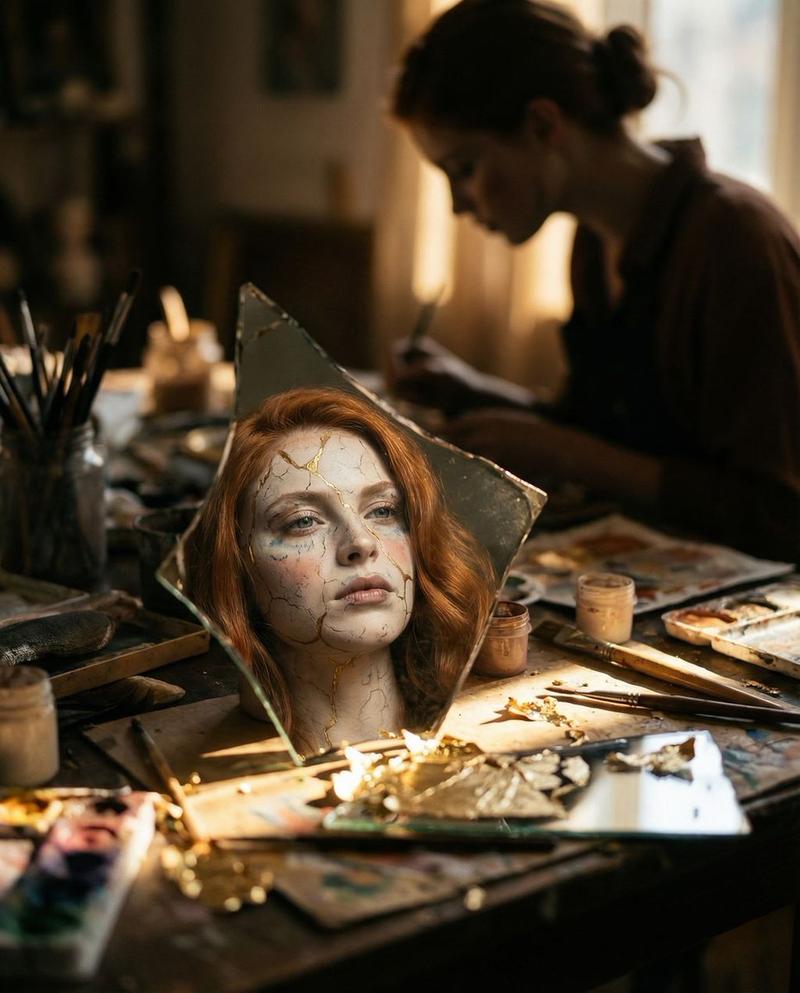
  "master_prompt": "A hyper-realistic cinematic shot of The Artisan, captured exclusively through the reflection of a jagged, antique mirror shard resting on a cluttered workbench. The setting is a dense, chaotic Relic Restoration Atelier, overflowing with stacks of ancient texts, jars of pigment, plaster limbs, and peeling gold leaf, creating a texture-heavy, busy atmosphere. The composition utilizes a shallow depth of field (f/1.4), rendering the actual subject in the background as a soft, restless blur with messy hair and rolled-up sleeves, intensely focused on a task. The sharp reflection in the mirror reveals a surreal transformation: the subject's face appears as a 'living relic,' with skin texture resembling cracked porcelain held together by kintsugi gold repairs, and makeup that looks like weathered paint. The lighting is ceremonial and dramatic, striking the mirror shard like an altar illumination while leaving the surrounding clutter in deep, warm shadows. Shot on Hasselblad H6D-100c with an 80mm lens, utilizing Fujifilm Pro 400H film stock for pastel shifts and organic grain. No neon, no digital gloss.",
  "meta": {
    "intent": "Visualizing the internal state of a creator merging with their creation.",
    "priorities": "Texture, Depth of Field, Surreal Reflection, Atmospheric Clutter.",
    "device_profile": "High-End Medium Format Photography"
  },
  "frame": {
    "aspect": "4:5",
    "composition": "Frame within a frame; focus locked on a reflective surface in the foreground.",
    "layout": "Foreground dominated by the mirror shard and workbench clutter; background is a blurred silhouette.",
    "camera_angle": "High-angle looking down at the workbench surface.",
    "tilt_roll_degrees": "0"
  },
  "subject": {
    "gender": "Female",
    "identity": "The Artisan / The Restless Creator",
    "demographics": "Universal, age-neutral adult.",
    "face": "Seen clearly only in reflection; Surreal texture, cracked porcelain effect, kintsugi gold lines.",
    "hair": "Slightly messy, loose waves, vibrant {argument name="hair color" default="red"} tones (matching input reference) but soft in the blur.",
    "body": "Blurred in background, posture suggests intense focus, leaning forward.",
    "expression": "Stoic, graceful, inherited nobility (in reflection); Intense concentration (in blur).",
    "pose": "Hands busy working on the mirror/artifact, body hunched in creative labor."
  },
  "wardrobe_accessories": {
    "garments": [
      {
        "item": "Ceremonial Robe",
        "material": "Heavy Silk and Rough Linen mix",
        "color": "Faded Ivory and Deep Ochre",
        "fit": "Flowing yet constraining, layered"
      }
    ],
    "accessories": [
      {
        "item": "Antique Rings",
        "color": "Tarnished Silver",
        "material": "Metal",
        "brand_style": "Historical/Relic"
      }
    ]
  },
  "environment": {
"setting": "Relic Restoration Ate- Category
- 创意图片
- Model
- Nano Banana Pro
- Creator
- timedoctor.eth
- Source ID
- d4d23a4f-9658-45d2-aaac-711caeba5a00
- Published
- Mar 8, 2026
Views0