20

超写实商业美食摄影提示词
Enlarge

超写实商业美食摄影提示词

Prompt
"resolution": "{argument name="resolution" default="8K UHD"}",

"aspect_ratio": "3:4",

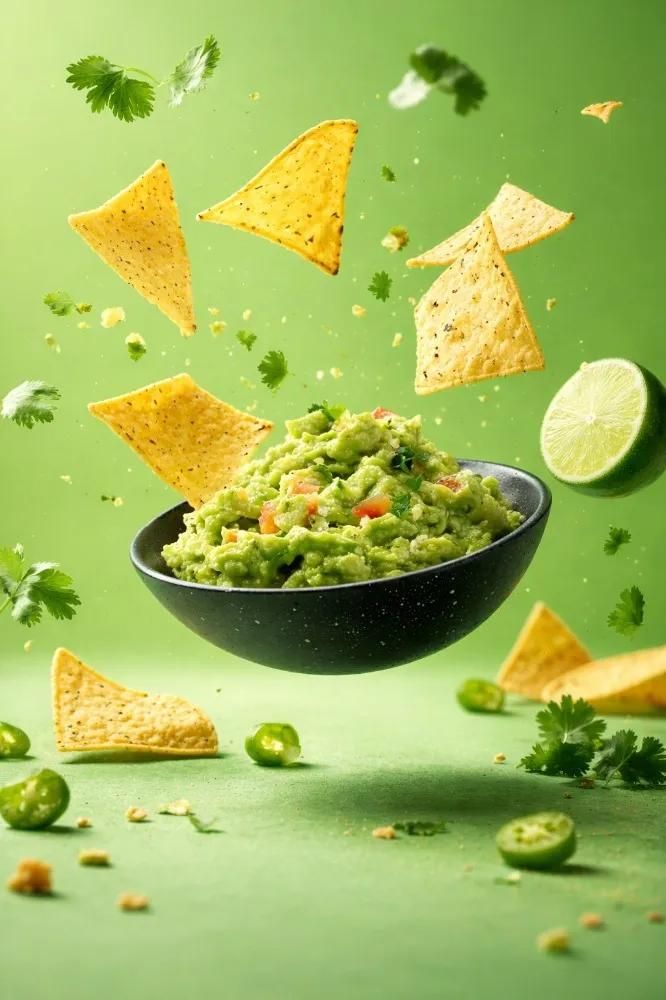
{ "image_style": "{argument name="image style" default="hyper-realistic commercial food photography"}", "quality": "Ultra-high detail, sharp focus, studio-grade clarity", "lighting": "Soft but controlled studio lighting with visible highlights and splash definition", "motion": "Frozen mid-air action, ingredients suspended",

"global_settings": {

"background_style": "Solid or smooth gradient background, color varies per module",
"camera": "High-speed photography look, shallow to medium depth of field", "post_processing": "Balanced contrast, natural saturation, no artificial glow" }}
Category
创意图片
Model
Nano Banana Pro
Creator
Oogie
Views0
Source ID
f7e8142c-eed5-4c6f-ad89-83303335cf27
Published
Mar 8, 2026

Guide

About "超写实商业美食摄影提示词"

What is this prompt for?

"超写实商业美食摄影提示词" AI image prompt for Nano Banana Pro (创意图片). 一个详细的提示,用于生成超逼真的商业食品摄影,特别侧重于高分辨率、锐利对焦和受控的影棚照明,以捕捉食材在半空中凝固的瞬间。此提示采用 JSON 结构,可精确控制输出设置和美学细节。 --- "reso…

The full copyable prompt and example visuals above are ready for AI image generation or one-click recreate in Picva.

How to use this prompt

  1. Step 1

    Open the prompt detail

    Review the example visuals, category, and full prompt text for "超写实商业美食摄影提示词".

  2. Step 2

    Copy the prompt

    Copy the prompt body from this page, or load it directly in Studio.

  3. Step 3

    Pick a model (Nano Banana Pro)

    Prefer Nano Banana Pro. If you switch models, keep subject and composition and tweak style terms.

  4. Step 4

    Generate and export

    Recreate the look in Picva, or export into your workflow for editing and publishing.

FAQ

What is the "超写实商业美食摄影提示词" prompt?
It is an AI image-generation prompt for Nano Banana Pro in the 创意图片 category. This page includes the full prompt text, example visuals, and a one-click recreate path in Picva.
How do I use this prompt to generate an image?
Copy the prompt from this page, or use Generate / Studio. Paste it into a compatible image model, or recreate the look in Picva with optional reference images.
Which model is this prompt for?
This page lists Nano Banana Pro. Most descriptive prompts also transfer to nearby image models such as GPT Image, Flux, or Midjourney with light style tweaks.
Can I use the result commercially?
You can usually copy the prompt for creation, but commercial use of the final image depends on the model terms, reference-image rights, and the generated content. Follow the source author and platform rules.