20

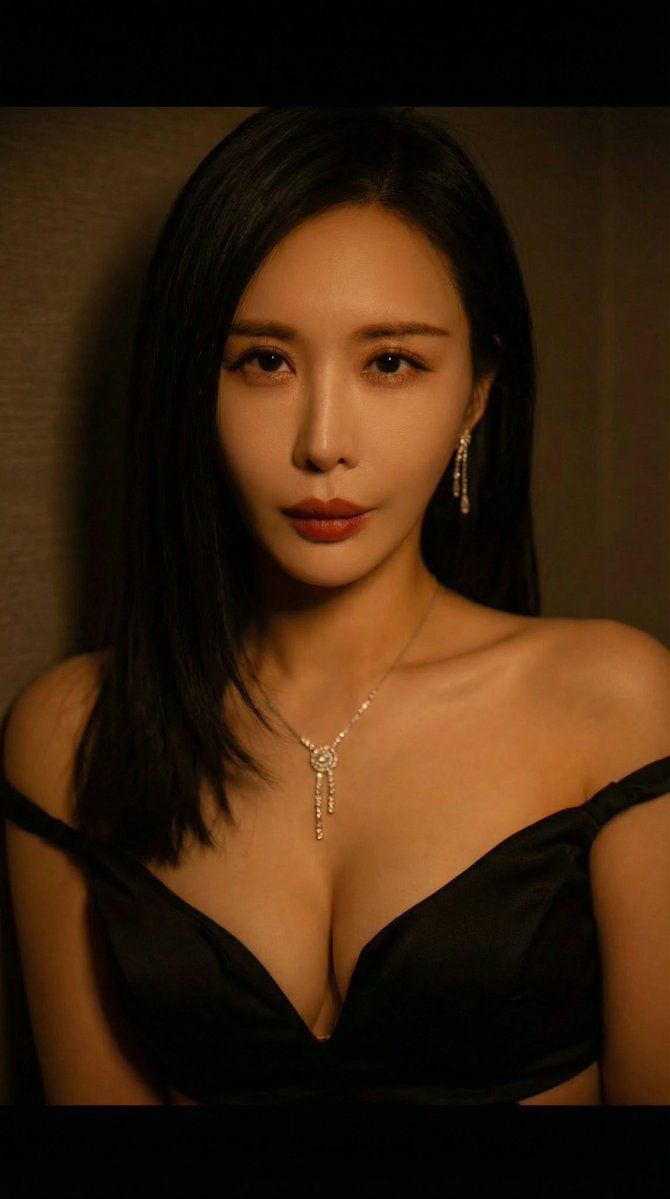
戏剧性电影肖像提示
Enlarge

戏剧性电影肖像提示

Prompt
{ "prompt": "A close-up portrait of a woman with dark, sleek hair and red lipstick, wearing a black off-the-shoulder dress with a sweetheart neckline. She adorns a delicate diamond drop necklace and matching earrings. Her expression is confident and direct, looking at the camera. The lighting is dramatic and warm, casting shadows and highlighting her face and cleavage, with a dark, textured background. The image has a cinematic feel.", "subject": "Portrait of a woman", "details": { "hair": "dark, sleek, straight", "makeup": "red lipstick", "clothing": "black off-the-shoulder dress, sweetheart neckline", "jewelry": "diamond drop necklace, matching earrings", "pose": "close-up, direct gaze, confident expression", "lighting": "dramatic, warm, directional", "background": "dark, textured wall" }, "style": "Cinematic, photographic
Category
创意图片
Model
Nano Banana Pro
Views0
Source ID
48829e0b-983f-4b0a-b176-a05da8a43c10
Published
Mar 8, 2026

Guide

About "戏剧性电影肖像提示"

What is this prompt for?

"戏剧性电影肖像提示" AI image prompt for Nano Banana Pro (创意图片). 一个 JSON 格式的提示,专为 Nano Banana Pro 分享,旨在重现一位深色头发、涂抹红色口红的女性的戏剧性电影特写肖像。该提示强调使用温暖的定向照明来营造强烈的阴影和高光,从而增强面部结构,并…

The full copyable prompt and example visuals above are ready for AI image generation or one-click recreate in Picva.

How to use this prompt

  1. Step 1

    Open the prompt detail

    Review the example visuals, category, and full prompt text for "戏剧性电影肖像提示".

  2. Step 2

    Copy the prompt

    Copy the prompt body from this page, or load it directly in Studio.

  3. Step 3

    Pick a model (Nano Banana Pro)

    Prefer Nano Banana Pro. If you switch models, keep subject and composition and tweak style terms.

  4. Step 4

    Generate and export

    Recreate the look in Picva, or export into your workflow for editing and publishing.

FAQ

What is the "戏剧性电影肖像提示" prompt?
It is an AI image-generation prompt for Nano Banana Pro in the 创意图片 category. This page includes the full prompt text, example visuals, and a one-click recreate path in Picva.
How do I use this prompt to generate an image?
Copy the prompt from this page, or use Generate / Studio. Paste it into a compatible image model, or recreate the look in Picva with optional reference images.
Which model is this prompt for?
This page lists Nano Banana Pro. Most descriptive prompts also transfer to nearby image models such as GPT Image, Flux, or Midjourney with light style tweaks.
Can I use the result commercially?
You can usually copy the prompt for creation, but commercial use of the final image depends on the model terms, reference-image rights, and the generated content. Follow the source author and platform rules.








