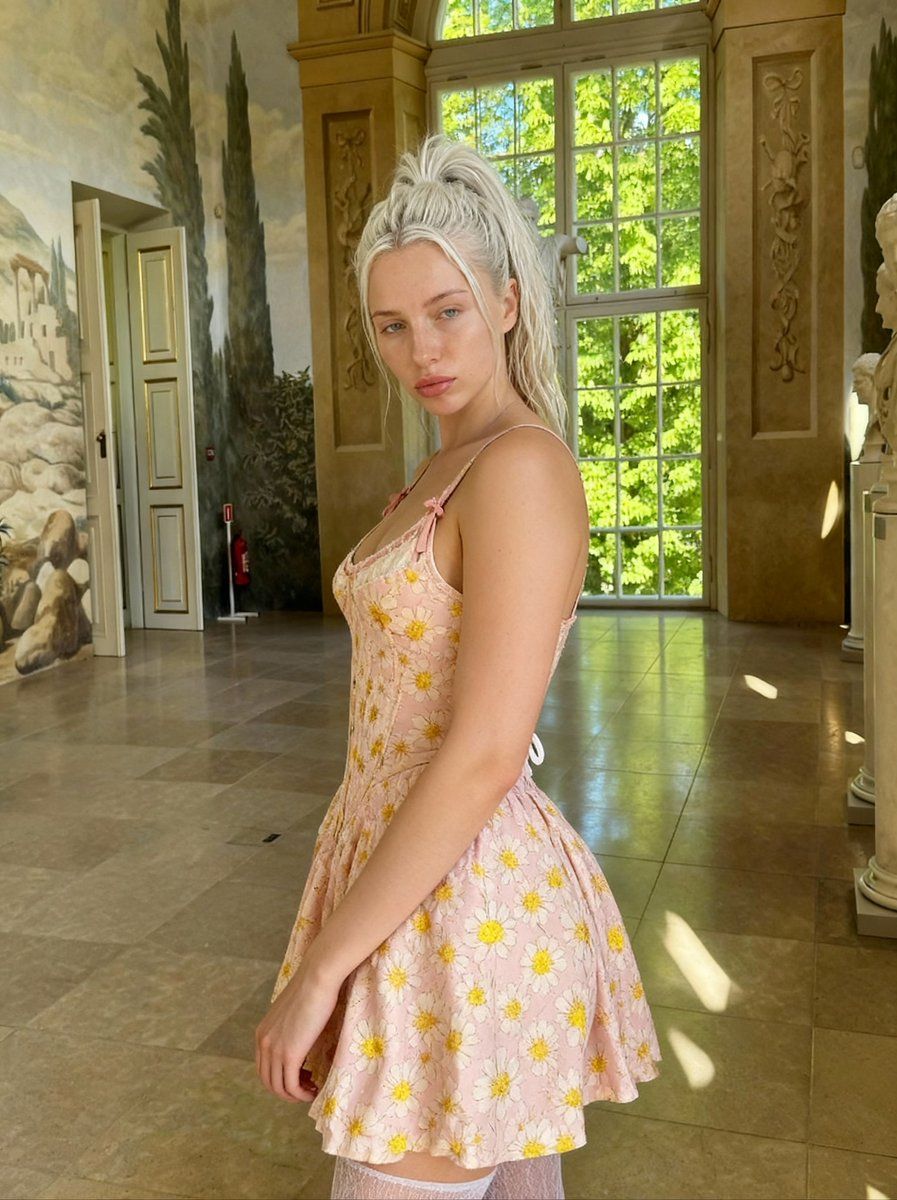
意大利宫殿中的文艺复兴画风肖像
Prompt
{
  "scene_type": "Italian palazzo gallery, {argument name="dress color" default="pink"} daisy mini dress, platinum half-up hair, Tuscan murals and marble sculptures",

  "camera_perspective": {
    "pov": "photographer standing to her side/front",
    "angle": "eye level, capturing her side profile to 3/4 view",
    "distance": "medium shot - from upper thigh to above head",
    "framing": "4:5 vertical, she fills center-left, palazzo interior extends behind",
    "lens": "standard portrait lens, natural perspective"
  },

  "subject": {
    "action": "standing in palazzo gallery, turned to side, looking back over LEFT shoulder at camera",

    "pose": {
      "overall_position": "standing, SIDE PROFILE to 3/4 view, looking back at camera",

      "body_angle": {
        "orientation": "body facing right, turned approximately 70-80 degrees from camera",
        "twist": "head turned LEFT to look back over shoulder at camera",
        "posture": "elegant, natural standing"
      },

      "upper_body": {
        "shoulders": "bare except for thin straps with bows",
        "chest": "visible in profile, fitted dress bodice",
        "posture": "straight, elegant"
      },

      "lower_body": {
        "hips": "showing curve in profile",
        "dress": "flared mini skirt showing shape",
        "stockings": "white lace thigh-highs peeking below hem"
      },

      "arms": {
        "position": "relaxed down at sides",
        "hands": "one hand near thigh/dress hem",
        "effect": "natural, elegant"
      },

      "head_and_neck": {
        "turn": "looking back over LEFT shoulder at camera",
        "rotation": "head turned significantly toward camera",
        "chin": "neutral, soft angle",
        "direction": "direct eye contact with camera"
      },

      "overall": "elegant side profile with over-shoulder glance in grand setting"
    },

    "expression": {
      "eyes": {
        "color": "BLUE - light blue, striking, clear",
        "direction": "direct at camera",
        "state": "soft, calm, slightly intense, engaged",
        "energy": "confident but gentle, knowing"
      },
      "mouth": {
        "lips": "full, natural pink, soft",
        "expression": "relaxed, neutral, soft natural pout",
        "state": "closed, gentle"
      },
      "skin": {
        "face": "fair, natural, clear, dewy",
        "makeup": "minimal/natural - fresh-faced, maybe light lip"
      },
      "overall": "soft confidence, natural beauty, editorial calm"
    },

    "physical": {
      "age": "early 20s",

      "face": {
        "structure": "model features, defined cheekbones, soft jaw",
        "shape": "oval, balanced",
        "skin": "fair, porcelain, natural, healthy",
        "makeup": "minimal - natural, fresh, dewy"
      },

      "body": {
        "type": "slim, feminine, model proportions",
        "profile": "elegant curves visible in side view",
"w"- Category
- 创意图片
- Model
- Nano Banana Pro
- Creator
- Nilisty
- Source ID
- fec483a8-0e07-47ca-bf10-9f735eae1a69
- Published
- Mar 8, 2026
Views0















