20

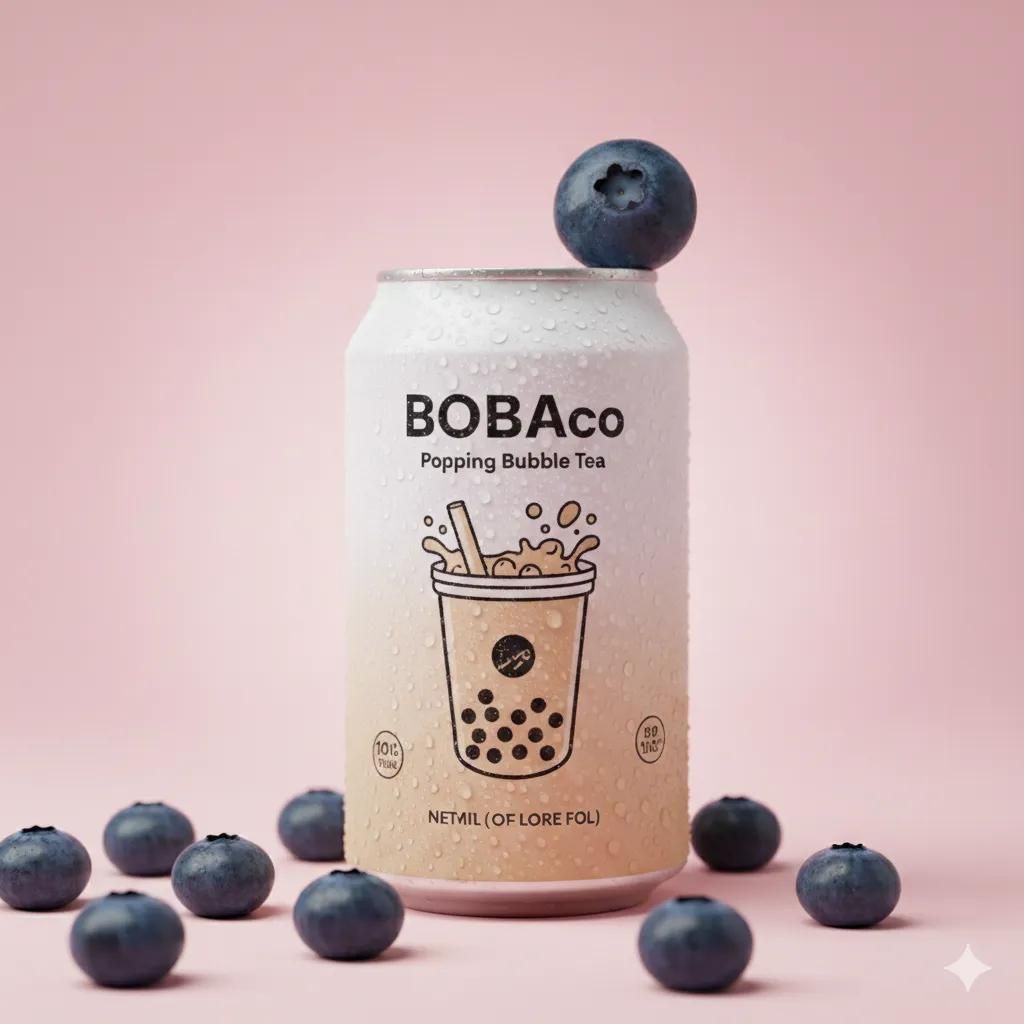
波霸奶茶罐的影棚产品照片提示词 (副本)
Enlarge

波霸奶茶罐的影棚产品照片提示词 (副本)

Prompt
{
  "scene": {
    "type": "studio product photo",
    "background": {
      "color": "{argument name="background color" default="pastel pink"}",
      "surface": "smooth"
    },
    "lighting": {
      "key": "soft diffused",
      "rim": "subtle"
    },
    "camera": {
      "lens": "85mm",
      "depth_of_field": "shallow"
    }
  },
  "subject": {
    "type": "beverage can",
    "brand": "{argument name="brand name" default="BOBAco Popping Bubble Tea"}",
    "color": "white",
    "position": "centered",
    "details": {
      "condensation": true,
      "focus": "label"
    },
    "garnish": {
      "main": {
        "type": "raspberry",
        "position": "on can rim"
      },
      "foreground": {
        "type": "raspberries",
        "quantity": "multiple",
        "ripeness": "ripe"
      }
    }
  },
  "style": {
    "aesthetic": "clean minimal",
    "photography": "premium commercial beverage",
    "post_processing": "high-end retouching",
    "text": false,
    "watermark": false
  }
}
Category
创意图片
Model
Nano Banana Pro
Views0
Source ID
a11ad36c-065b-408e-915a-def70687ce52
Published
Mar 8, 2026

Guide

About "波霸奶茶罐的影棚产品照片提示词 (副本)"

What is this prompt for?

"波霸奶茶罐的影棚产品照片提示词 (副本)" AI image prompt for Nano Banana Pro (创意图片). 一个详细的 JSON 提示,旨在生成 BOBAco 波霸奶茶罐的优质商业影棚产品照片。该提示指定了干净、简约的美学风格,采用柔和的粉色背景、柔和的漫射照明和浅景深,重点突出超现实的细节…

The full copyable prompt and example visuals above are ready for AI image generation or one-click recreate in Picva.

How to use this prompt

  1. Step 1

    Open the prompt detail

    Review the example visuals, category, and full prompt text for "波霸奶茶罐的影棚产品照片提示词 (副本)".

  2. Step 2

    Copy the prompt

    Copy the prompt body from this page, or load it directly in Studio.

  3. Step 3

    Pick a model (Nano Banana Pro)

    Prefer Nano Banana Pro. If you switch models, keep subject and composition and tweak style terms.

  4. Step 4

    Generate and export

    Recreate the look in Picva, or export into your workflow for editing and publishing.

FAQ

What is the "波霸奶茶罐的影棚产品照片提示词 (副本)" prompt?
It is an AI image-generation prompt for Nano Banana Pro in the 创意图片 category. This page includes the full prompt text, example visuals, and a one-click recreate path in Picva.
How do I use this prompt to generate an image?
Copy the prompt from this page, or use Generate / Studio. Paste it into a compatible image model, or recreate the look in Picva with optional reference images.
Which model is this prompt for?
This page lists Nano Banana Pro. Most descriptive prompts also transfer to nearby image models such as GPT Image, Flux, or Midjourney with light style tweaks.
Can I use the result commercially?
You can usually copy the prompt for creation, but commercial use of the final image depends on the model terms, reference-image rights, and the generated content. Follow the source author and platform rules.









