13

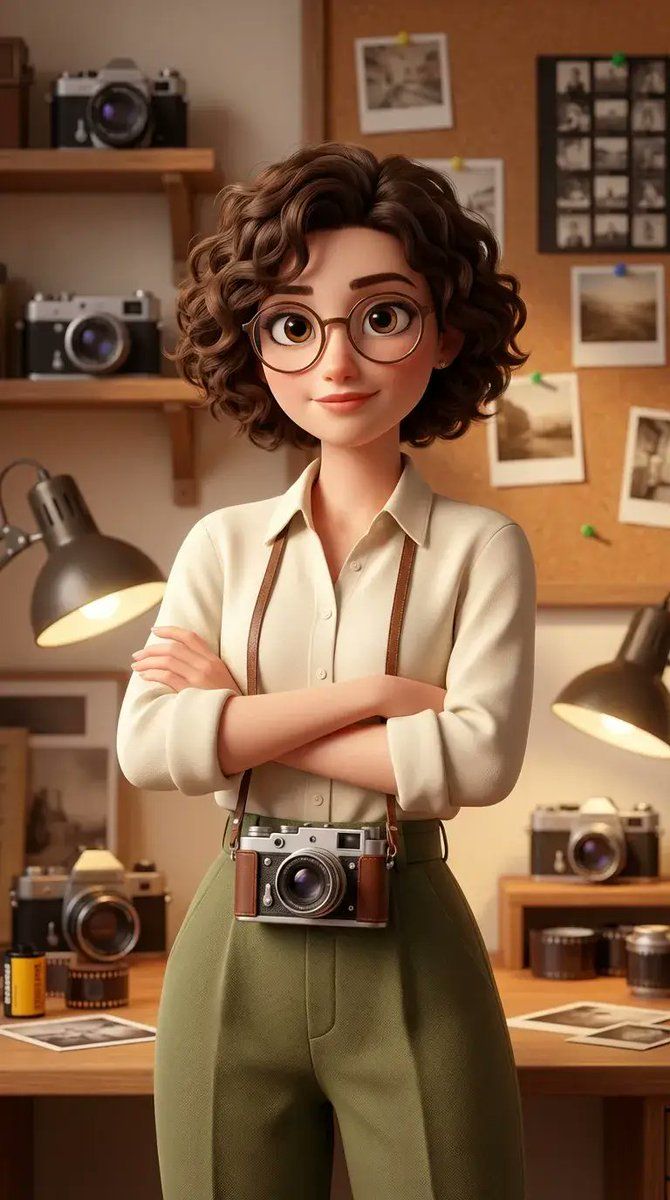
风格化 3D 动画女性摄影师角色(皮克斯风格)
Enlarge

风格化 3D 动画女性摄影师角色(皮克斯风格)

Prompt
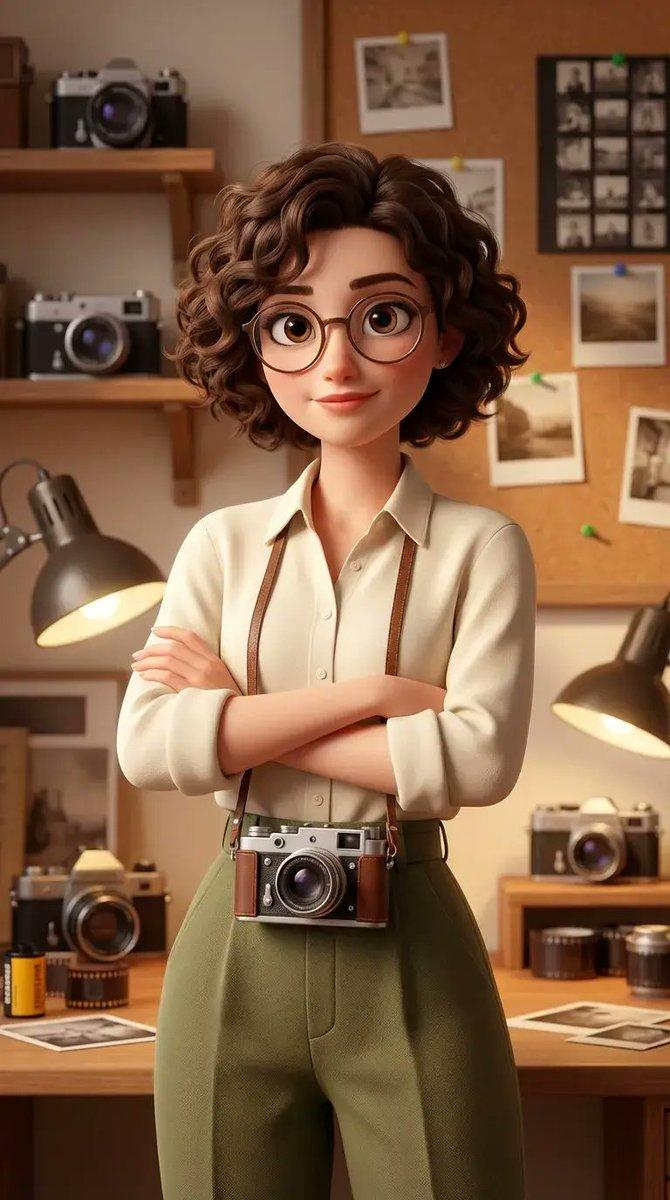
Using the uploaded face image as the exact facial reference, create a stylized 3D animated female photographer character, Pixar–Disney style, soft cinematic lighting. A young woman with short curly brown hair, big expressive eyes, round glasses, and a calm confident expression. She is standing with arms crossed, a vintage analog camera hanging around her neck. Wearing a cream button-up shirt with rolled sleeves and high-waisted olive green trousers.
The background is a cozy vintage photography studio filled with old cameras, film rolls, photo prints pinned on the wall, wooden tables, and warm desk lamps. Retro aesthetic, nostalgic mood, warm tones, shallow depth of field, ultra-detailed textures, soft shadows, highly polished 3D render, studio quality, cinematic composition, 4k, portrait orientation.
Category
创意图片
Model
Nano Banana Pro
Views0
Source ID
c7782687-0199-4b2f-8b7a-f82ab6c732c1
Published
Mar 8, 2026

Guide

About "风格化 3D 动画女性摄影师角色(皮克斯风格)"

What is this prompt for?

"风格化 3D 动画女性摄影师角色(皮克斯风格)" AI image prompt for Nano Banana Pro (创意图片). 一个详细的提示,用于创建皮克斯–迪士尼风格的程式化 3D 动画女性摄影师角色,使用上传的面部图像作为参考。该角色留着棕色短卷发,戴着圆形眼镜,站立在一个充满复古道具和暖色灯光的舒…

The full copyable prompt and example visuals above are ready for AI image generation or one-click recreate in Picva.

How to use this prompt

  1. Step 1

    Open the prompt detail

    Review the example visuals, category, and full prompt text for "风格化 3D 动画女性摄影师角色(皮克斯风格)".

  2. Step 2

    Copy the prompt

    Copy the prompt body from this page, or load it directly in Studio.

  3. Step 3

    Pick a model (Nano Banana Pro)

    Prefer Nano Banana Pro. If you switch models, keep subject and composition and tweak style terms.

  4. Step 4

    Generate and export

    Recreate the look in Picva, or export into your workflow for editing and publishing.

FAQ

What is the "风格化 3D 动画女性摄影师角色(皮克斯风格)" prompt?
It is an AI image-generation prompt for Nano Banana Pro in the 创意图片 category. This page includes the full prompt text, example visuals, and a one-click recreate path in Picva.
How do I use this prompt to generate an image?
Copy the prompt from this page, or use Generate / Studio. Paste it into a compatible image model, or recreate the look in Picva with optional reference images.
Which model is this prompt for?
This page lists Nano Banana Pro. Most descriptive prompts also transfer to nearby image models such as GPT Image, Flux, or Midjourney with light style tweaks.
Can I use the result commercially?
You can usually copy the prompt for creation, but commercial use of the final image depends on the model terms, reference-image rights, and the generated content. Follow the source author and platform rules.