20

4K 超逼真复古时尚杂志肖像
Enlarge

4K 超逼真复古时尚杂志肖像

Prompt
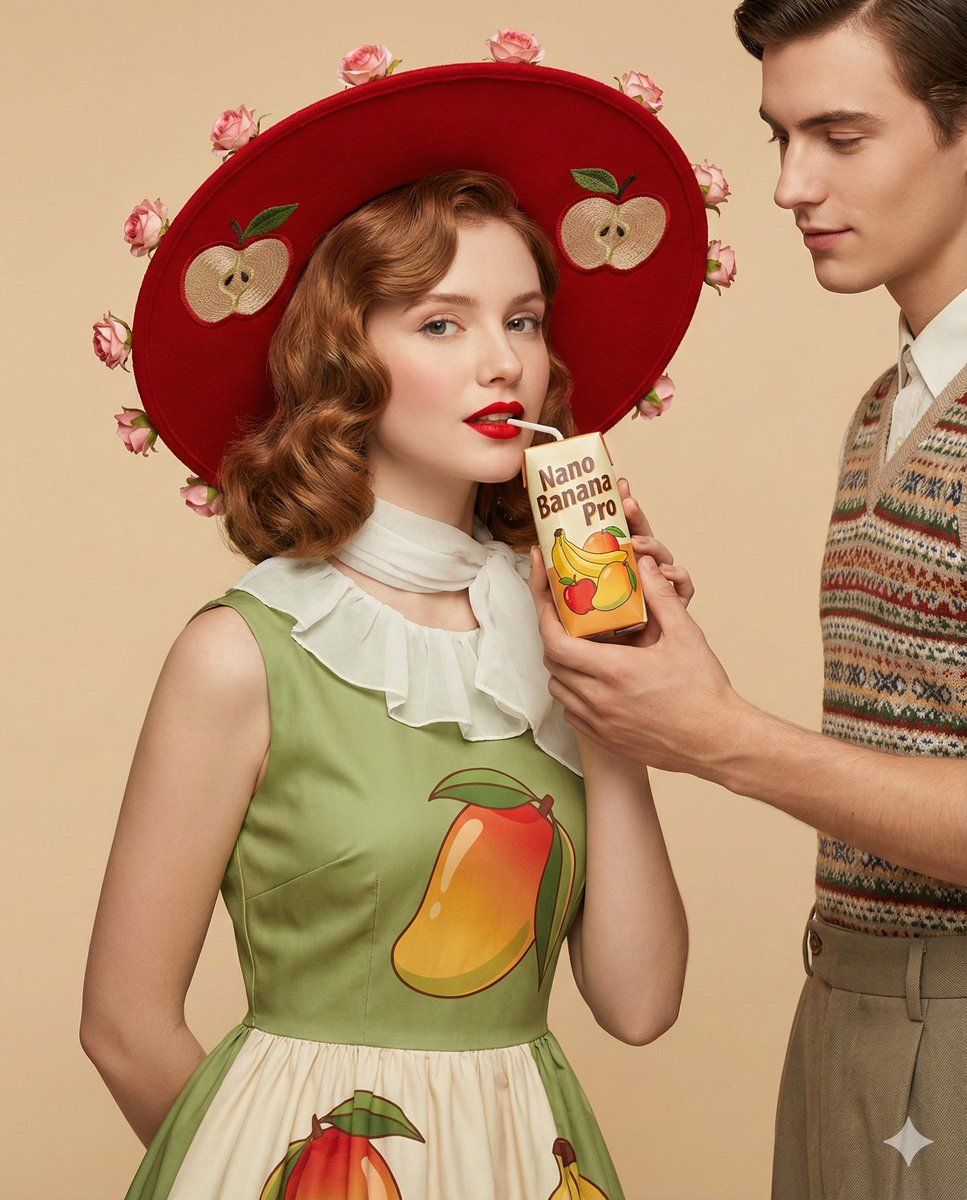
Nano Banana Pro || 4K Ultra-Realistic Promotional, a retro inspired fashion editorial portrait of a Boy against a soft beige background. She is wearing a vintage style sleeveless Apple dress with a white collar like a scarf detail, and big mango prints. On her head, a decorative big Red hat with two big Apple prints and Pink roses wrapped around the hat’s rim. He is holding the juice pack from the reference image near her lips. Elegant pose, confident expression, red lipstick, softly curled hair styled in a classic retro wave. Clean white background, studio lighting, smooth skin texture, vibrant yet balanced color palette, sharp focus, high fashion advertising photography, surreal fruit styling, ultra detailed, cinematic lighting, professional product shoot, hyper realistic, 4K quality and image size 4 5.
Category
创意图片
Model
Nano Banana Pro
Creator
Milo
Views0
Source ID
38506e74-5b9d-4a3f-8636-9067e0e22f64
Published
Mar 8, 2026

Guide

About "4K 超逼真复古时尚杂志肖像"

What is this prompt for?

"4K 超逼真复古时尚杂志肖像" AI image prompt for Nano Banana Pro (创意图片). 一个为 Nano Banana Pro 设计的详细长提示,用于生成一张 4K 超现实复古时尚杂志风格的宣传图片。主体是一位身穿复古无袖连衣裙的模特,裙子印有大芒果图案,配有白色衣领,并搭配一顶装饰…

The full copyable prompt and example visuals above are ready for AI image generation or one-click recreate in Picva.

How to use this prompt

  1. Step 1

    Open the prompt detail

    Review the example visuals, category, and full prompt text for "4K 超逼真复古时尚杂志肖像".

  2. Step 2

    Copy the prompt

    Copy the prompt body from this page, or load it directly in Studio.

  3. Step 3

    Pick a model (Nano Banana Pro)

    Prefer Nano Banana Pro. If you switch models, keep subject and composition and tweak style terms.

  4. Step 4

    Generate and export

    Recreate the look in Picva, or export into your workflow for editing and publishing.

FAQ

What is the "4K 超逼真复古时尚杂志肖像" prompt?
It is an AI image-generation prompt for Nano Banana Pro in the 创意图片 category. This page includes the full prompt text, example visuals, and a one-click recreate path in Picva.
How do I use this prompt to generate an image?
Copy the prompt from this page, or use Generate / Studio. Paste it into a compatible image model, or recreate the look in Picva with optional reference images.
Which model is this prompt for?
This page lists Nano Banana Pro. Most descriptive prompts also transfer to nearby image models such as GPT Image, Flux, or Midjourney with light style tweaks.
Can I use the result commercially?
You can usually copy the prompt for creation, but commercial use of the final image depends on the model terms, reference-image rights, and the generated content. Follow the source author and platform rules.







