20

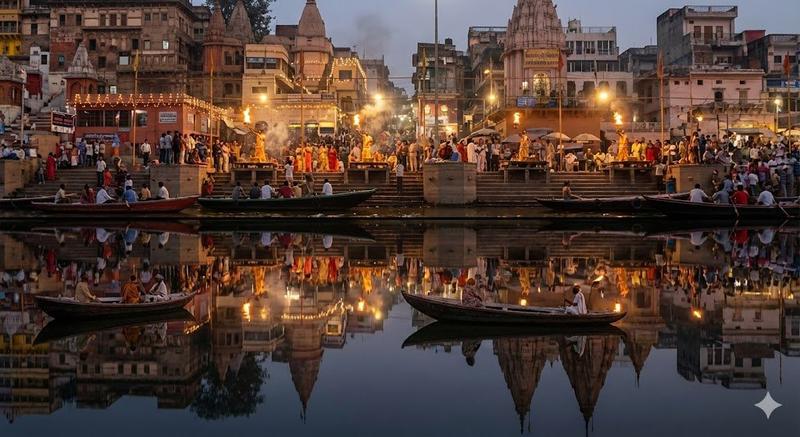
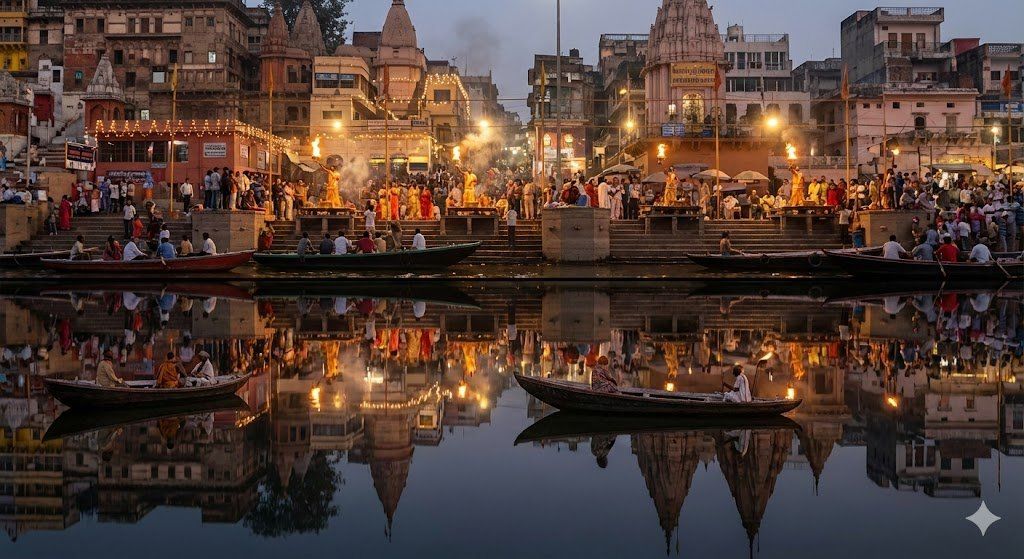
瓦拉纳西河坛双时间线倒影场景
Enlarge

瓦拉纳西河坛双时间线倒影场景

Prompt
a richly detailed night scene of the {argument name="location" default="varanasi ghats"} during the evening aarti, captured from a viewpoint directly across the {argument name="river_name" default="ganges"}. the top half of the image shows the present-day city: crowds gathered on the steps, priests performing synchronized aarti with large flaming lamps, electric lights strung across balconies, recent renovations on temple facades, and the mix of old structures with modern signage. firelight and scattered diyas illuminate the smoke drifting softly above the ghats.the bottom half, seen as a perfect mirror on the still surface of the {argument name="river_name" default="ganges"}, shows the same ghats but in an older historical era. the reflection must depict subtle architectural differences: fewer electric lights, oil lamps instead; weathered stone surfaces without modern repairs; wooden boats of older design; people in period-accurate clothing; and temple towers in their earlier structural forms. the water should be glassy, with minimal distortion, allowing both timelines to align precisely like a split reality. lighting, ripples, and reflections must follow correct physics while maintaining the illusion of two coexisting centuries. the result should feel like a single photograph capturing present above and past below, bound together by the river’s mirror.
Category
创意图片
Model
Nano Banana Pro
Views0
Source ID
c425a3c5-4528-47bd-bcf6-e0b2e5913660
Published
Mar 8, 2026

Guide

About "瓦拉纳西河坛双时间线倒影场景"

What is this prompt for?

"瓦拉纳西河坛双时间线倒影场景" AI image prompt for Nano Banana Pro (创意图片). 瓦拉纳西河坛的电影夜景,画面丰富,河水倒映出不同的历史时代,非常适合测试复杂的倒影和时间叙事。 --- 一幅细致入微的夜景,描绘了傍晚时分 {argument name="location_en"…

The full copyable prompt and example visuals above are ready for AI image generation or one-click recreate in Picva.

How to use this prompt

  1. Step 1

    Open the prompt detail

    Review the example visuals, category, and full prompt text for "瓦拉纳西河坛双时间线倒影场景".

  2. Step 2

    Copy the prompt

    Copy the prompt body from this page, or load it directly in Studio.

  3. Step 3

    Pick a model (Nano Banana Pro)

    Prefer Nano Banana Pro. If you switch models, keep subject and composition and tweak style terms.

  4. Step 4

    Generate and export

    Recreate the look in Picva, or export into your workflow for editing and publishing.

FAQ

What is the "瓦拉纳西河坛双时间线倒影场景" prompt?
It is an AI image-generation prompt for Nano Banana Pro in the 创意图片 category. This page includes the full prompt text, example visuals, and a one-click recreate path in Picva.
How do I use this prompt to generate an image?
Copy the prompt from this page, or use Generate / Studio. Paste it into a compatible image model, or recreate the look in Picva with optional reference images.
Which model is this prompt for?
This page lists Nano Banana Pro. Most descriptive prompts also transfer to nearby image models such as GPT Image, Flux, or Midjourney with light style tweaks.
Can I use the result commercially?
You can usually copy the prompt for creation, but commercial use of the final image depends on the model terms, reference-image rights, and the generated content. Follow the source author and platform rules.