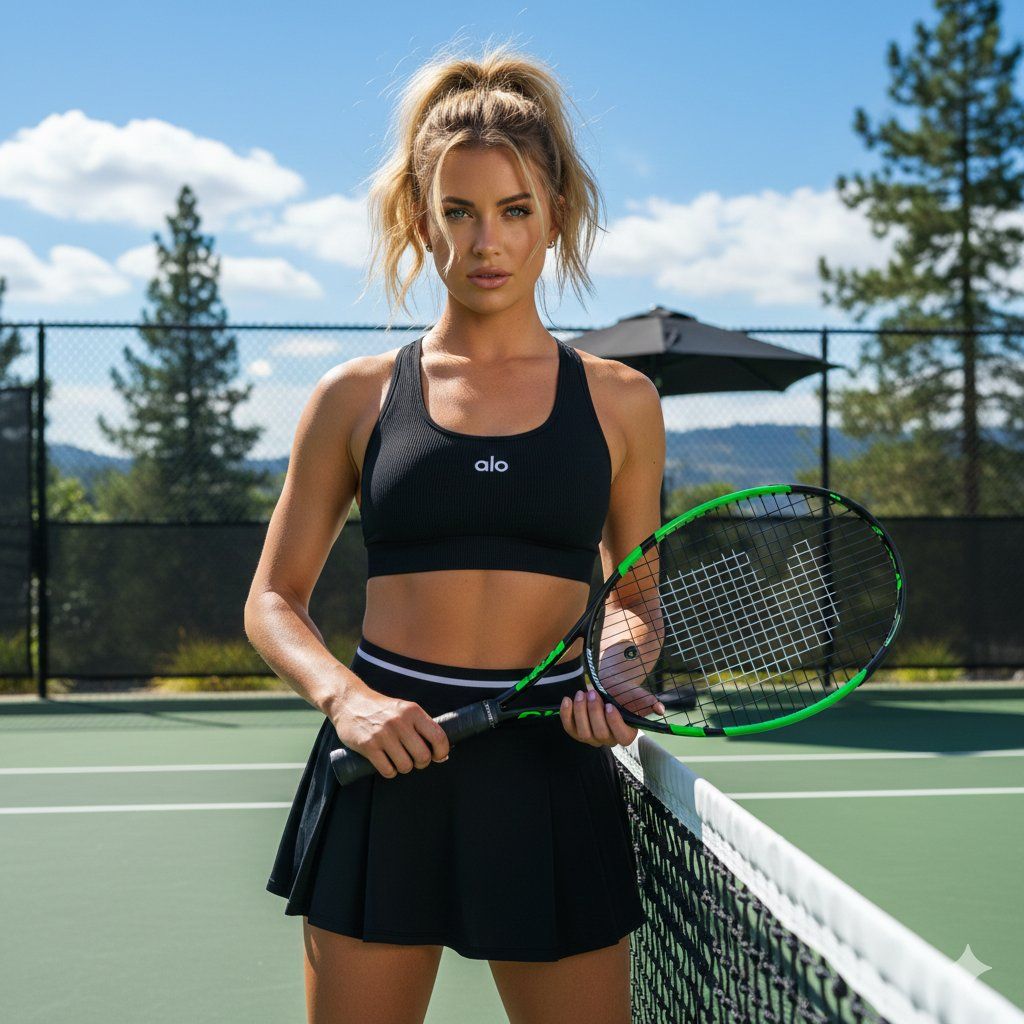
高对比度网球场肖像
Prompt
{
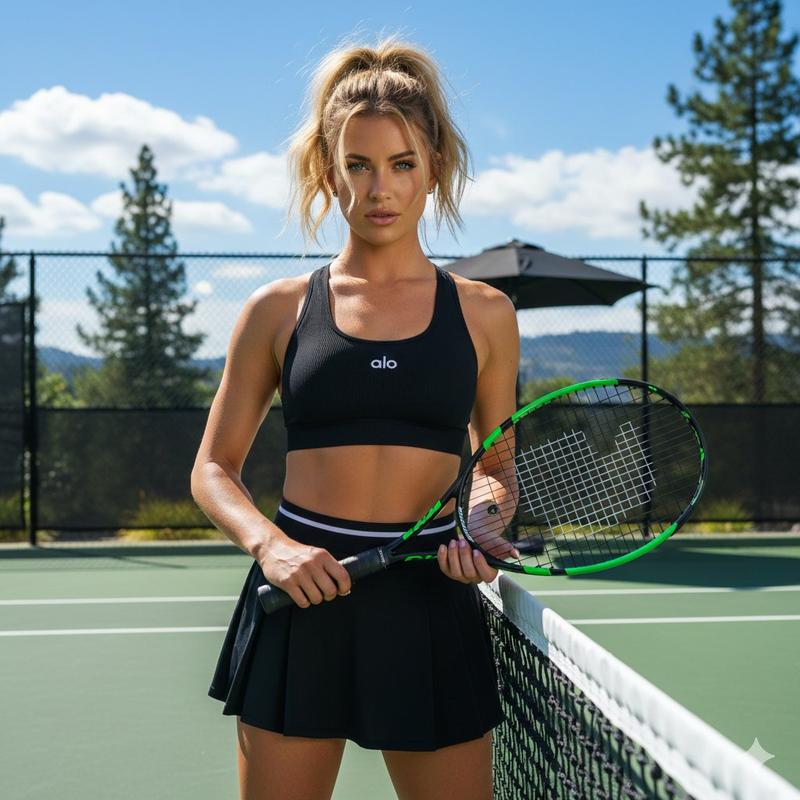
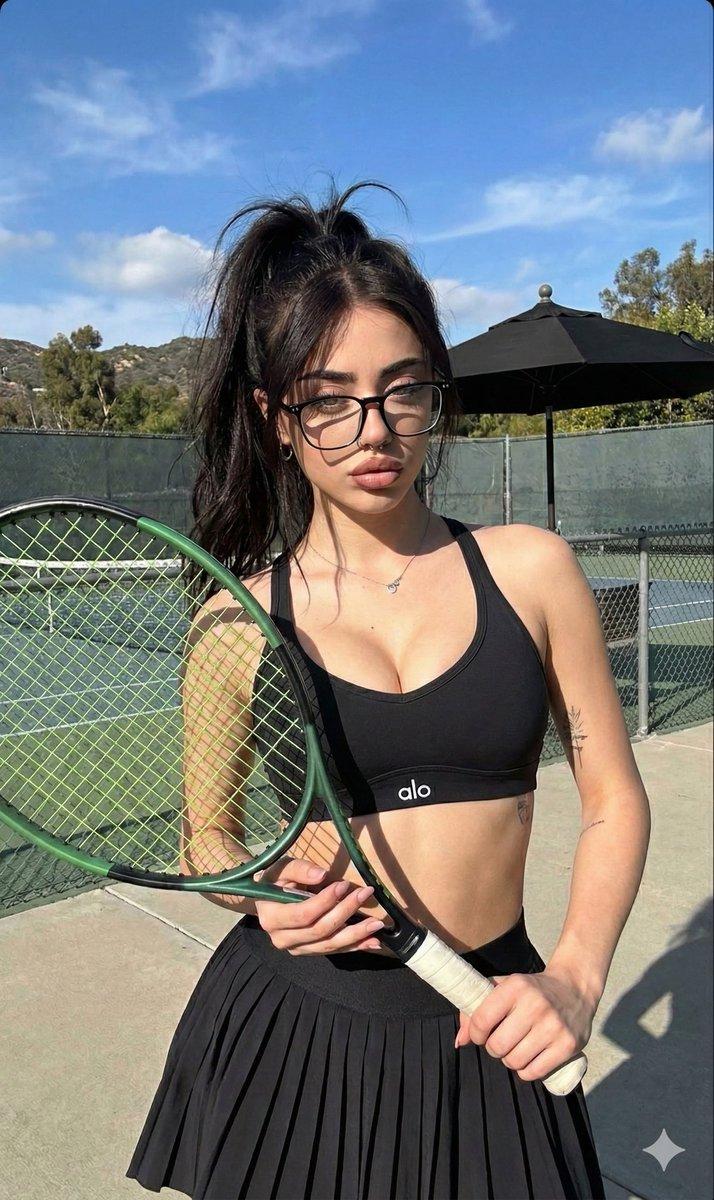
  "lighting": {
    "type": "Natural sunlight",
    "shadows": "Strong, distinct shadows cast by the subject, racquet, and umbrella",
    "direction": "From the upper right, slightly back",
    "intensity": "Bright and harsh",
    "highlights": "Bright highlights on the subject's skin, hair, and the tennis net"
  },
  "background": {
    "setting": "Outdoor tennis court",
    "elements": [
      "Green hardcourt surface with white lines",
      "Black chain-link fence",
      "Tennis net in the foreground",
      "Large black patio umbrella behind the fence",
      "Tall pine tree and other trees in the mid-ground",
      "Hills in the far background",
      "Blue sky with fluffy white clouds"
    ],
    "environment": "Sunny, warm outdoor setting during the day"
  },
  "typography": {
    "color": "White",
    "placement": "Center of the black sports bra",
    "font_style": "Minimalist sans-serif logo",
    "text_content": "{argument name="logo text" default="alo"}"
  },
  "composition": {
    "focus": "Sharp focus on the subject and tennis racquet",
    "balance": "Symmetrical",
    "framing": "Waist-up view",
    "shot_type": "Medium shot",
    "depth_of_field": "Shallow, background slightly blurred",
    "subject_position": "Centered"
  },
  "color_profile": {
    "vibrance": "High",
    "saturation": "Moderate",
    "dominant_colors": [
      {
        "hex": "#2F2F2F",
        "name": "Dark Charcoal"
      },
      {
        "hex": "#2E4A33",
        "name": "Forest Green"
      },
      {
        "hex": "#6DA7D7",
        "name": "Sky Blue"
      },
      {
        "hex": "#C59E8A",
        "name": "Tan Skin Tone"
      },
      {
        "hex": "#FFFFFF",
        "name": "White"
      }
    ],
    "palette_description": "High contrast natural palette with deep blacks, vibrant greens and blues, and warm skin tones."
  },
  "technical_specs": {
    "iso": "100-200 (estimated)",
    "aperture": "f/4.0-f/5.6 (estimated)",
    "lens_type": "Standard zoom",
    "camera_type": "DSLR or high-end mirrorless",
    "image_quality": "High resolution, sharp details, clear rendering",
    "shutter_speed": "1/500s (estimated)"
  },
  "subject_analysis": {
    "hair": "Golden blonde hair tied up in a high ponytail with a few loose strands framing her face",
    "pose": "Standing, body angled slightly to the right, holding a tennis racquet across her body with both hands",
    "clothing": {
      "top": "Black sports bra with 'alo' logo",
      "bottom": "Black pleated tennis skirt with white and black waistband",
      "accessories": "None visible"
    },
    "expression": "Serious, direct gaze at the camera",
    "subject_type": "Young woman",
    "physical_features": "Tan skin, light-colored eyes, fit physique"
  },
  "artistic_elements": {
    "mood": "Confident, active, sunny",
    "style": "Outdoor lifestyle portrait",
    "texture": "Smooth skin, fabric texture of clothing, rough texture of court and fence",
"composition_rule": "Rule of thirds, wi- Category
- 创意图片
- Model
- Nano Banana Pro
- Creator
- Nano banana pro🍌
- Source ID
- 8cbaf196-d6c6-4153-835c-faf974da5fab
- Published
- Mar 8, 2026
Views0