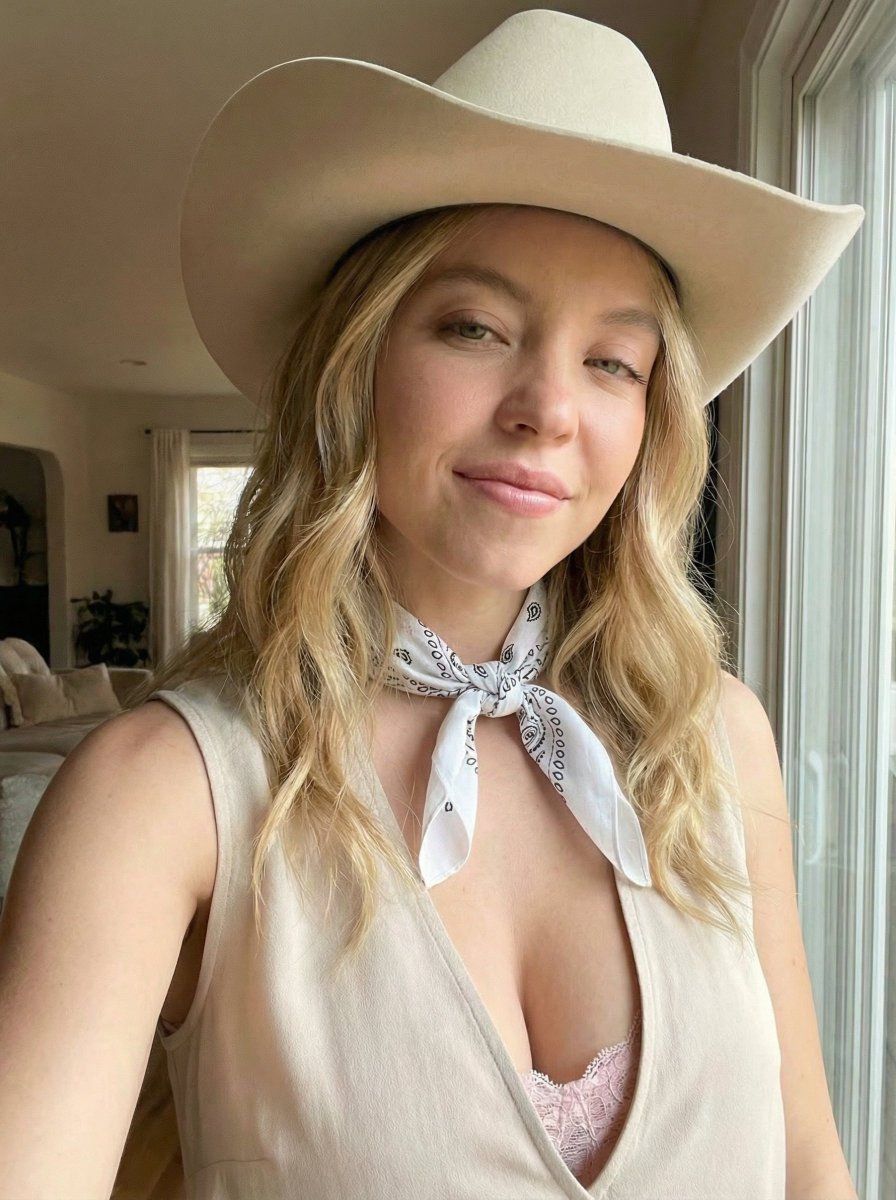
Sydney Sweeney 牛仔帽自拍提示词
Prompt
{
  "subject": {
    "identity": "Sydney Sweeney",
    "gender": "female",
    "age_range": "early to mid 20s",
    "skin_tone": "fair with soft pink undertones",
    "face_shape": "oval, soft jawline",
    "facial_features": {
      "eyes": "light blue, expressive",
      "nose": "small and delicate",
      "lips": "full, natural pink",
      "cheeks": "soft, slightly flushed"
    },
    "expression": "big joyful smile showing teeth, eyes tightly squinted",
    "emotion": "playful, carefree, candid happiness"
  },

  "hair": {
    "color": "light golden blonde",
    "length": "long, just below shoulders",
    "texture": "natural, slightly wavy",
    "style": "loose, center-parted, softly framing face"
  },

  "headwear": {
    "type": "cowboy hat",
    "color": "off-white / cream",
    "material": "felt",
    "fit": "natural fit, straight on head"
  },

  "clothing": {
    "top": {
      "type": "sleeveless blouse",
      "color": "light beige / cream",
      "fabric": "soft cotton or linen",
      "fit": "feminine, slightly fitted"
    },
    "inner_layer": {
      "type": "lace bralette",
      "color": "soft pastel pink",
      "visibility": "subtly visible under blouse"
    }
  },

  "accessories": {
    "neck": {
      "type": "bandana scarf",
      "color": "white",
      "pattern": "small black paisley print",
      "tie_style": "loosely tied at front"
    }
  },

  "pose_and_gesture": {
    "camera_angle": "selfie angle, slightly above chest level",
    "distance": "close",
    "head_position": "slightly tilted",
    "body_language": "relaxed, leaning into frame",
    "gesture": "casual, spontaneous selfie moment"
  },

  "framing": {
    "crop": "medium close-up",
    "orientation": "vertical",
    "focus": "sharp focus on face and upper body",
    "depth_of_field": "shallow, background softly blurred"
  },

  "lighting": {
    "type": "natural indoor lighting",
    "direction": "soft side light",
    "contrast": "low",
    "tone": "warm, cozy"
  },

  "background": {
    "location": "indoors, home environment",
    "details": "neutral, minimal, non-distracting",
    "importance": "low priority"
  },

  "style": {
    "aesthetic": "western-inspired casual",
    "vibe": "authentic, intimate, candid",
    "realism": "ultra photorealistic",
    "celebrity_likeness": "very high"
  },

  "image_quality": {
    "resolution": "high resolution",
    "detail_level": "very high",
    "skin_texture": "natural, realistic skin texture",
    "color_accuracy": "true-to-life"
  },

  "negative_prompt": {
    "avoid": [
      "anime",
      "cartoon",
      "illustration",
      "overly smooth skin",
      "plastic skin",
      "heavy makeup",
      "dramatic studio lighting",
      "different hat color",
      "different scarf color",
      "different facial expression",
      "altered pose"
    ]
  }
}- Category
- 创意图片
- Model
- Nano Banana Pro
- Creator
- Bethany
- Source ID
- 0ba0edbb-cac5-4e7c-973a-a0cda16c7084
- Published
- Mar 8, 2026
Views0

















