超现实主义鸟类学时尚大片提示
Prompt
{
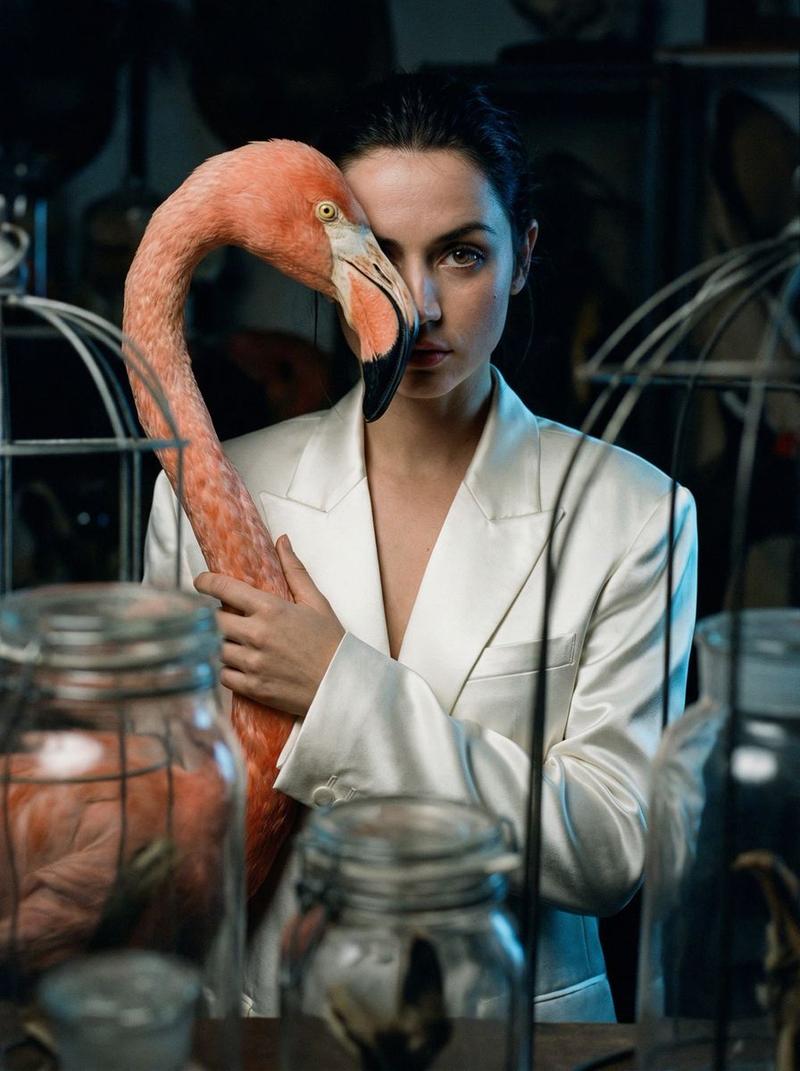
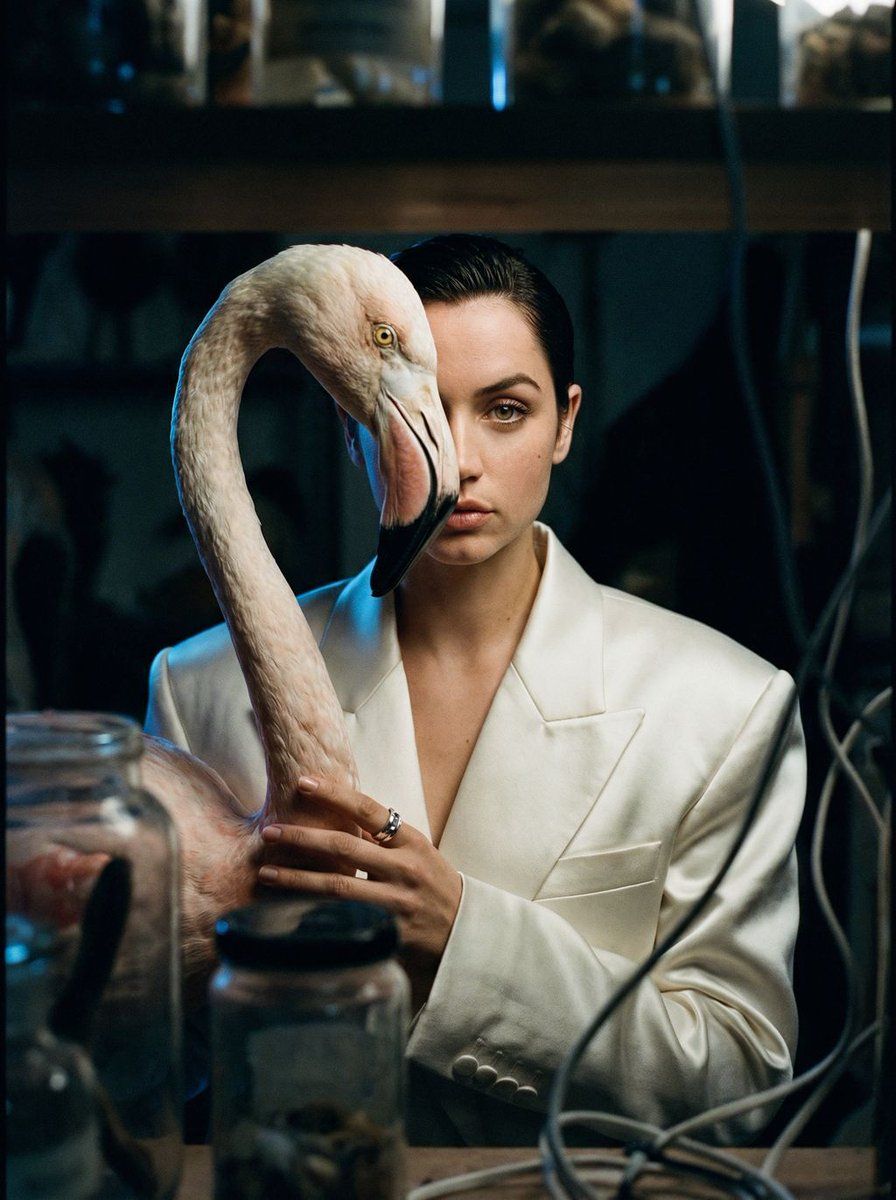
  "vibe_title_en": "Surrealist Ornithology",
  "master_prompt": "A voyeuristic, long-lens capture peering through the clutter of a dimly lit, high-end taxidermy atelier. The Protagonist [gender-neutral, pale complexion, shaved head or slicked back hair] stands amidst shadows, wearing a structured white satin blazer. In a moment of surreal tension, they hold a hyper-realistic, oversized Flamingo Head Prop [crafted from painted porcelain and ethically sourced feathers] vertically against their face, creating a seamless 'split-face' illusion where the bird's beak aligns with the human jawline. The Protagonist casts a sharp, enigmatic glance directly at the camera with their one visible eye, creating a piercing connection. The composition is heavily occluded by out-of-focus foreground elements (antique glass jars, wireframes) to enhance the feeling of intrusion. Lighting is moody and cinematic: deep chiaroscuro shadows with a cool blue rim light striking the white satin and the flamingo's curve. Shot on a Hasselblad H6D-100c with a 210mm telephoto lens at f/3.2 to compress the space. The texture is distinctly analog, mimicking Cinestill 800T film with visible grain, ensuring the feathers and skin pores look tactile and physically grounded, rejecting any 'digital art' smoothness.",
  "meta": {
    "intent": "Editorial Fashion x Surrealism",
    "priorities": "Photographic Texture, Surreal Prop Integration, Voyeuristic Framing",
    "device_profile": "High-End Desktop / Large Format Print"
  },
  "frame": {
    "aspect": "9:16",
    "composition": "Voyeuristic framing with heavy foreground occlusion (peering through shelves/objects)",
    "layout": "Center-weighted subject but obstructed by negative space layers",
    "camera_angle": "Eye-level, shooting from a distance through a gap",
    "tilt_roll_degrees": "0"
  },
  "subject": {
    "gender": "Female",
    "identity": "The Protagonist",
    "demographics": "Androgynous High-Fashion Model, 20s-30s",
    "face": "Pale skin, sharp cheekbones, highly detailed skin texture/pores, one eye visible",
    "hair": "Bald or extremely short buzz cut (referencing the mood board)",
    "body": "Slender, elegant posture",
    "expression": "Enigmatic, sharp glance, intense eye contact despite the obstruction",
    "pose": "Holding a large prop vertically against the face, obscuring half the visage"
  },
  "wardrobe_accessories": {
    "garments": [
      {
        "item": "Structured Blazer",
        "material": "High-gloss Satin or Silk",
        "color": "Pearl White",
        "fit": "Oversized, Haute Couture"
      }
    ],
    "accessories": [
      {
        "item": "Surreal Flamingo Prop",
        "color": "Pale Blue fading to Pink with Black Beak",
        "material": "Painted Porcelain and Real Feathers",
        "brand_style": "Avant-Garde Sculpture"
      },
      {
        "item": "Statement Ring",
        "color": "Silver/Diamond",
"material":- Category
- 创意图片
- Model
- Nano Banana Pro
- Creator
- timedoctor.eth
- Source ID
- dda5ebb3-d8a1-4cab-83bc-fe36545faf2f
- Published
- Mar 8, 2026
Views1