20

解体效果函数提示
Enlarge

解体效果函数提示

Prompt
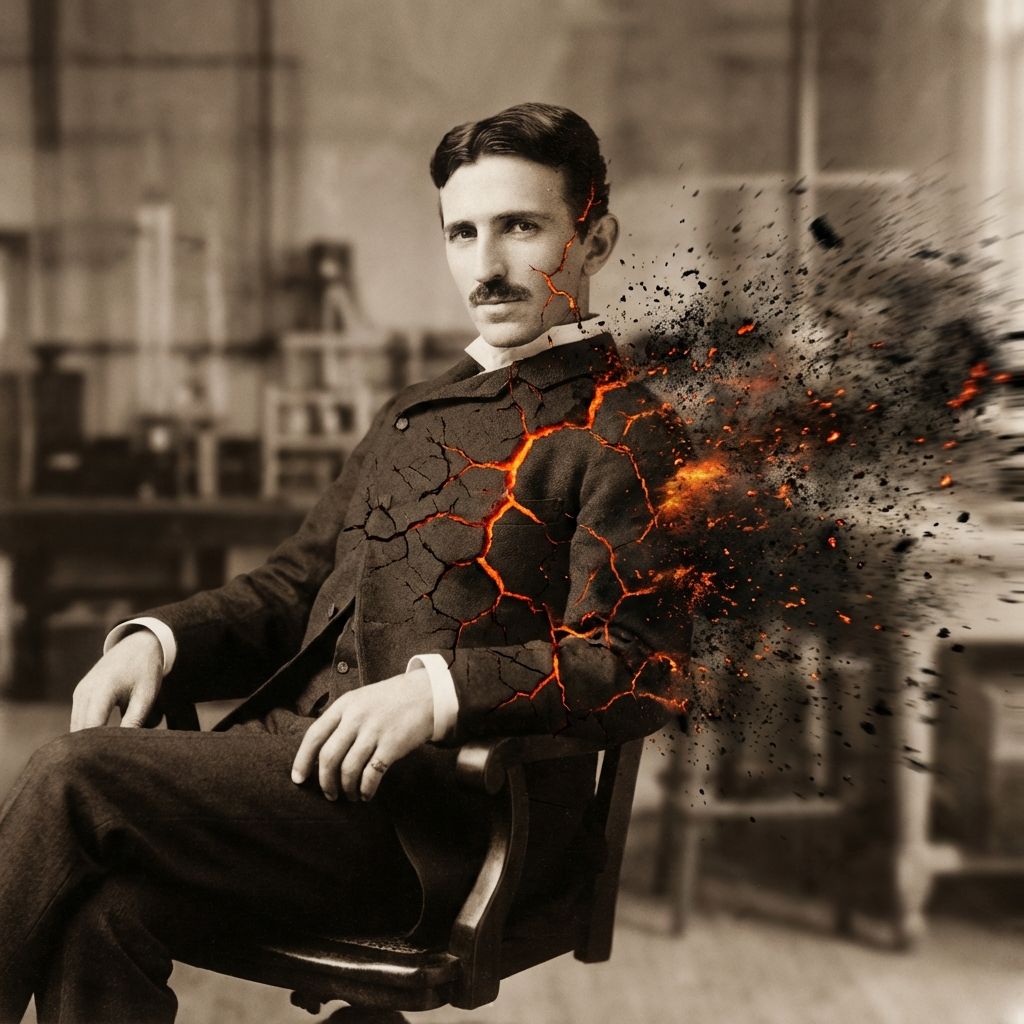
``python def disintegrate(Subject): Direction = "{argument name="disintegration direction" default="Left to Right"}" Wind_Speed = "{argument name="wind speed" default="100 km/h"}" Particle_Type = "{argument name="particle type" default="Black Volcanic Ash and Embers"}" >Execution Left_Side_of_Subject = "Solid, Intact" Center_of_Subject = "Cracking, glowing cracks" Right_Side_of_Subject = "Fully dispersed into particle cloud" return Render(Motion_Blur=True, Glow=True) ```  Instruction:  Preserve the exact pose of [UPLOADED_IMAGE], but apply the `disintegrate()` function described above.
Category
创意图片
Model
Nano Banana Pro
Creator
Gadgetify
Views0
Source ID
863d29c7-93ab-434e-9ea8-e979e9edac72
Published
Mar 8, 2026

Guide

About "解体效果函数提示"

What is this prompt for?

"解体效果函数提示" AI image prompt for Nano Banana Pro (创意图片). 这是一个有趣且高度技术性的提示,设计为一个 Python 函数,用于对上传的图像应用特定的瓦解效果,同时保留原始姿态。该函数定义了瓦解的方向、速度和粒子类型,从而产生动态的粒子云效果。 --- ```pyth…

The full copyable prompt and example visuals above are ready for AI image generation or one-click recreate in Picva.

How to use this prompt

  1. Step 1

    Open the prompt detail

    Review the example visuals, category, and full prompt text for "解体效果函数提示".

  2. Step 2

    Copy the prompt

    Copy the prompt body from this page, or load it directly in Studio.

  3. Step 3

    Pick a model (Nano Banana Pro)

    Prefer Nano Banana Pro. If you switch models, keep subject and composition and tweak style terms.

  4. Step 4

    Generate and export

    Recreate the look in Picva, or export into your workflow for editing and publishing.

FAQ

What is the "解体效果函数提示" prompt?
It is an AI image-generation prompt for Nano Banana Pro in the 创意图片 category. This page includes the full prompt text, example visuals, and a one-click recreate path in Picva.
How do I use this prompt to generate an image?
Copy the prompt from this page, or use Generate / Studio. Paste it into a compatible image model, or recreate the look in Picva with optional reference images.
Which model is this prompt for?
This page lists Nano Banana Pro. Most descriptive prompts also transfer to nearby image models such as GPT Image, Flux, or Midjourney with light style tweaks.
Can I use the result commercially?
You can usually copy the prompt for creation, but commercial use of the final image depends on the model terms, reference-image rights, and the generated content. Follow the source author and platform rules.