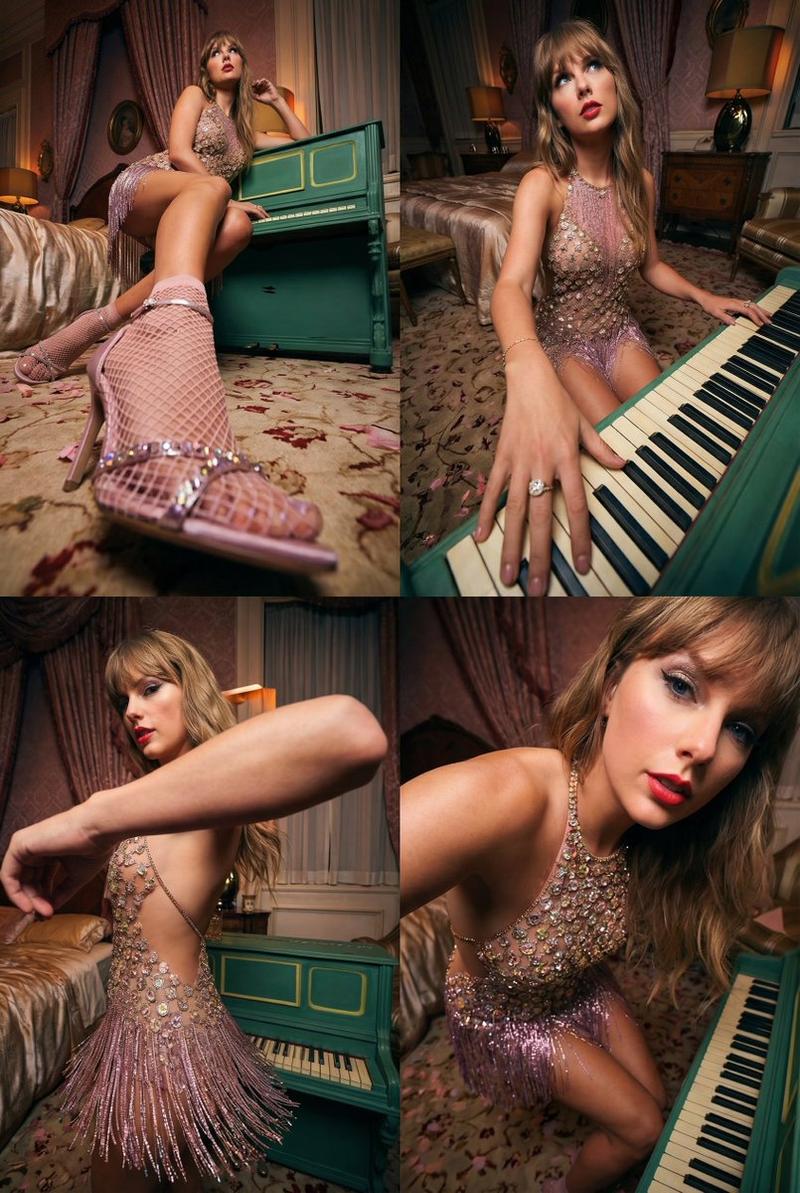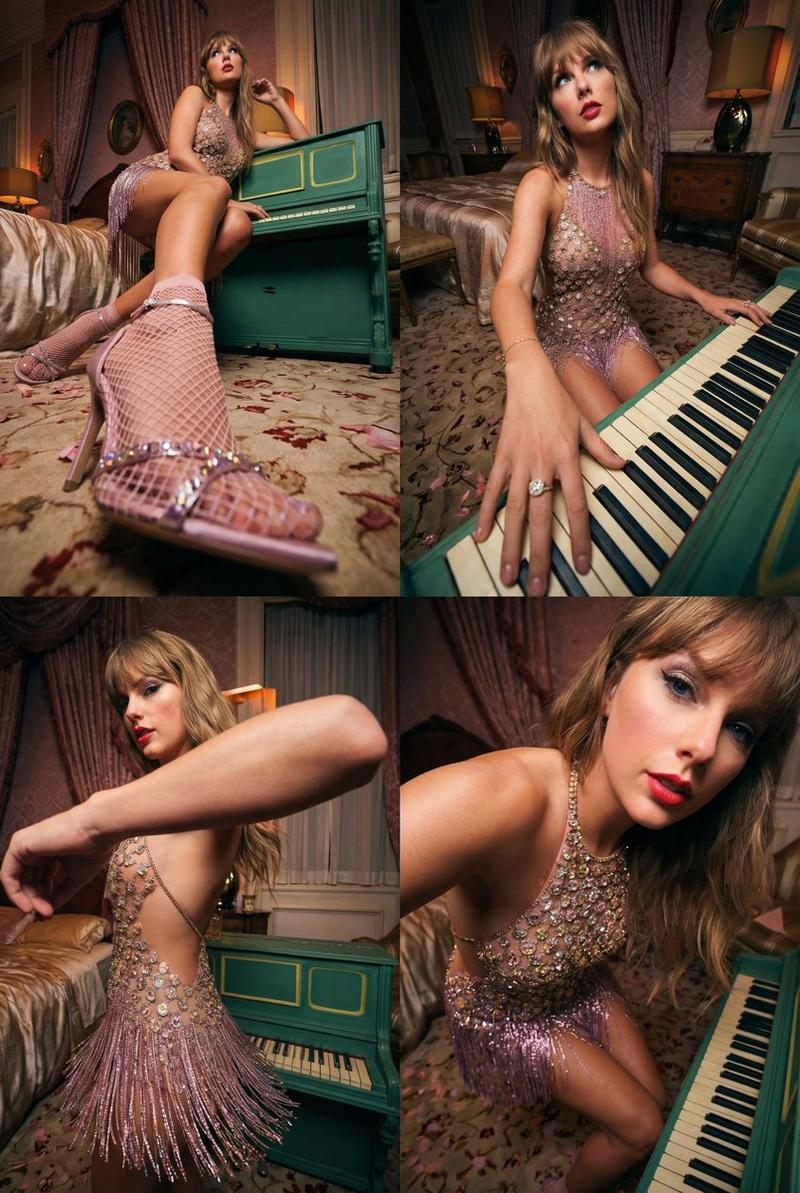
复古魅力钢琴系列拼贴提示
Prompt
{
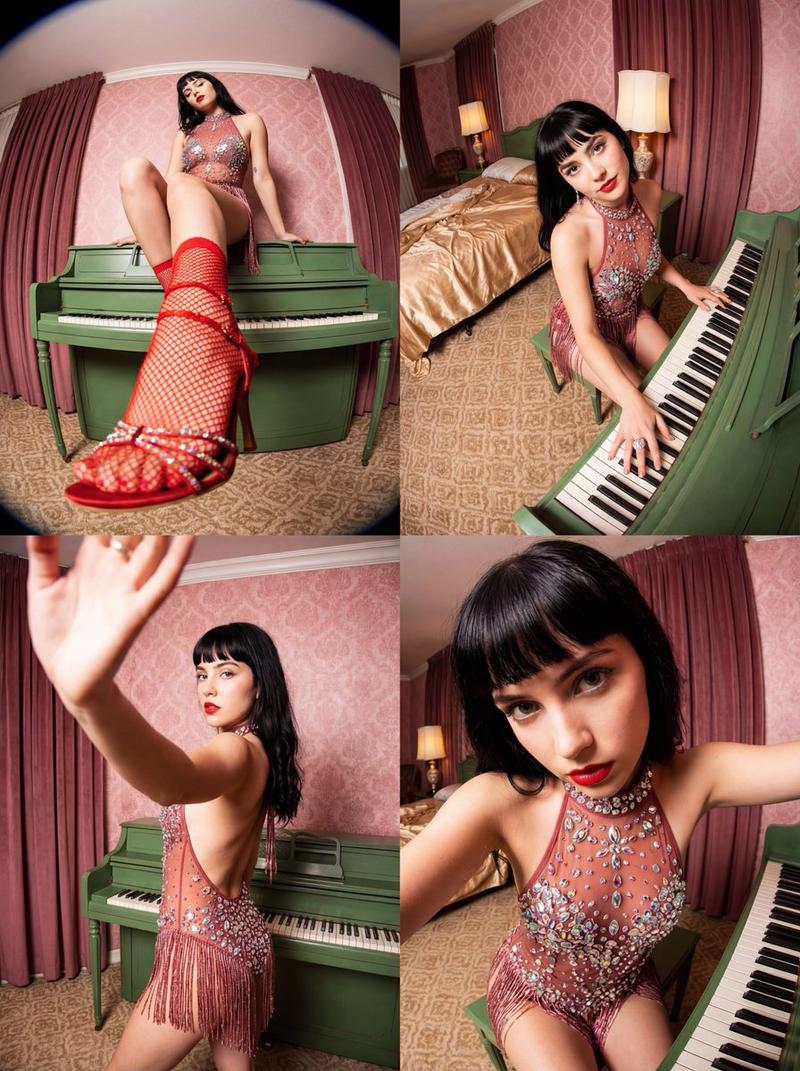
  "project_title": "Vintage Glamour Piano Series",
  "common_elements": {
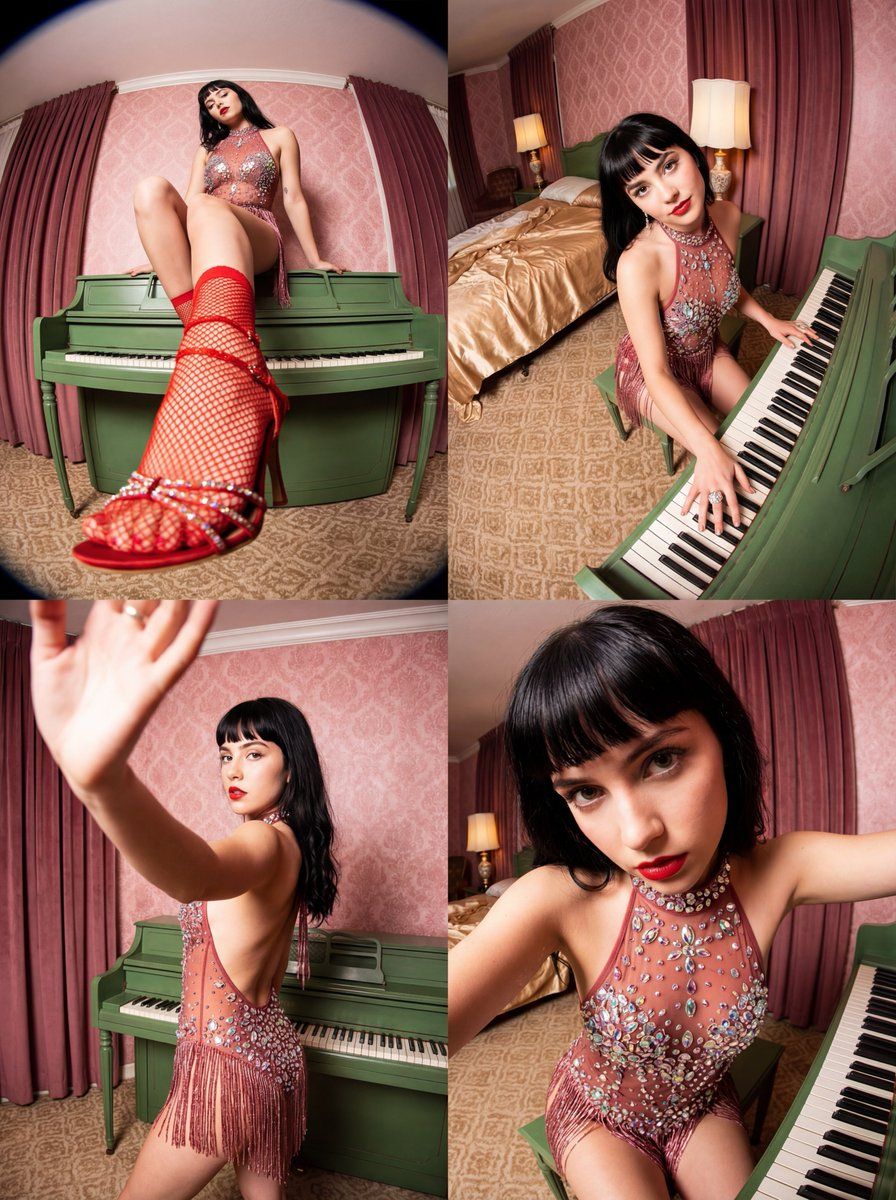
    "subject": "Young woman with dark hair, straight bangs, and red lipstick.",
    "outfit": "Sheer, dusty red halter-neck bodysuit covered in large iridescent crystals and sequins, with a fringed skirt layer.",
    "environment": "Ornate vintage hotel room with pink damask wallpaper, heavy maroon curtains, patterned beige carpet, and a retro green upright piano.",
    "lighting_and_style": "Direct flash photography, high contrast, vintage aesthetic, fisheye or wide-angle lens distortion, saturated colors, 4k resolution, hyper-realistic textures."
  },
  "frames": [
    {
      "frame_id": 1,
      "position": "Top Left",
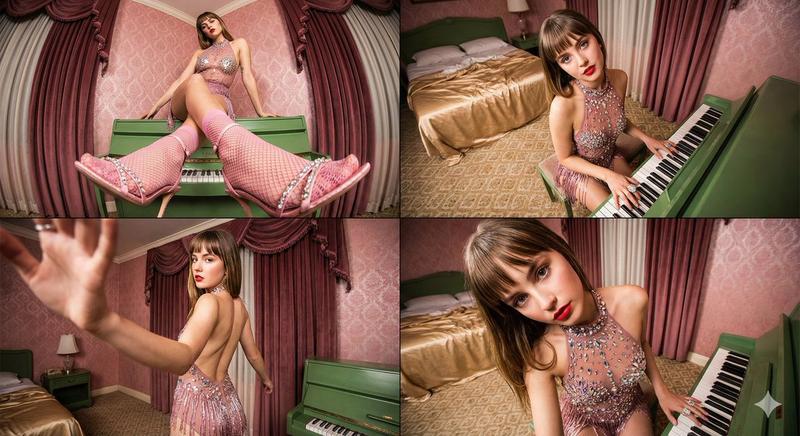
      "visual_prompt": "Low-angle fisheye shot. The subject is perched on top of a green upright piano, leaning back with knees bent. One leg is extended dramatically toward the camera lens, making the foot appear larger than life. She wears red fishnet socks and red strappy heels with crystal details. The focus is sharp on the texture of the fishnet and shoe in the foreground, blurring slightly toward her face.",
      "pose_details": "Sitting on piano, leg extended, looking away casually."
    },
    {
      "frame_id": 2,
      "position": "Top Right",
      "visual_prompt": "High-angle wide shot looking down at the subject seated at the green piano. She is looking up at the camera with a soft expression. Her right hand rests on the piano keys, fingers spread, showcasing a large ring. The wide-angle lens elongates her arm and hand. The background shows an unmade bed with gold satin sheets and a vintage lamp.",
      "pose_details": "Seated at keys, hand on piano, head tilted up."
    },
    {
      "frame_id": 3,
      "position": "Bottom Left",
      "visual_prompt": "Dynamic medium shot. The subject stands with her back to the camera, turning her head to look over her left shoulder. Her left arm is raised toward the camera, creating a motion-blurred foreground element. The side profile of the bodysuit reveals a backless design and hanging crystal fringe. The lighting highlights the sparkle of the gems and the curve of her shoulder.",
      "pose_details": "Standing/turning away, looking back, arm in motion."
    },
    {
      "frame_id": 4,
      "position": "Bottom Right",
      "visual_prompt": "Close-up extreme wide-angle shot, similar to a 0.5x selfie. The subject leans forward into the lens, distorting the perspective so her head appears larger. She looks directly at the viewer with a piercing gaze. The intricate detailing of the crystal bodice is highly visible. The green piano keys are visible in the lower right corner.",
      "pose_details": "Leaning forward, direct eye contact, close-up."
    }
  ]
}- Category
- 创意图片
- Model
- Nano Banana Pro
- Creator
- AI Tales - Not by Humans
- Source ID
- 2530cfff-0381-4c0e-a58a-075873294433
- Published
- Mar 8, 2026
Views0