20

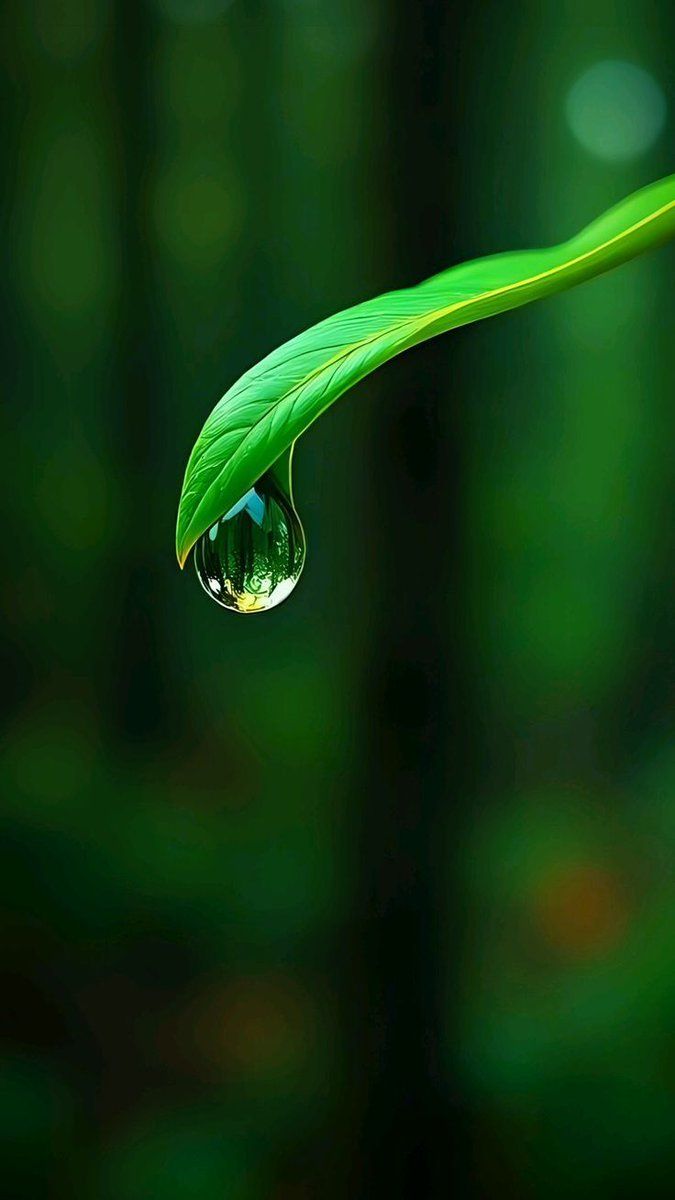
一片叶子和水滴的超电影感微距镜头
Enlarge

一片叶子和水滴的超电影感微距镜头

Prompt
Ultra-cinematic macro shot of a fresh {argument name="leaf color" default="green"} leaf suspended in a deep forest environment. A crystal-clear water droplet hangs delicately from the leaf tip, slowly forming and trembling. Soft natural light passes through the leaf veins, creating translucent {argument name="highlight color" default="green"} highlights. In slow motion, the droplet elongates, reflects the forest scenery, then gently falls. Subtle camera push-in, shallow depth of field, creamy green bokeh background. Hyper-realistic textures, moisture detail, calm nature mood, cinematic color grading, 4K, 24fps, filmic softness, peaceful yet dramatic atmosphere.
Category
创意图片
Model
Nano Banana Pro
Creator
Cherry 2.O
Views0
Source ID
e3356f3f-31e0-41f2-9345-817624ca46f8
Published
Mar 8, 2026

Guide

About "一片叶子和水滴的超电影感微距镜头"

What is this prompt for?

"一片叶子和水滴的超电影感微距镜头" AI image prompt for Nano Banana Pro (创意图片). 一个高度详细、电影化的提示,用于生成一张森林中新鲜绿叶的超微距照片,重点突出颤动的水滴和柔和的自然光线,营造出宁静而富有戏剧性的氛围。 --- 超电影感的微距镜头,拍摄一片新鲜的 {argum…

The full copyable prompt and example visuals above are ready for AI image generation or one-click recreate in Picva.

How to use this prompt

  1. Step 1

    Open the prompt detail

    Review the example visuals, category, and full prompt text for "一片叶子和水滴的超电影感微距镜头".

  2. Step 2

    Copy the prompt

    Copy the prompt body from this page, or load it directly in Studio.

  3. Step 3

    Pick a model (Nano Banana Pro)

    Prefer Nano Banana Pro. If you switch models, keep subject and composition and tweak style terms.

  4. Step 4

    Generate and export

    Recreate the look in Picva, or export into your workflow for editing and publishing.

FAQ

What is the "一片叶子和水滴的超电影感微距镜头" prompt?
It is an AI image-generation prompt for Nano Banana Pro in the 创意图片 category. This page includes the full prompt text, example visuals, and a one-click recreate path in Picva.
How do I use this prompt to generate an image?
Copy the prompt from this page, or use Generate / Studio. Paste it into a compatible image model, or recreate the look in Picva with optional reference images.
Which model is this prompt for?
This page lists Nano Banana Pro. Most descriptive prompts also transfer to nearby image models such as GPT Image, Flux, or Midjourney with light style tweaks.
Can I use the result commercially?
You can usually copy the prompt for creation, but commercial use of the final image depends on the model terms, reference-image rights, and the generated content. Follow the source author and platform rules.











