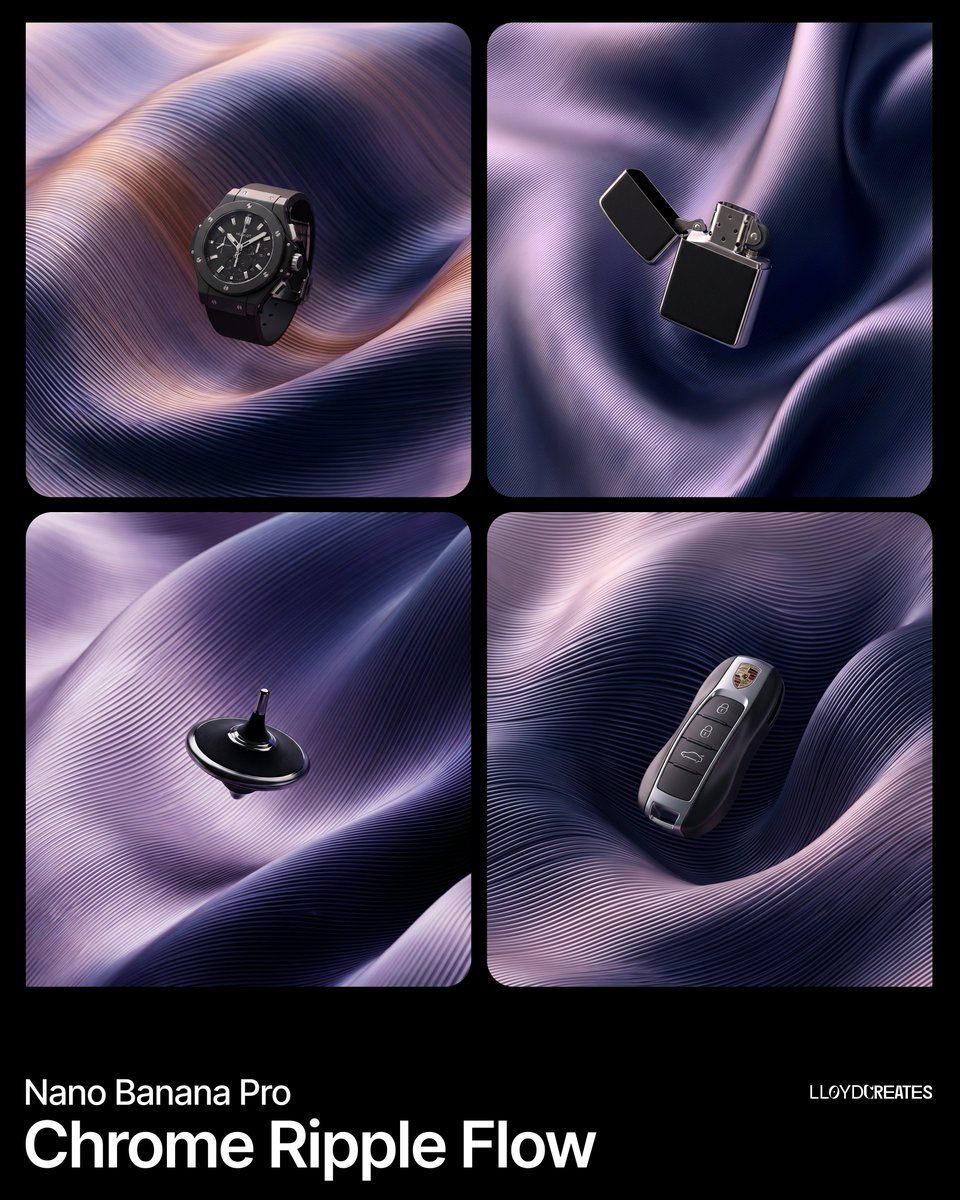
Chrome Ripple Flow 产品摄影提示
Prompt
{
  "image_generation_request": {
    "subject": "{argument name="product name" default="PRODUCT"}",
    "product_finish": {
      "primary": "matte black with subtle light absorption",
      "secondary": "polished metallic silver with mirror-like reflections",
      "treatment": "duotone — matte black body with metallic silver accents, trim, edges, or panel insets"
    },
    "composition": {
      "placement": "dead center, full view, floating suspended within the folded surface environment",
      "scale": "product occupies roughly 30-40% of the frame",
      "constraints": [
        "product must be entirely visible with no cropping",
        "no pedestals, stands, platforms, or ground planes",
        "the surface folds frame the product but never obscure more than 10% of it",
        "product is the sharpest element in the scene"
      ]
    },
    "background_environment": {
      "description": "A single continuous undulating surface that fills the entire frame, folding over and around itself in large voluminous waves — like a massive sheet of pleated metallic silk or a single machined metal panel that has been softly twisted and draped. This is NOT multiple separate ribbons or strands. It is ONE connected surface.",
      "base_color": "{argument name="deep background color" default="INSERT DEEP BACKGROUND COLOR visible in crevices — e.g. pure black, midnight navy"}",
      "surface_color_1": "{argument name="gradient color A" default="INSERT GRADIENT COLOR A — e.g. soft lavender, warm copper, pearl rose"}",
      "surface_color_2": "[INSERT GRADIENT COLOR B — e.g. deep indigo, cobalt blue, violet]",
      "color_behavior": "The two colors blend in a smooth continuous gradient across the single surface, shifting based on the surface's curvature and light angle. Where the surface faces the light it shows color_1, where it curves away it transitions to color_2. The transition is seamless with no hard edges or stripes.",
      "surface_texture": {
        "type": "fine parallel ribs embossed into the surface — like the grooves on a vinyl record or finely pleated accordion fabric",
        "rib_description": "extremely fine, uniform, tightly spaced parallel lines that follow the flow direction of the surface. The ribs are a TEXTURE on the surface, not separate objects. They create a subtle corrugated micro-relief that catches light along each tiny ridge.",
        "rib_density": "very high — approximately 50-100 visible lines per inch of surface, creating a dense linear grain",
        "rib_depth": "shallow — the ribs are subtle surface detail, not deep cuts. They create gentle highlight-shadow alternation across the surface"
      },
      "surface_form": {
        "fold_style": "large, smooth, voluminous folds like draped heavy silk — broad sweeping curves with gentle twists",
        "fold_count": "3-5 major folds visible, each one wide and generous, NOT many small tangled ribbons",
"fold_behavior": "folds overlap softly, tucking under and over each other with smooth transitions. Where folds meet they create dee"- Category
- 创意图片
- Model
- Nano Banana Pro
- Creator
- Lloyd Creates
- Source ID
- 8bf9aa3d-bb7d-4212-8afd-fed91e87d94c
- Published
- Mar 8, 2026
Views0