20

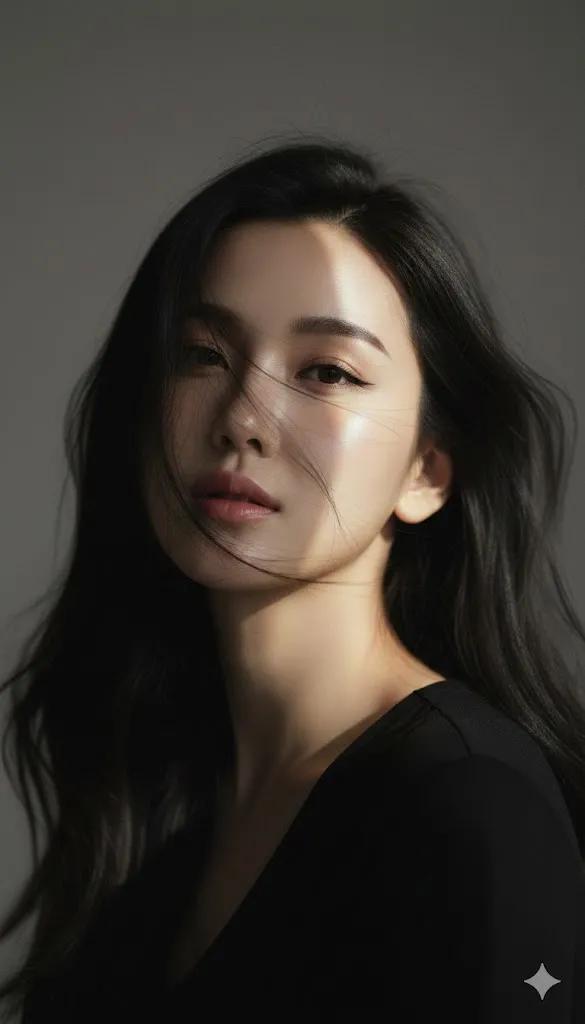
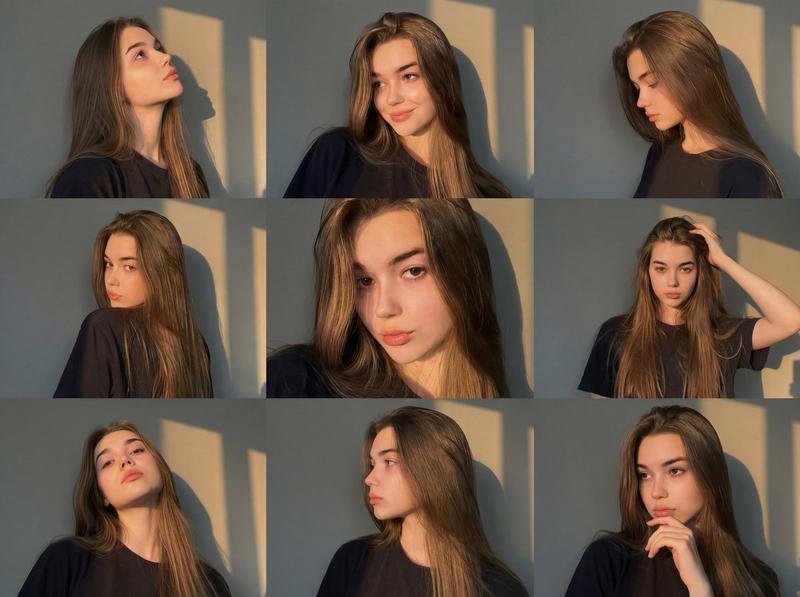
黄金时刻窗影九宫格肖像 (变体 2)
Enlarge

黄金时刻窗影九宫格肖像 (变体 2)

Prompt
{
"image_generation": {
“脸”: {
"preserve_original": true,
"reference_match": true,
“描述”:“在所有帧中保持相同的面部结构、肤色、眼睛形状和自然表情,并在每个姿势中保持一致的身份。”
},

"photo_style": {
“类型”:“黄金时段肖像拼贴画”,
"camera_angle": "各种特写和中景人像角度",
“光线”:“温暖的金色阳光在窗外投下柔和的影子”,
“氛围”:“柔和、平静、亲密、唯美”,
“纹理”:“自然的肌肤纹理,柔和的高光,温和的对比度”,
“焦点”: “面部清晰对焦,背景平滑过渡”
},

“主题”: {
“姿势”:[
“仰望光明”,
“对着镜头露出柔和的微笑”,
“侧脸向下凝视”
“回头瞥一眼”,
“嘴唇放松的直接特写”,
“手放在头发上,随意的姿势”,
“头向后仰向光线方向”,
“干净的侧面肖像”,
“沉思的姿势,手放在下巴附近”
],
“表达方式”:“自然、简约、放松、情感细腻”,
“头发”: {
“发型”:“长直发披散着”,
颜色:浅棕色至中棕色,
“细节”:“自然光泽,带有柔和的高光”
},
“衣服”: {
类型:休闲简约装扮,
详情:一件简单的深色T恤,没有任何可见的品牌标识。
}
},

“作品”: {
"布局": "3x3 网格拼贴",
“一致性”:“所有帧的照明和背景都保持一致”,
“构图”: “干净的人像构图,姿势略有变化”
},

“环境”: {
“设置”:“靠近窗户的室内空间”,
“背景”:“阳光温暖照射下的素色墙壁,光影交错”,
“氛围”: “安静、简约、充满艺术气息的室内氛围”
},

“审美的”: {
"风格": "Instagram美学人像套装",
“特征”: [
“黄金时段的光线”,
“窗影图案”,
“淡妆”
“自然表达”,
“干净利落的编辑人像风格”
]
}
}
}
Category
creative_scene
Model
Nano Banana Pro
Creator
Pixshop
Views2
Source ID
4a8ba555-4bcf-43c7-852d-27dcf3ba8b17
Published
Jan 7, 2026

Guide

About "黄金时刻窗影九宫格肖像 (变体 2)"

What is this prompt for?

"黄金时刻窗影九宫格肖像 (变体 2)" AI image prompt for Nano Banana Pro (creative_scene). creative_scene Copy it on Picva and recreate the look in one click.

The full copyable prompt and example visuals above are ready for AI image generation or one-click recreate in Picva.

How to use this prompt

  1. Step 1

    Open the prompt detail

    Review the example visuals, category, and full prompt text for "黄金时刻窗影九宫格肖像 (变体 2)".

  2. Step 2

    Copy the prompt

    Copy the prompt body from this page, or load it directly in Studio.

  3. Step 3

    Pick a model (Nano Banana Pro)

    Prefer Nano Banana Pro. If you switch models, keep subject and composition and tweak style terms.

  4. Step 4

    Generate and export

    Recreate the look in Picva, or export into your workflow for editing and publishing.

FAQ

What is the "黄金时刻窗影九宫格肖像 (变体 2)" prompt?
It is an AI image-generation prompt for Nano Banana Pro in the creative_scene category. This page includes the full prompt text, example visuals, and a one-click recreate path in Picva.
How do I use this prompt to generate an image?
Copy the prompt from this page, or use Generate / Studio. Paste it into a compatible image model, or recreate the look in Picva with optional reference images.
Which model is this prompt for?
This page lists Nano Banana Pro. Most descriptive prompts also transfer to nearby image models such as GPT Image, Flux, or Midjourney with light style tweaks.
Can I use the result commercially?
You can usually copy the prompt for creation, but commercial use of the final image depends on the model terms, reference-image rights, and the generated content. Follow the source author and platform rules.